MiiNePort E2/E3 Utility Console and Driver Installation
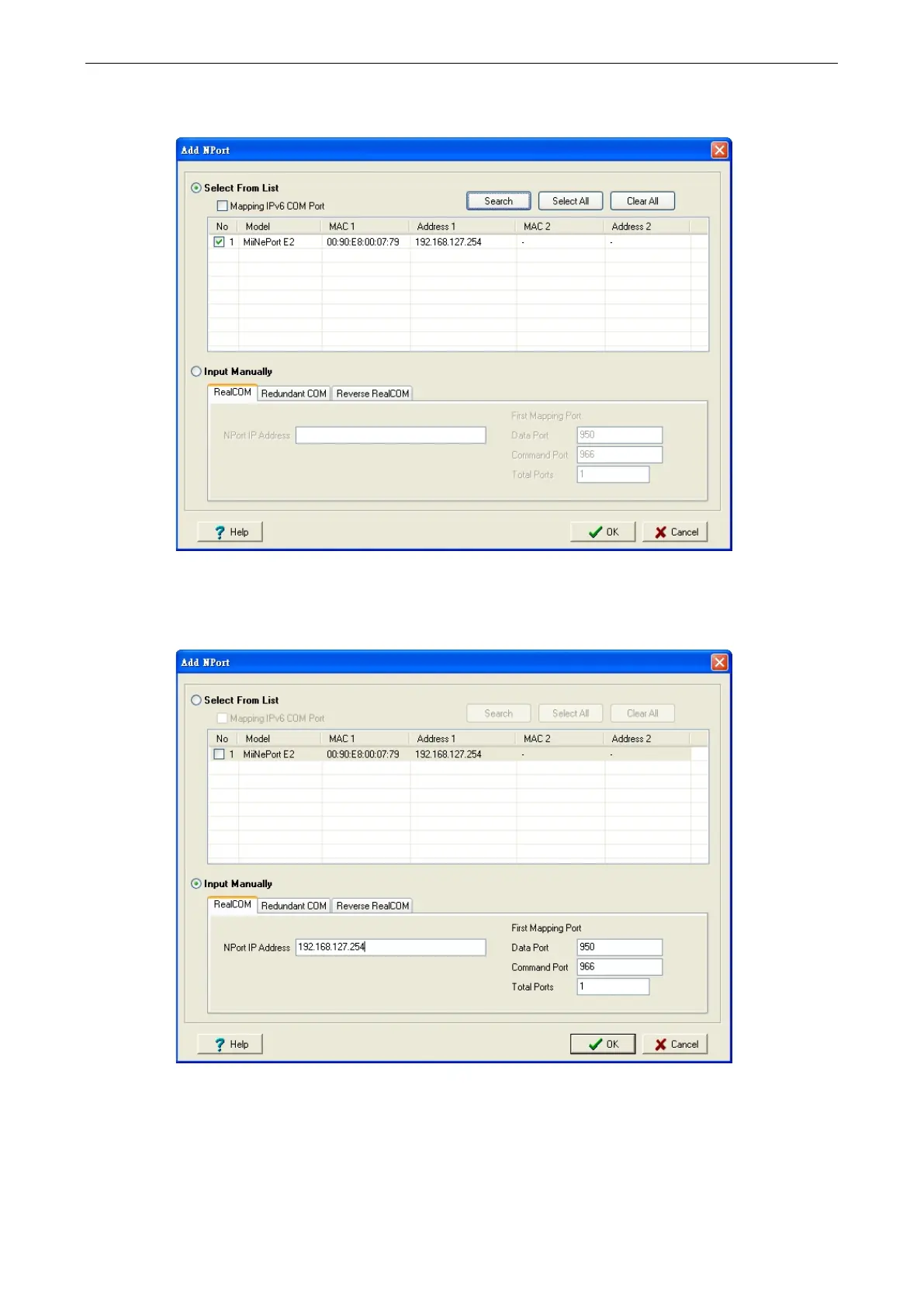
3. Click Search to search for the MiiNePort modules. From the list that is generated, select the server to which
you will map COM ports, and then click OK.
4. Alternatively, you can select Input Manually and then manually enter the MiiNePort module’s IP Address,
1st Data Port, 1st Command Port, and Total Ports to which COM ports will be mapped. Click OK to
proceed to the next step. Note that the Add NPort page supports FQDN (Fully Qualified Domain Name), in
which case the IP address will be filled in automatically.



 To Next Page