12-9Ma I n t e n a n c e & pr o b L e M s o L v I n G
1
2
3
4
5
6
7
8
9
10
11
12
13
14
A
Ma I n t e n a n c e & pr o b L e M s o L v I n G
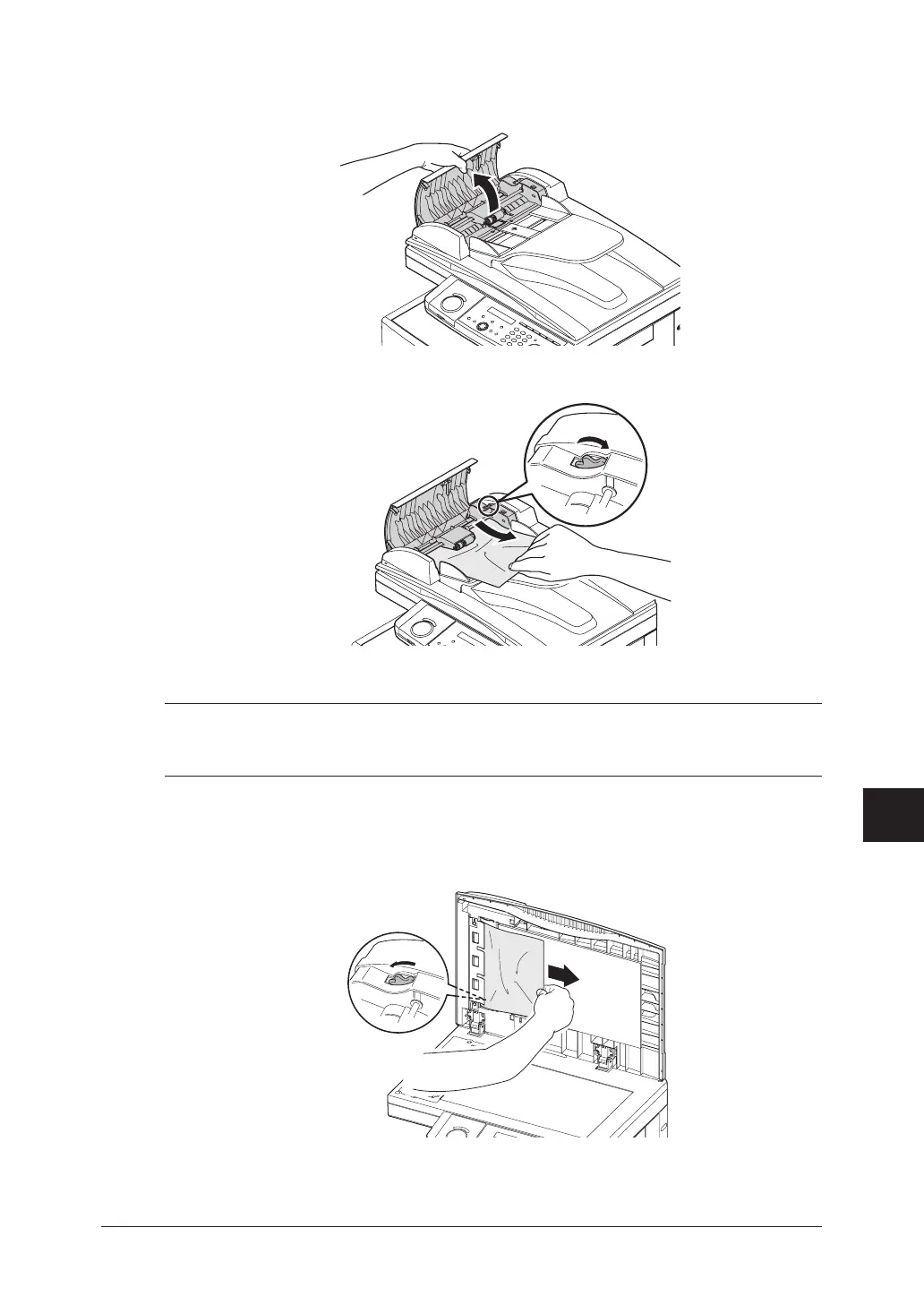
Jammed in the input area
1
Open the ADF cover.
2
Gently remove the document from the ADF.
If you cannot remove it, turn the release knob to remove the jammed document.
3
Close the ADF cover, making sure both sides are snapped down securely.
NOTE: • Topreventadocumentjam,usethedocumentglassforwrinkledortorndocu-
ments.
•ThedocumentglassisavailableonlyfortheMFX-1950.
Jammed in the feed area
1
Open the platen cover. Open the ADF cover and turn the release knob to remove the
jammed document.







 To Next Page