Start-up
User manual 55170_hdb_en_13 47 / 145
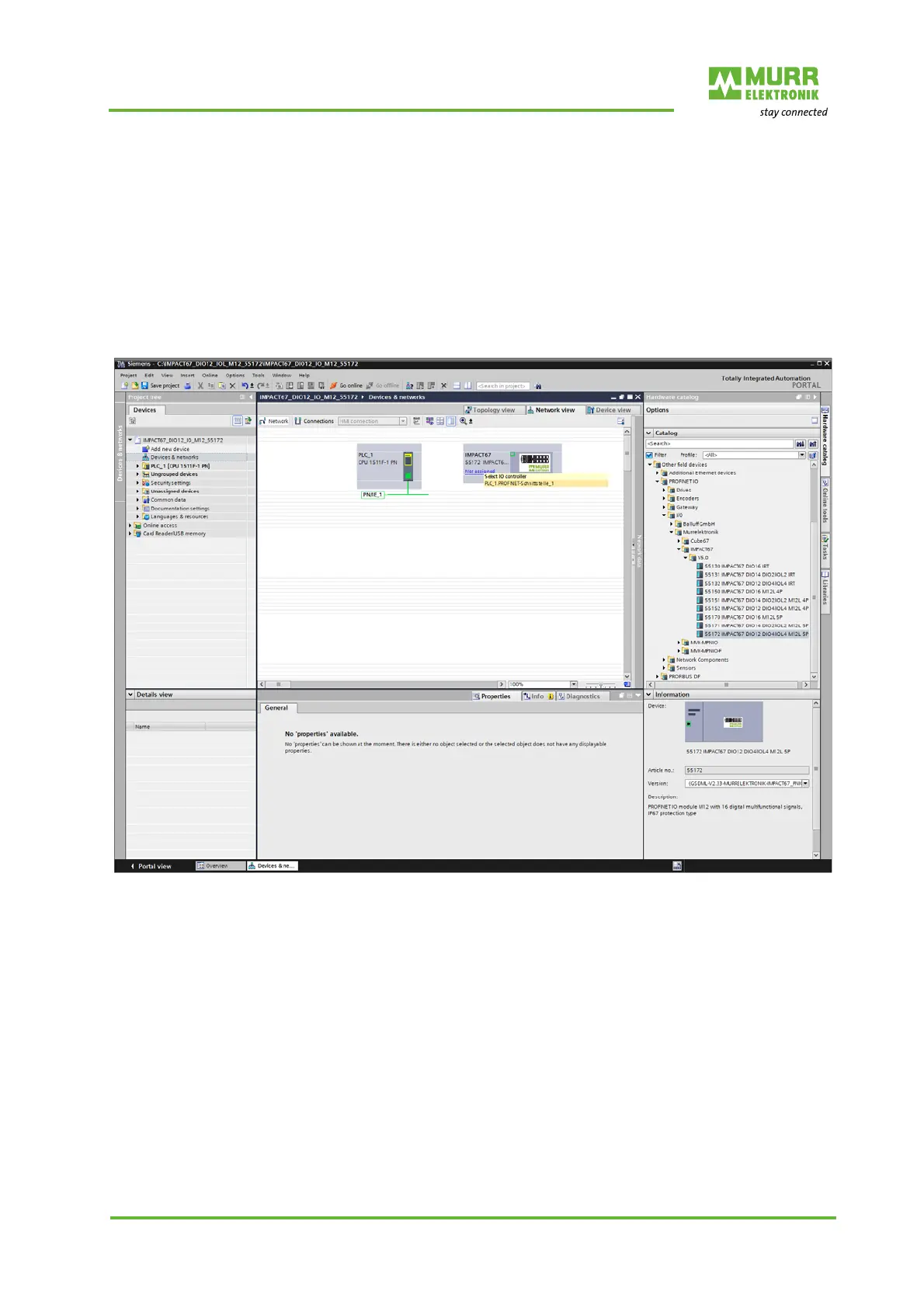
The IMPACT67 must be marked in the TIA Portal in the folder structure of the
hardware catalog under
Other field devices | PROFINET IO | IO | Murrelektronik | IMPACT67 | V5.0
In the hardware catalog, mark the IMPACT67 module.
Drag and drop the entry to an empty area in the "Devices & networks" win-
dow.
Assign the module to a
new IO controller
Fig. 7-2: Assign the module to a new IO controller
On the module symbol, click Not assigned.
Select PLC_1.PROFINET-Schnittstelle_1. The module is assigned to an
IO controller.
For further configuration, double-click the module to select it.


 To Next Page
 Loading...