4-8
4.4 How to Set
How to set is as follows.
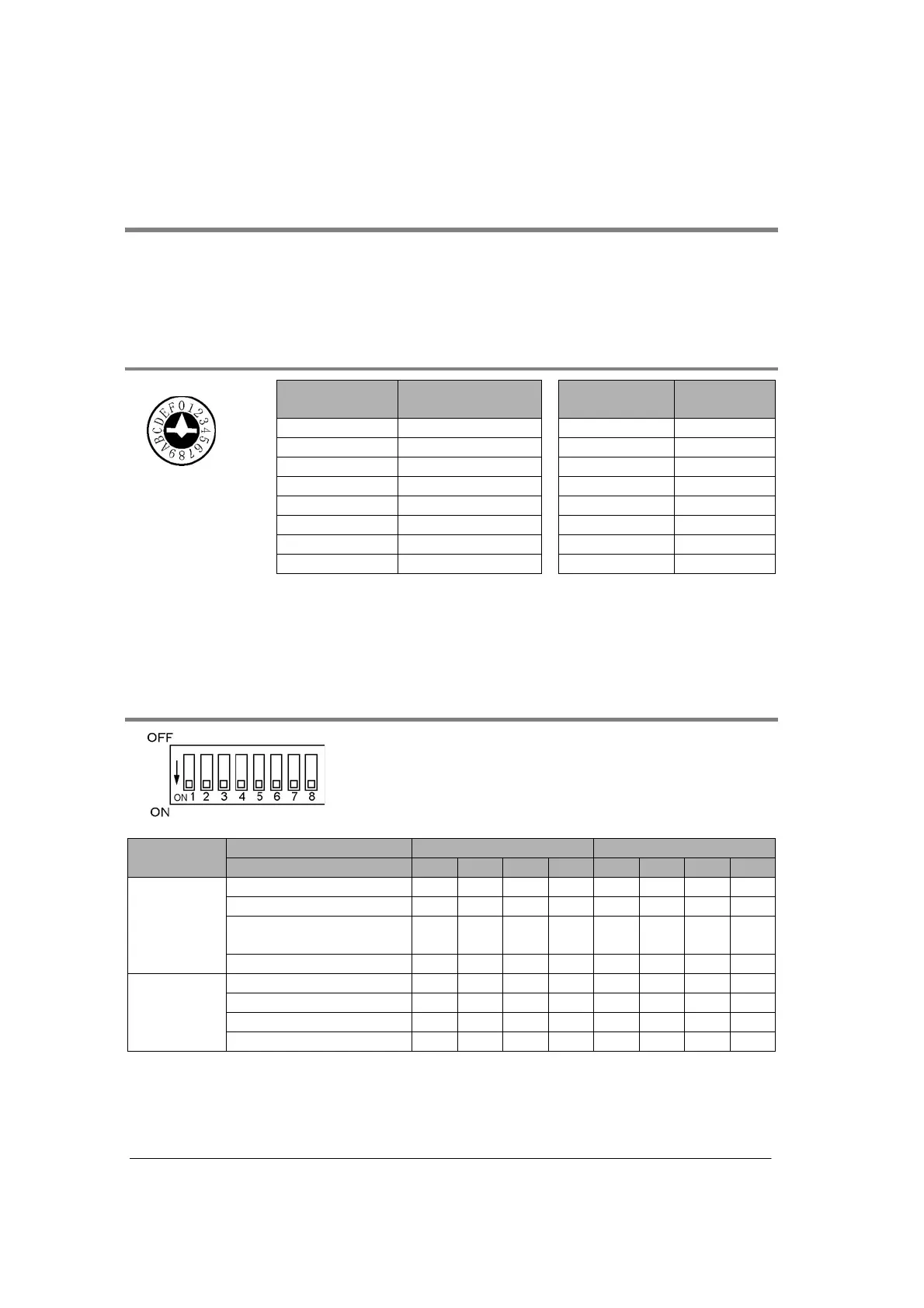
Unit No. setting switch : Rotary switch at the back of the unit
Mode speed setting switch : Dip switch at the back of the unit
Memory switch : Setting by the internal memory (MCU setting/F159 (MTRN) instruction)
4.4.1
Unit No. Setting Switch
No. of Unit No.
setting switch
Unit No.
No. of Unit No.
setting switch
Unit No.
0 Memory switch
Note1)
88
11 99
22 A10
33 B11
44 C12
55 D13
66 E14
Rotary SW at the
back of the unit
77 F15
Note1) Sets by the MCU setting and F159 (MTRN) instruction, and sets more
than 15 unit numbers. The initial value of the memory switch is 1. (For
PC(PLC) link, it is 0.)
Note2) Only COM. 1 port can be set.
(COM. 2 port is set by the memory switch.)
4.4.2
Mode Speed Setting Switc h
Dip SW at the back of the unit
Port COM. 1 COM. 2
Switch No. 1 2 3 4 5 6 7 8
Spare OFF OFF OFF OFF
PC(PLC) link ON OFF ON OFF
General-purpose serial
communication
OFF ON OFF ON
Operation
mode
Computer link ON ON ON ON
115200 bps OFF OFF OFF OFF
19200 bps ON OFF ON OFF
9600 bps OFF ON OFF ON
Buad rate
Memory switch ON ON ON ON
Note) If selecting the setting marked with diagonal lines, the setting error occurs.



 To Next Page