5-4
5.2 Setting the Opera tion Mode and Baud Rate
5.2.1
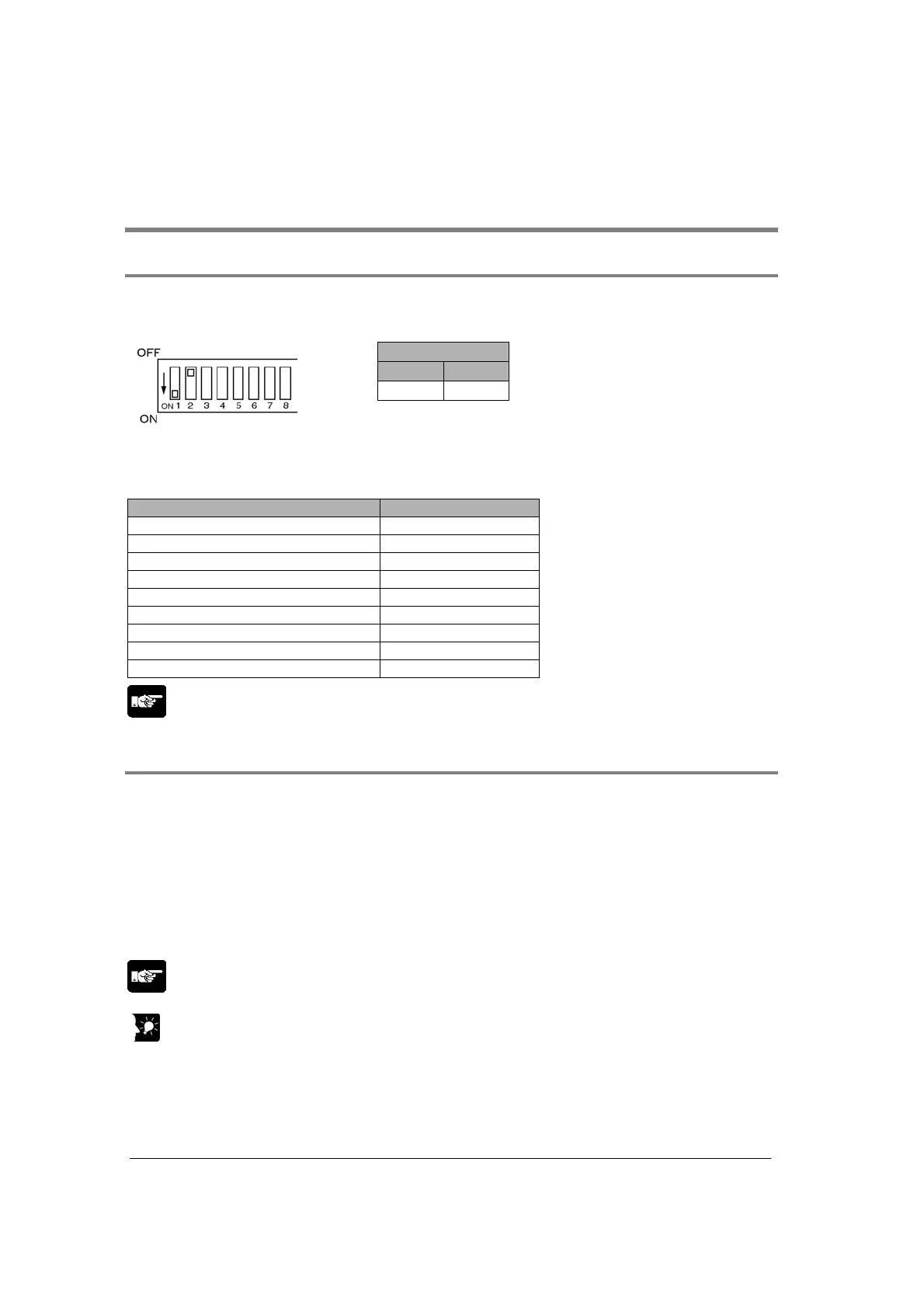
Setting using Mode Speed Setting Switch
PC(PLC) link (MEWNET-W0) are set using the mode speed setting switch.
Setting PC(PLC) link mode
COM. 1
1 2
ON OFF
Note) COM. 2 port cannot be used for
PC (`PLC) link mode.
Setting communication format
The setting for PC(PLC) link is fixed as below. (The setting made using the memory switch is
ignored.)
Setting Setting value
Baud rate 115200 bps
Character bit 8 bits
Parity Odd
Stop bit 1 bit
RS/CS (Only when using RS232C) Invalid
Send waiting time 0.00 ms
Header STX not exist
Terminator CR
Initialize modem No
Note:
The mode speed setting switch is at the back of Multi Communication Unit.
5.2.2
Setting of Unti Numbers
For the PC(PLC) link which connects multiple PLCs to the transmission line, the unit number must be
specified so that each PLC can be identified.
The unit number is specified either by using the unit number setting switch or the memory switch (F159
(MTRN), MCU setting).
Note1) Unit numbers should be set sequentially and consecutively, starting from 1, with no breaks
between them. If there is a missing unit number in the link system, the transmission time will be
longer.
Note2) If fewer than 16 units are linked, the transmission time can be shortened by setting the largest
unit number in system register no. 47.
Note:
In case of PC(PLC) link, the default setting for the memory switch is 0. Change the setting to use it.
Key Point:
The priority order for station number settings is as follows:
1. Unit number settings switch
2. SYS1 instruction
3. System registers



 To Next Page