7-7
7.2.3
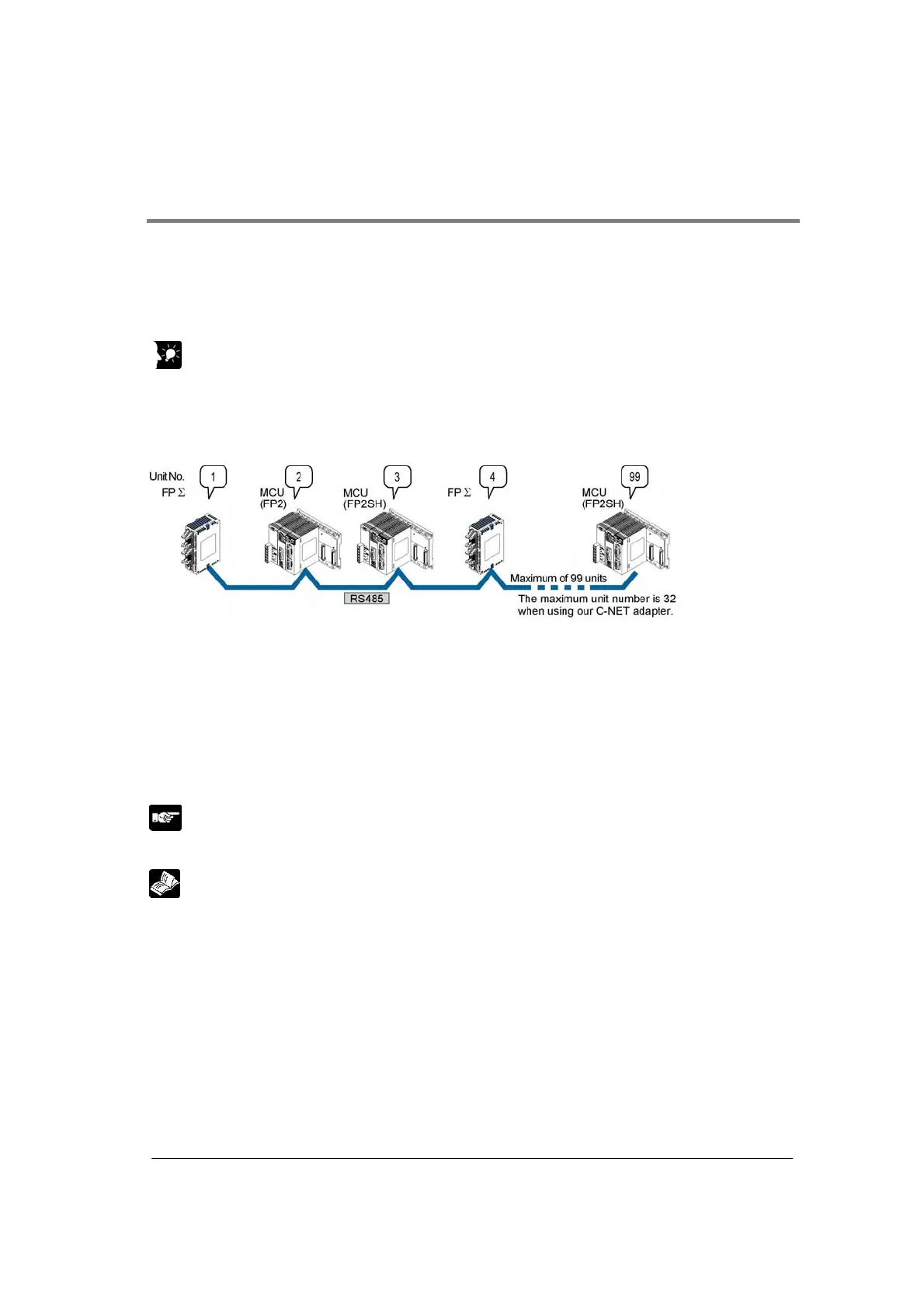
Setting of Unit Numbers (C-NET 1:N Communication)
In the C-NET link that connects multiple PLCs on the same transmission line, the unit number must be
set in order to identify the different PLCs.
The unit number is specified either by using the unit number setting switch or the memory switch (F159
(MTRN), MCU setting).
Key Point:
The priority order for unit number settings is as follows:
1. Unit number settings switch
2. F159 (MTRN)
3. MCU setting
Unit numbers are the numbers to identify the different PLCs on the same network. The same number
must not be used for more than one PLC on the same network.
If unit number setting switch is 0, the memory switch (F159 (MTRN), MCU setting) is valid. (Default
setting: 1)
If unit number setting switch is a number other than 0, the unit number setting switch is valid, and the
unit number setting of the MCU setting is ignored.
Note:
The unit number should be set to 1 in the 1:1 communication mode.
Reference:
For the details on the PC (PLC) link of FPΣ, refer to <FPΣ User’s Manual ARCT1F333>.



 To Next Page