7-9
7.3 Connection with S erial Devices
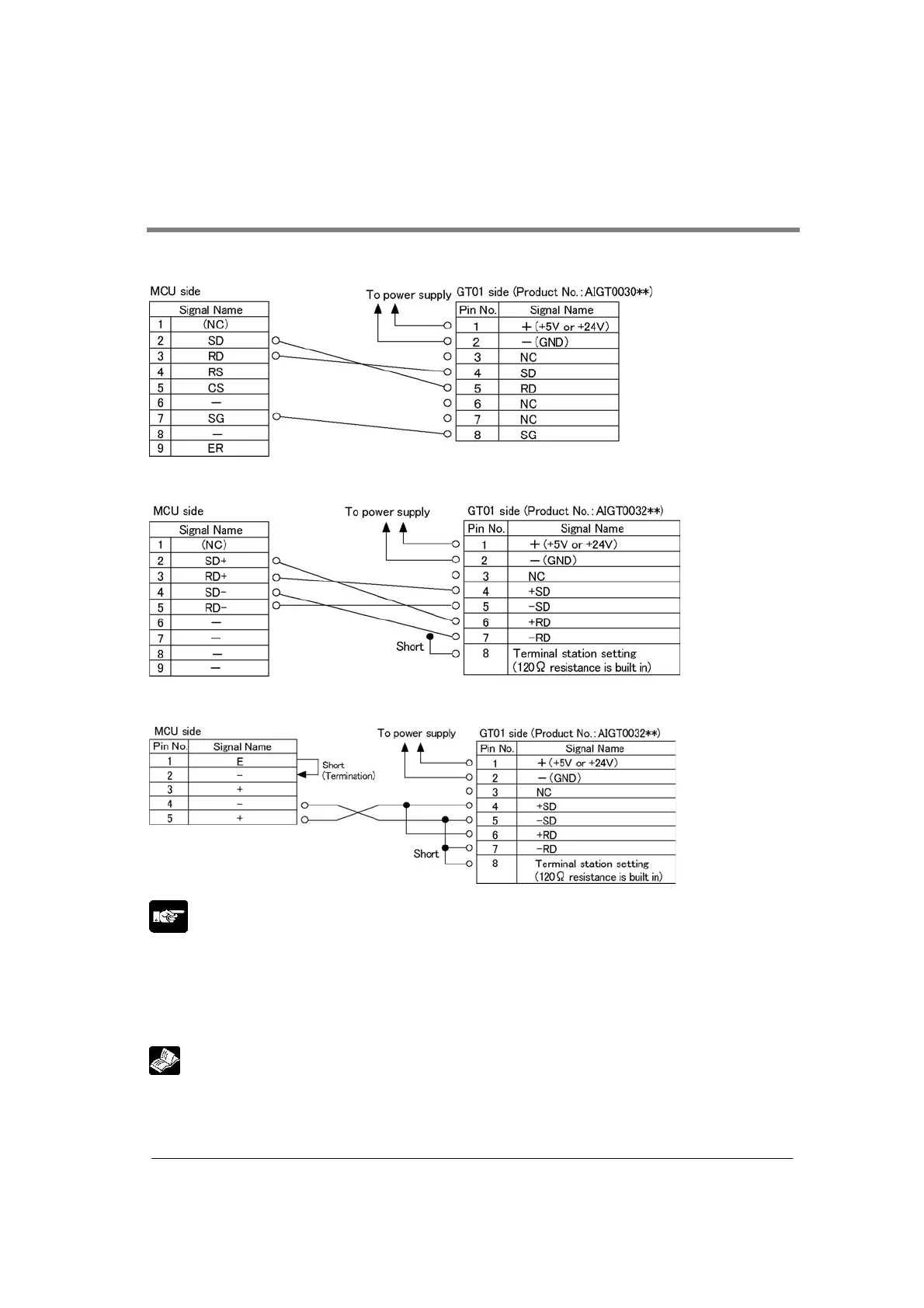
Example of the connection with our operation display panel
<Using RS232C (communication block: FP2-CB232) (AIGT0030**)
<Using RS422 (communication block: FP2-CB422) (AIGT0032**)
<Using RS485 (communication block: FP2-CB485) (1:1 connection) (AIGT0032**)
Note:
• A shielded cable must be used as the communication cable. In a noisy environment, measures against
noise should be taken, such as using a ferrite core.
Take care for the shielded part not to be bare to avoid noises such as static electricity.
• Unit numbers, transmission distance and baud rate vary depending on connected devices. Check
them in an actual operation.
Reference:
For the details on transmission distance, refer to <2.3.2 Communication Specifications>



 To Next Page