Power Management
Swap Battery (Optional) 3 - 13
3
Swap Battery (Optional)
If you have included the optional swap battery in your purchase option it will allow
you to change batteries on your computer without having to shut the computer down.
The swap battery’s total operational time is approximately three minutes; however
the swap battery life is dependent upon many factors (see sidebar).
Swapping Batteries
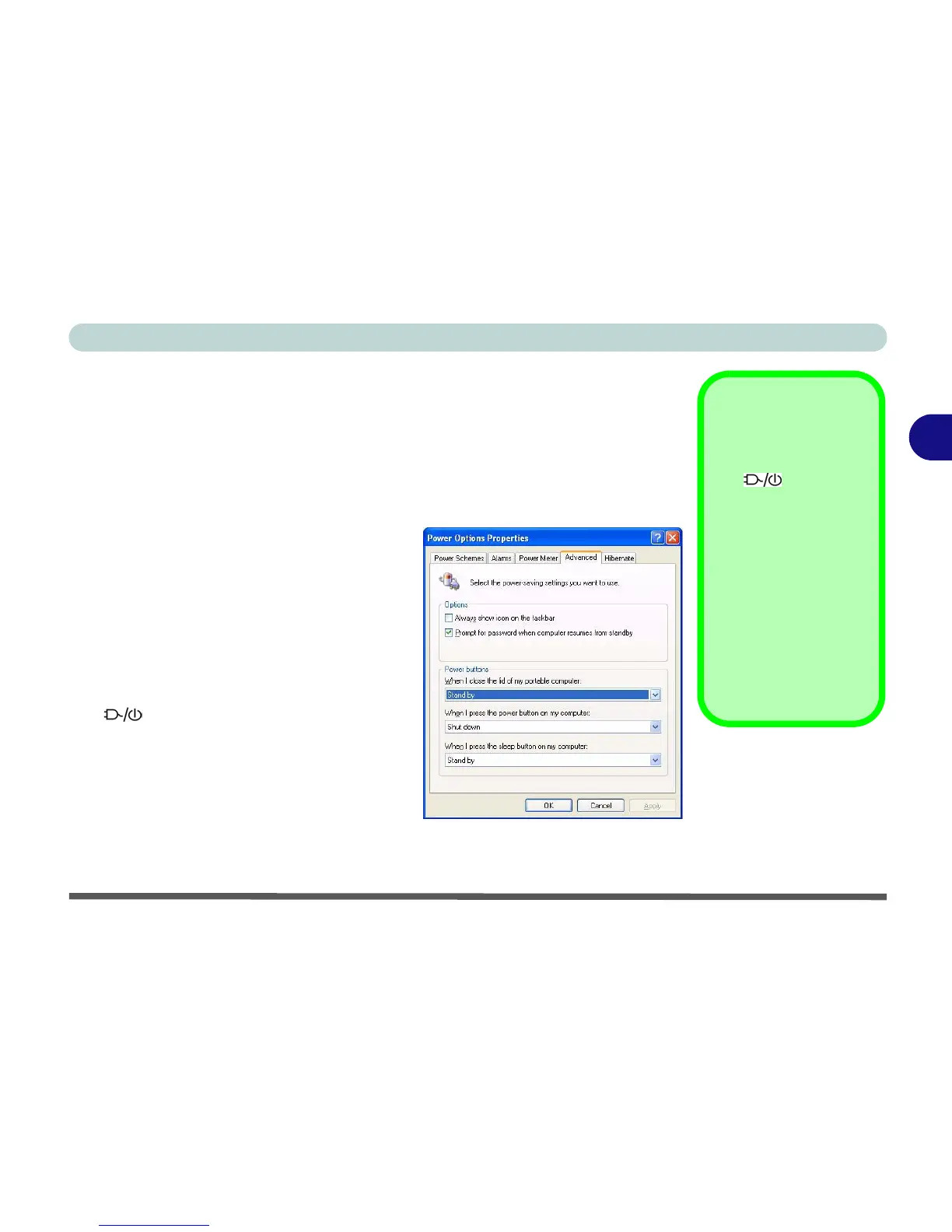
1. Go to the Power Options control panel in
Windows.
2. Click Advanced (tab).
3. Select Stand by from the Power buttons
pull down menu, under the heading “When I
close the lid of my portable computer:”
4. Click OK to save the settings, and close the
cover of the notebook.
5. The computer will enter Stand by mode (the
LED will blink green*).
6. Remove the currently installed battery, and
install the replacement battery
(see page 6 - 3) within the 3 minute
(approx.) operational period.
7. Open the notebook cover and the system
will resume.
*Swap Battery
Indicator
The icon will blink
green for about one
minute, and will then
change to blink orange
for a further two minutes
before the computer
shuts down. These
times are intended as
guidelines only, and
may vary depending
upon programs and pe-
ripheral devices being
used.
Figure 3 - 5
Power Options
(Stand by - Lid)


 To Next Page