EasyManua.ls Logo

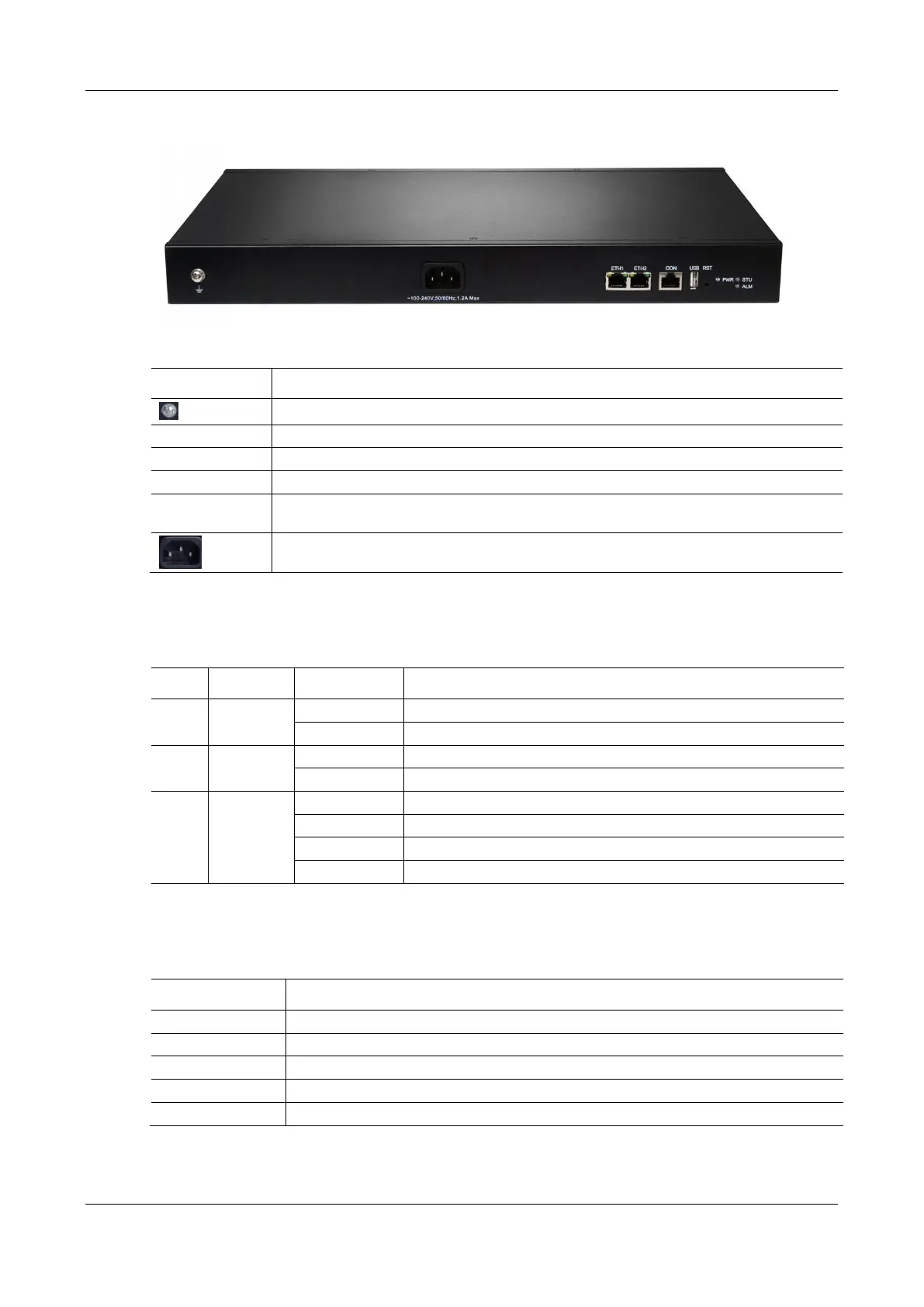
New Rock Technologies MX8G - Figure 1-11 MX60 E Back Panel-AC; Table 1-17 Description of MX60 E Back Panel; Table 1-18 Meanings of MX60 E Indicators; Table 1-19 MX60 E System Operation Status

New Rock Technologies MX8G
125 pages
Print Icon
To Next Page IconTo Next Page
To Previous Page IconTo Previous Page
Loading...
User Manual MX Series Voice Gateway
24 New Rock Technologies, Inc.
Figure 1-11 MX60E Back Panel-AC
Table 1-17 Description of MX60E Back Panel
Item
Description
Ground pole
PWR/STU/ALM
Indicator, see Table 1-18 for description
USB
USB interface
CON
Configuration interface (CON), used for local management and debugging
ETH1/ETH2
Two 10/100 Mbps Ethernet ports (RJ45). They share one IP address, which by default is
192.168.2.240, and you can change it on Basic > Network page.
AC power socket, 100-240 VAC voltage input.
Table 1-18 Meanings of MX60E Indicators
Mark
Function
Status
Description
PWR
Power
Indication
Green
Power on
Off
Power off
STU
Status
Indication
Off
System locked and inactive
Blinking green
Normal operation
ALM
Alarm
Indication
Off
No alarms
Blinking red
New alarms occurred but not confirmed.
Steady Red
System in the process of powered up and not in the normal operation mode
Red
Alarms existed and all alarm information confirmed.
Table 1-19 MX60E System Operation Status
Glittery Letter
Status
Blinking with C
IP address conflicts
Blinking with D
Device startup failure
Blinking with E
Network failure
Blinking with P
Software upgrading
Blinking with T
App exited (the device cannot be used normally)

Table of Contents

Related product manuals