MX Series Voice Gateway User Manual
New Rock Technologies, Inc. 47
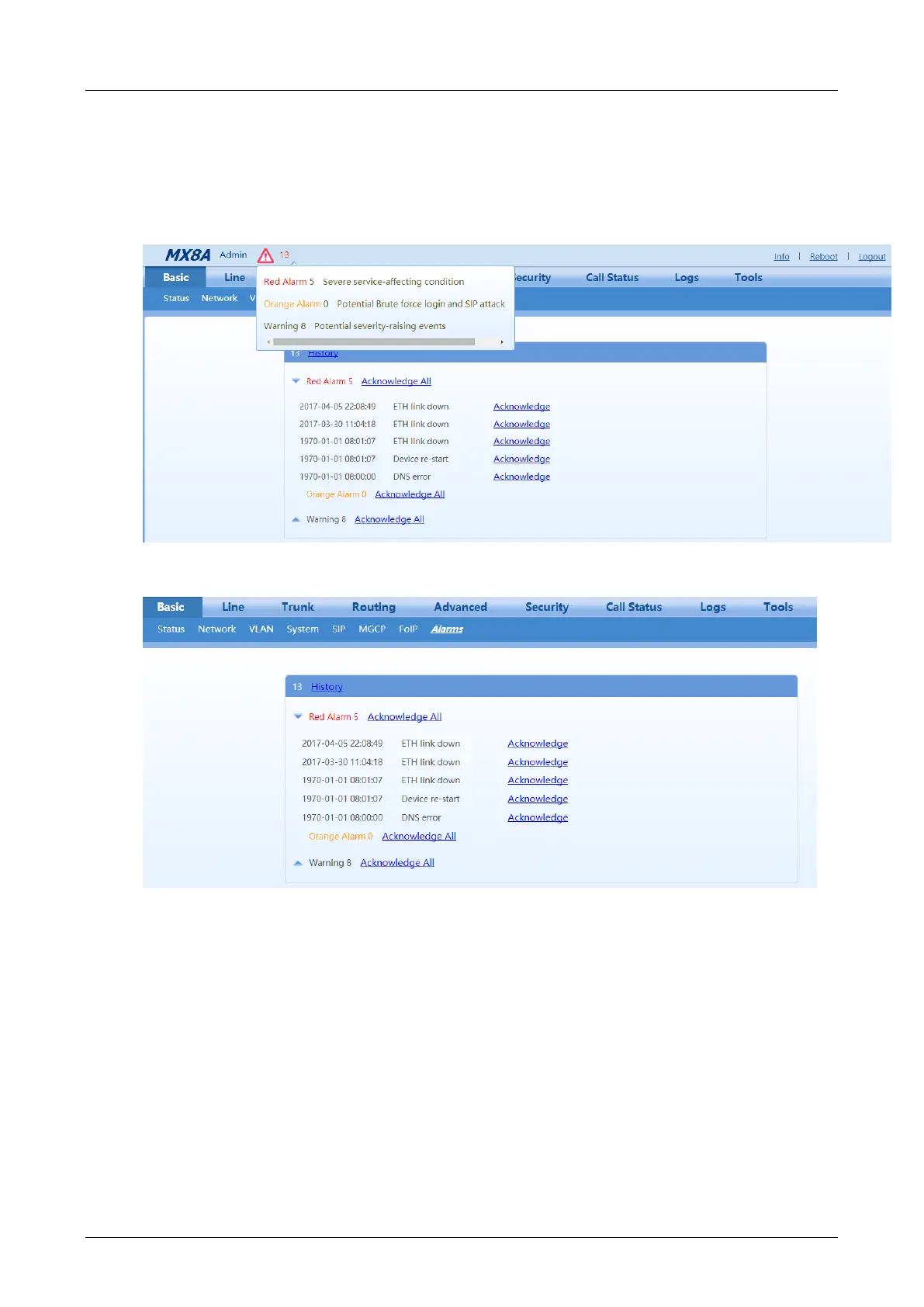
The alarm icon in the general information bar on the page displays the total number of security events.
Move the cursor to the icon, you may see the brief summary of the potential security issues.
Choose Basic > Alarm to view details of the security events and acknowledge the alarms.
Figure 2-13 Alarm Icon
Figure 2-14 Alarms Interface
You may do the following operations:
History: Click to download the security event log.
Acknowledge: Click to acknowledge the alarm.
Acknowledge All: Click to acknowledge all alarms of this type.
The acknowledged alarms will not be displayed but be kept in the security event log.
2.3 Line
2.3.1 Phone Number
The content below is only applicable to gateways with FXS ports.



 To Next Page