Satellite Terminal Components
User Manual for the Satellite Terminal
version 3.0
2
2 SATELLITE TERMINAL COMPONENTS
2.1 The IPmodem
2.1.1 The IPmodem Front Panel
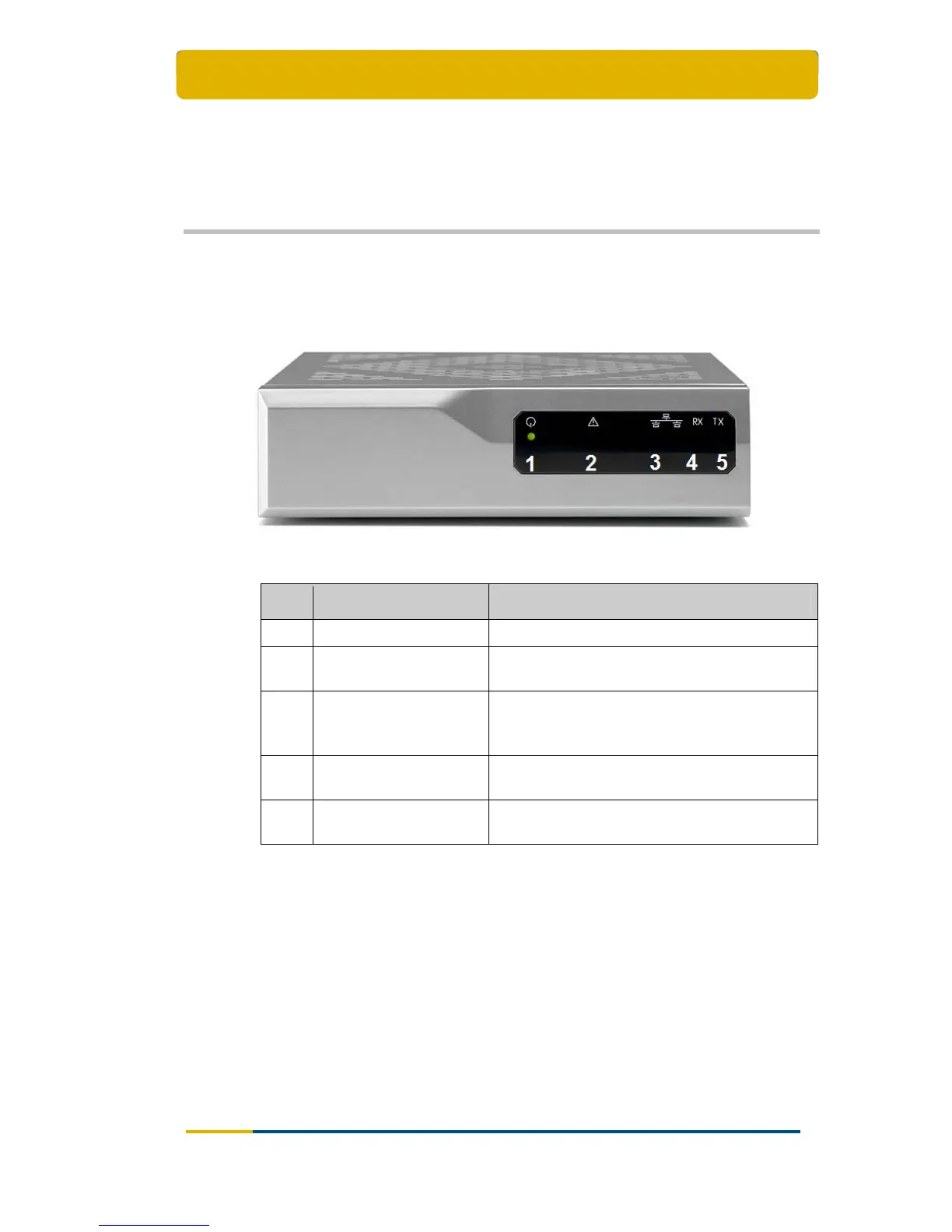
Figure 1 – The IPmodem Front Panel
Nr What Description
1 Power LED Green continuous – when powered up.
2 Warning LED
Yellow continuous – when the terminal is not
logged on to the satellite network.
3 LAN indicator LEDs Left: Green continuous – link layer status.
Right: Green blinking – Ethernet frames are
received or transmitted.
4 Rx indicator LED
Green continuous – forward satellite signalling
receiving.
5 Tx indicator LED
Green blinking – traffic transmitting via the
satellite link.
Table 1 – Description of the Elements on the IPmodem Front Panel



 To Next Page