Appendix A – Local Network Configuration
User Manual for the Satellite Terminal
version 3.0
34
4.2 Connect a LAN to the IPmodem
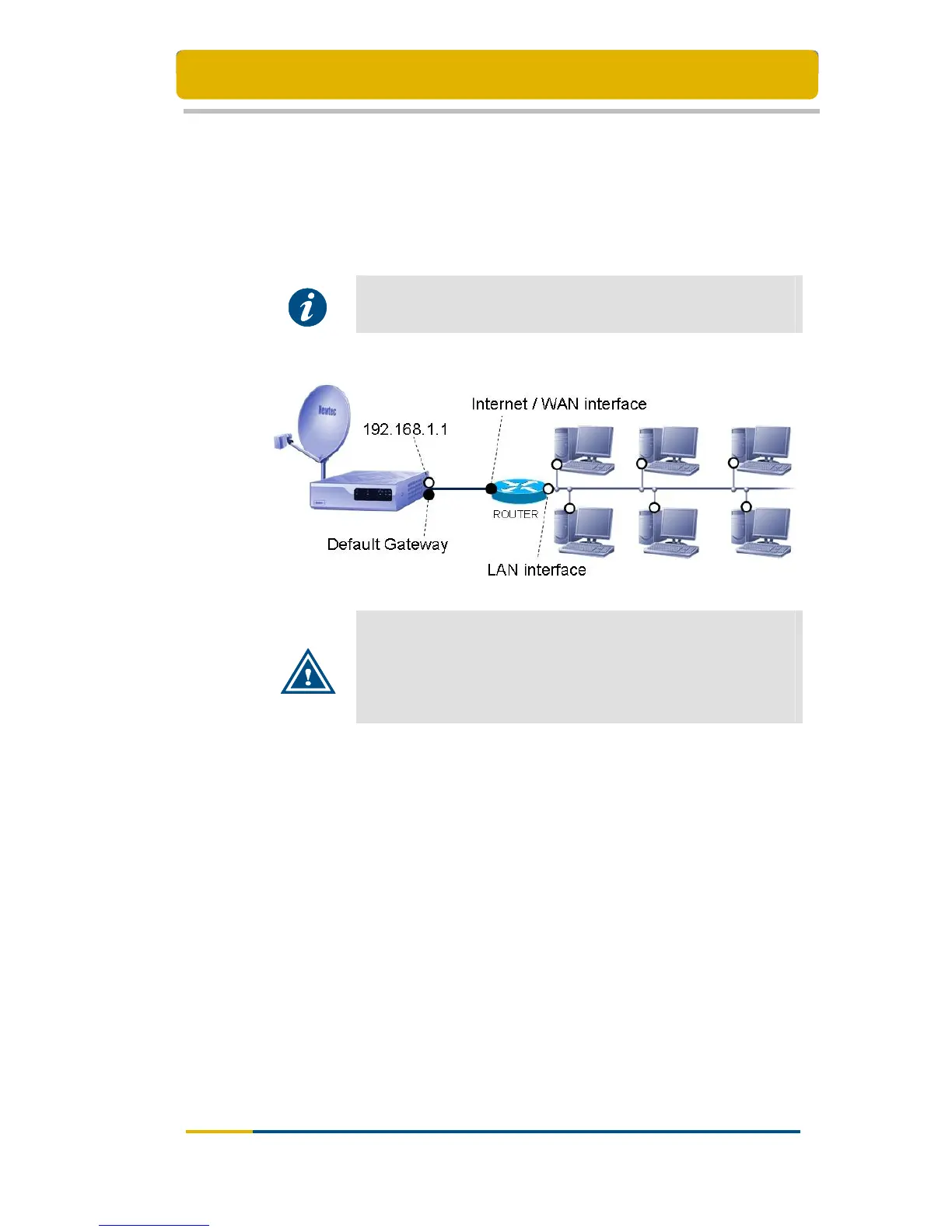
To connect the IPmodem to a network, a router is needed. The IPmodem has to be
connected to the Internet/WAN interface of the router. In the router configuration, the
Internet/WAN interface must be set to DHCP mode. Please refer to the router’s
manual for a description of how to set the Internet interface to DHCP mode and how
to connect the router to your LAN (local area network).
Please refer to Appendix B – Setting and Changing your IP
Settings for a detailed explanation on how to change the IP
settings
Important
The IPmodem web interface is accessible through the IPmodem
default gateway. The IPmodem default gateway address can be
looked up through the router’s web interface.
Please refer to your router’s manual for a description of how to
look up the default gateway address.



 To Next Page