Appendix B – Setting and Changing your IP
Settings
User Manual for the Satellite Terminal
version 3.0
43
Select the tab General;
If the radio button Obtain an IP address automatically is selected, your computer
is able to receive an IP address.
If the radio button Obtain an IP address automatically is not selected:
Select the radio button Obtain an IP address automatically;
Click the OK button.
Your computer will now be able to accept an IP address from the IPmodem.
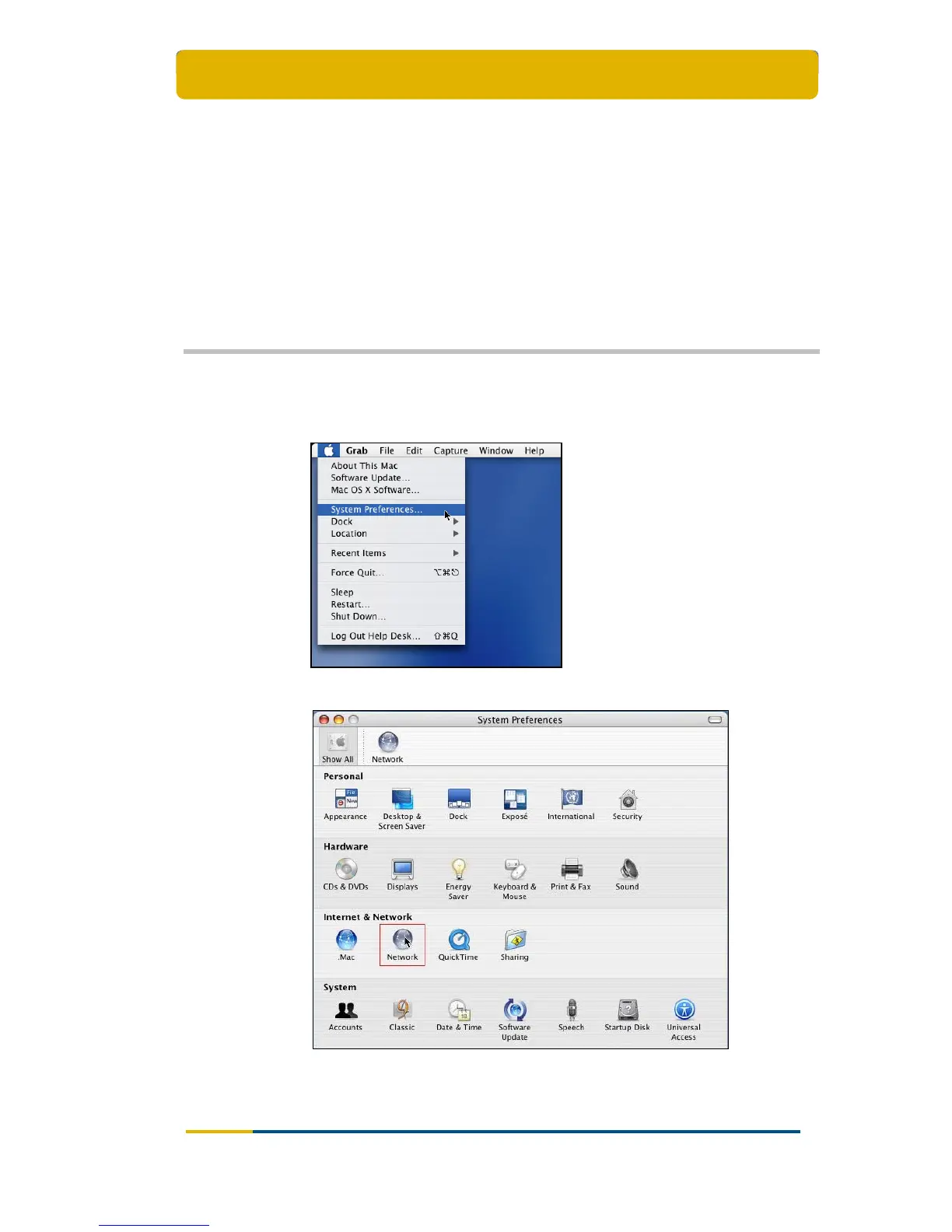
5.4 Mac OS X
Click on your Apple menu and choose System Preferences:
Double-click on the Network icon;
Click on the adapter that you wish to change (usually Built-in Ethernet) and
then click the Configure... button;



 To Next Page