Appendix B – Setting and Changing your IP
Settings
User Manual for the Satellite Terminal
version 3.0
44
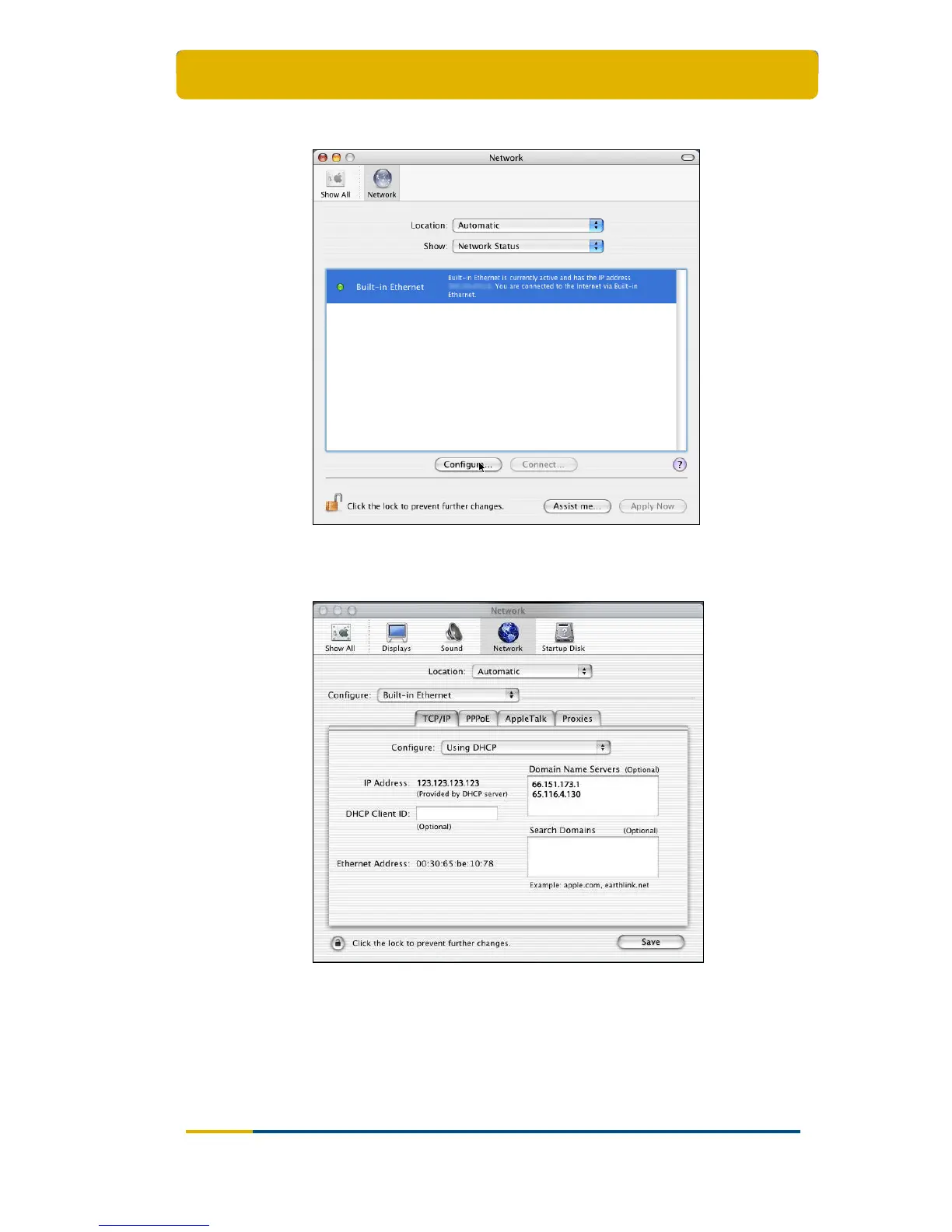
Go to the TCP/IP tab. If your computer is configured to use a dynamic IP
address, you should see a screen such as the one below (notice Using
DHCP in the drop-down box next to Configure);
This is where you can change your DNS settings, by entering the appropriate
DNS servers in the Domain Name Servers (Optional) box;
If not already selected, select Using DHCP from the drop down box called
Configure in the TCP/IP tab. You should get a screen shot as above;
Apply your settings by clicking the Save button.



 To Next Page