Terminal Web Interface
User Manual for the Satellite Terminal
version 3.0
13
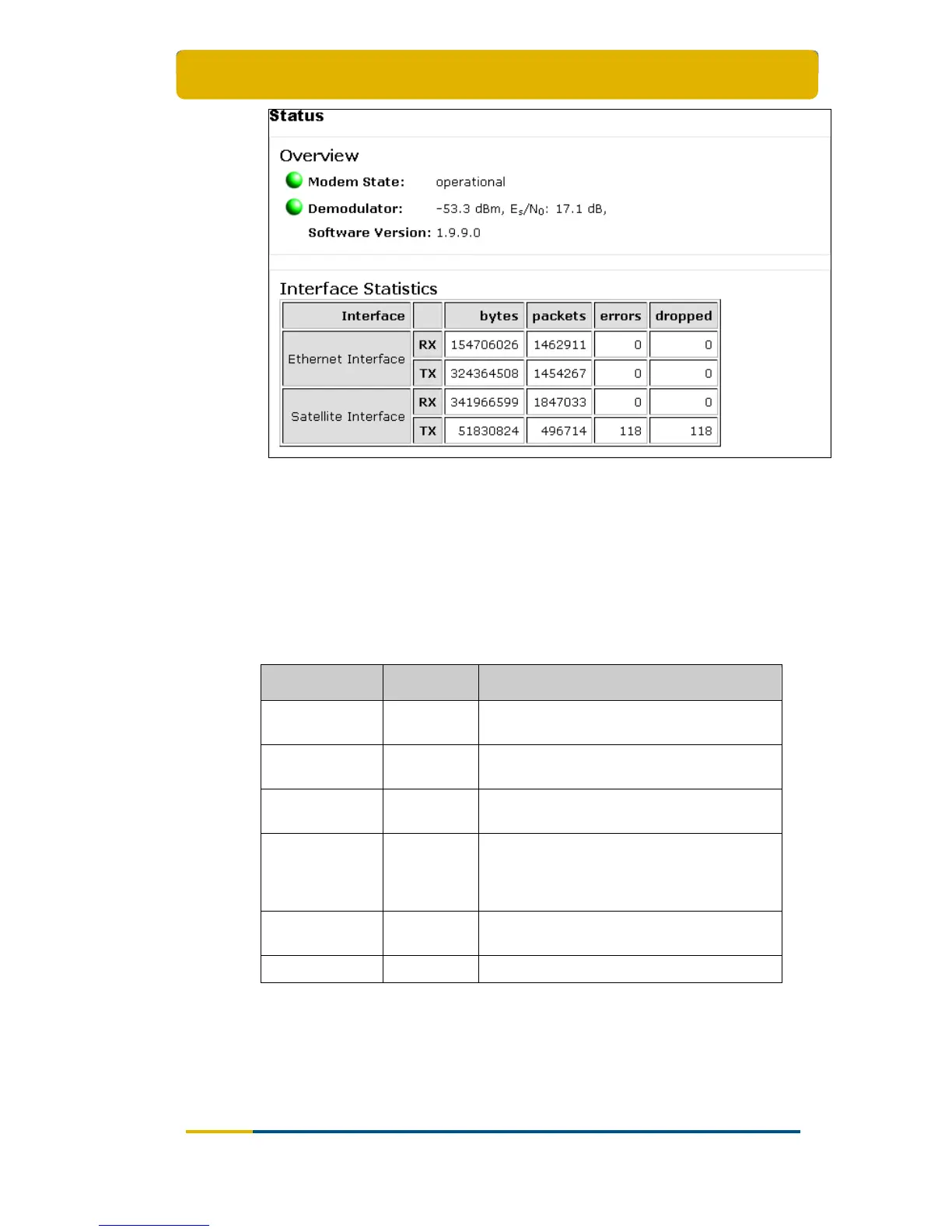
Figure 12 – Status Page when the Terminal is Pointed
3.6.2 Overview
3.6.2.1 Modem State
The IPmodem state is indicated by a coloured LED and a state description. For the
LED colour code, refer to Table 8. The possible modem state descriptions are given
below.
Modem state Colour Description
Awaiting
installer action
Red
The terminal is waiting for an action of the
installer.
Satellite
network lookup
Red /
Yellow
The terminal is looking for the satellite
network.
Synchronising Yellow
The terminal found the satellite network and
time synchronisation.
Synchronised Green
The terminal is synchronised and can
directly log in on the satellite network when
IP traffic is received via the Ethernet
interface.
Network login Yellow
The terminal is trying to log in on the
satellite network.
Operational Green The terminal is logged in.
Table 8 - Status Page > Modem State



 To Next Page