Terminal Web Interface
User Manual for the Satellite Terminal
version 3.0
30
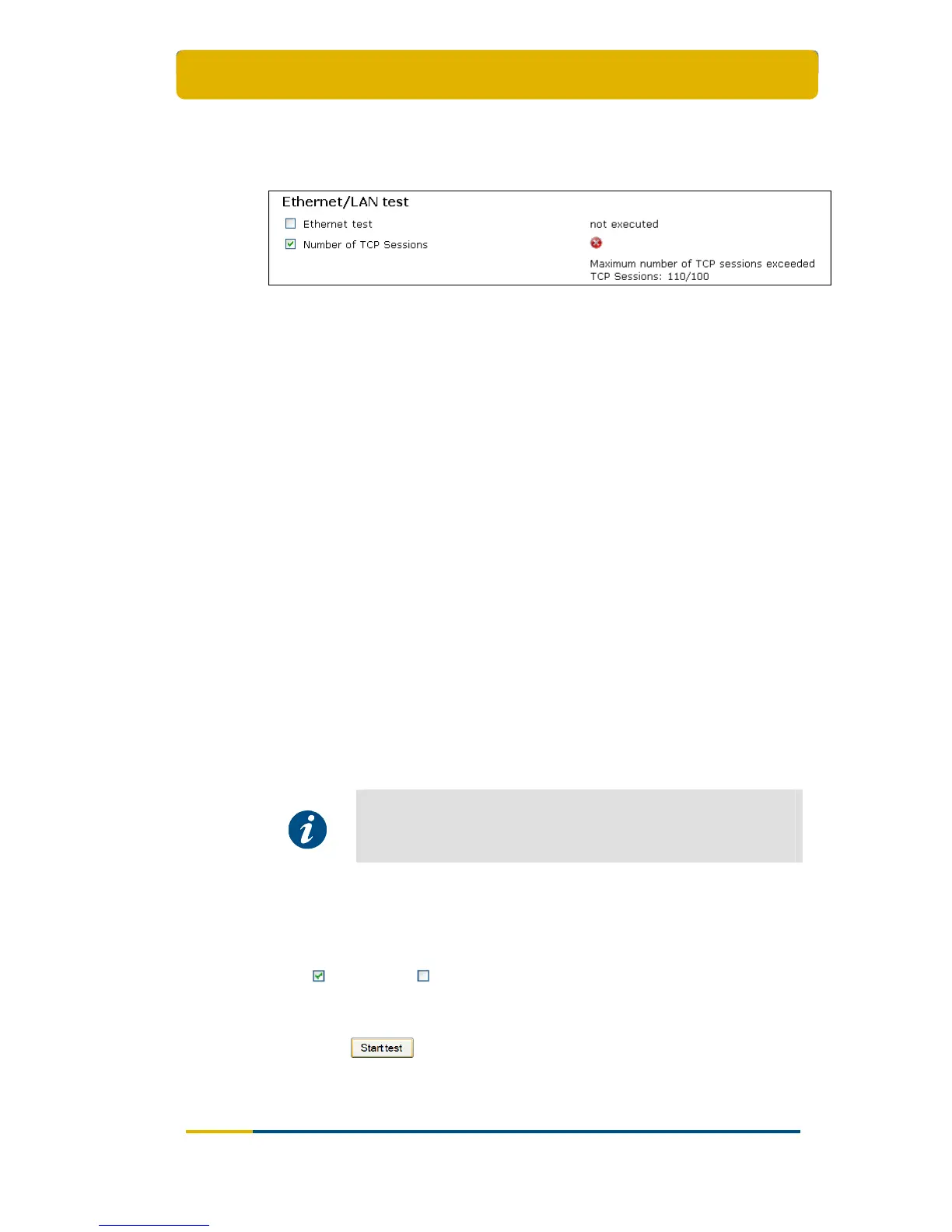
The “Number of TCP sessions” shows how many TCP sessions are currently
active. The maximum number of simultaneous TCP sessions is 100.
Consequently, if this number is exceeded, TCP sessions will be delayed until the
number drops again below 100 (see Figure 35).
Figure 35 - Number of TCP sessions exceeded
3.10.1.4 Satellite Connection Test
The Satellite connection test is composed of three tests:
The Physical layer test, checks if the physical layer of the IPmodem – satellite
connection is able to receive data;
The Data link layer test, checks if the system is able to send data to the satellite;
The Network layer test, checks the IP connection.
3.10.1.5 Traffic Test
The Traffic
test is composed of three tests:
A ping traffic test, tests if ping packets can be transported over the network from
the IPmodem, over the satellite to the hub site;
The following fields can be filled in:
- Ping packet size (bytes): minimum 1 and maximum 65,507 bytes;
- Number of pings: minimum 1 and maximum 100.
The DNS traffic test resolves a URL via a name server at the hub site;
The Http GET traffic test verifies the TCP acceleration and pre-fetching.
The Http GET traffic test uses a TCP connection and can hence
not be executed when the maximum number of TCP sessions is
exceeded (see section 3.10.1.3). In this case the Http GET traffic
test will time out or should be stopped manually.
3.10.2 On Screen Test Results
Mark ( ) or unmark ( ) a test depending on the tests to be run./
Section
3.10.1 gives a description of the tests which can be performed.
Click on the
-button to begin the test.
As a result, a screen with the requested test results will be shown, see Table 17.



 To Next Page