Appendix B – Setting and Changing your IP
Settings
User Manual for the Satellite Terminal
version 3.0
42
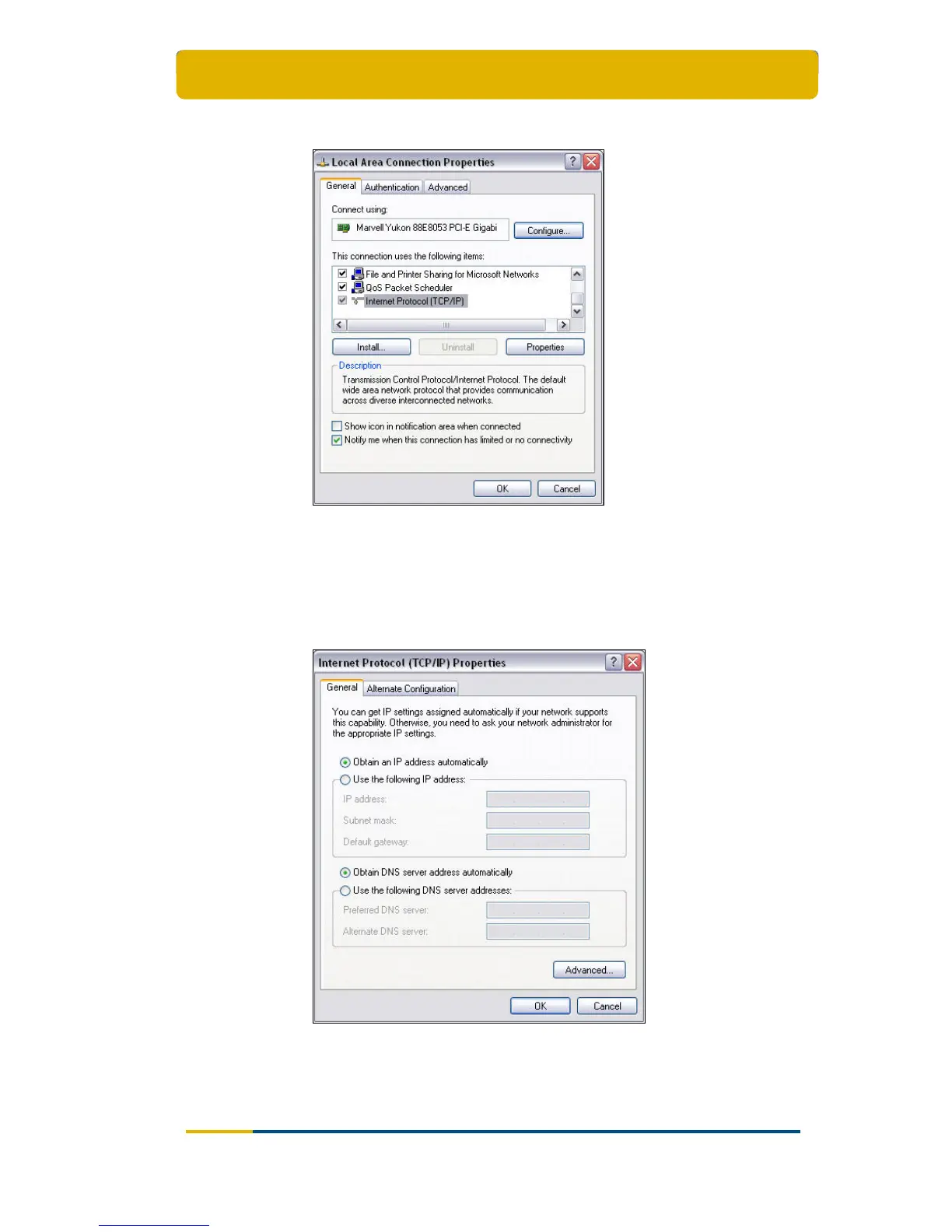
Select the tab General;
Scroll down the items and select Internet Protocol (TCP/IP);
Click the Properties button;
The Internet Protocol (TCP/IP) Properties dialogue will open.
By default, the dialogue is set as shown below.



 To Next Page