Appendix B – Setting and Changing your IP
Settings
User Manual for the Satellite Terminal
version 3.0
36
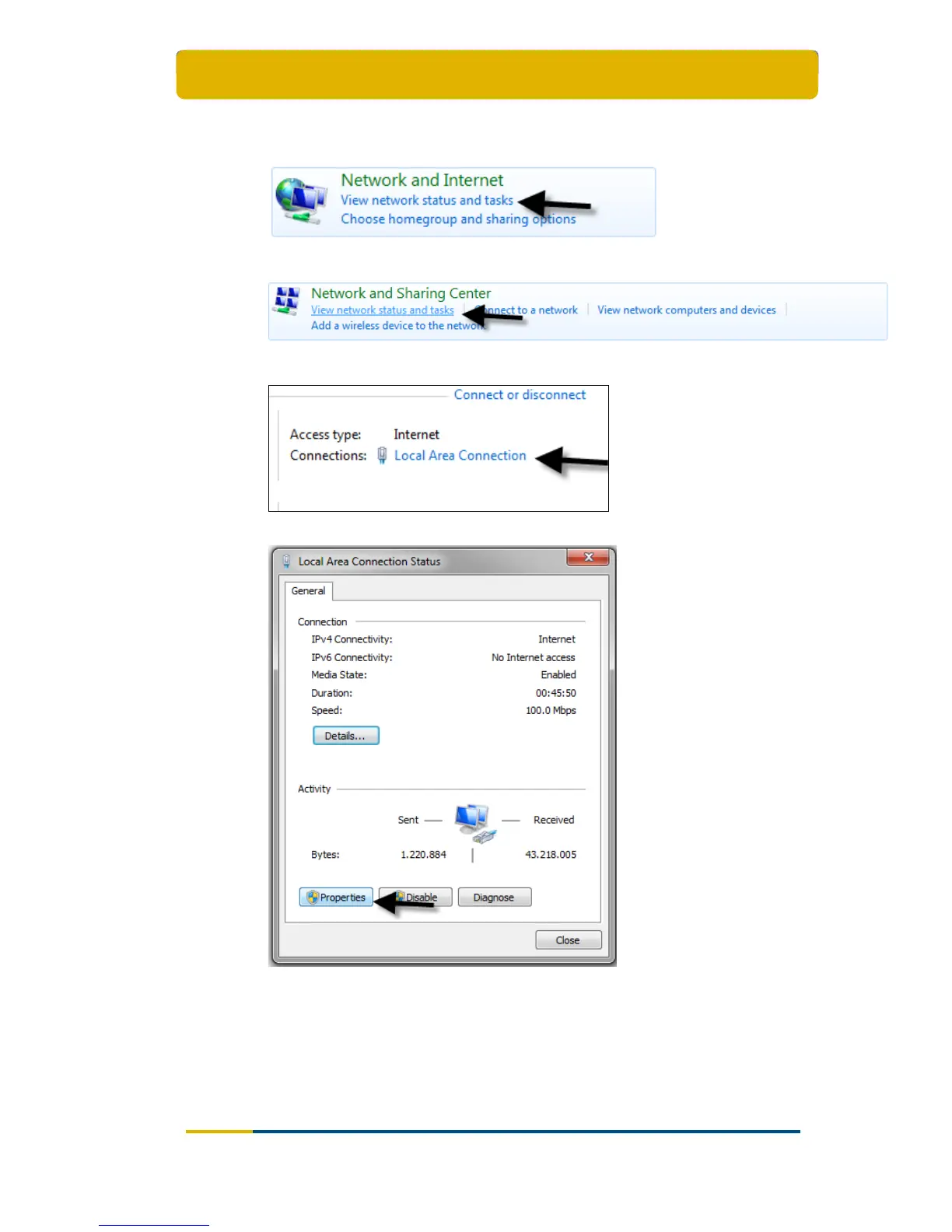
Select the option View network status and tasks;
Select the option View network status and tasks;
Select the option Local Area Connection;
Select the button Properties at the bottom;



 To Next Page