Copyright © 2022 NEXCOM International Co., Ltd. All Rights Reserved.
39
Chapter 4: System Setup
VTC 7260 Series User Manual
ChaPter 4: system setuP
Installing expansion slots on the top and bottom side of VTC 7260 M/B
CAUTION!CAUTION!
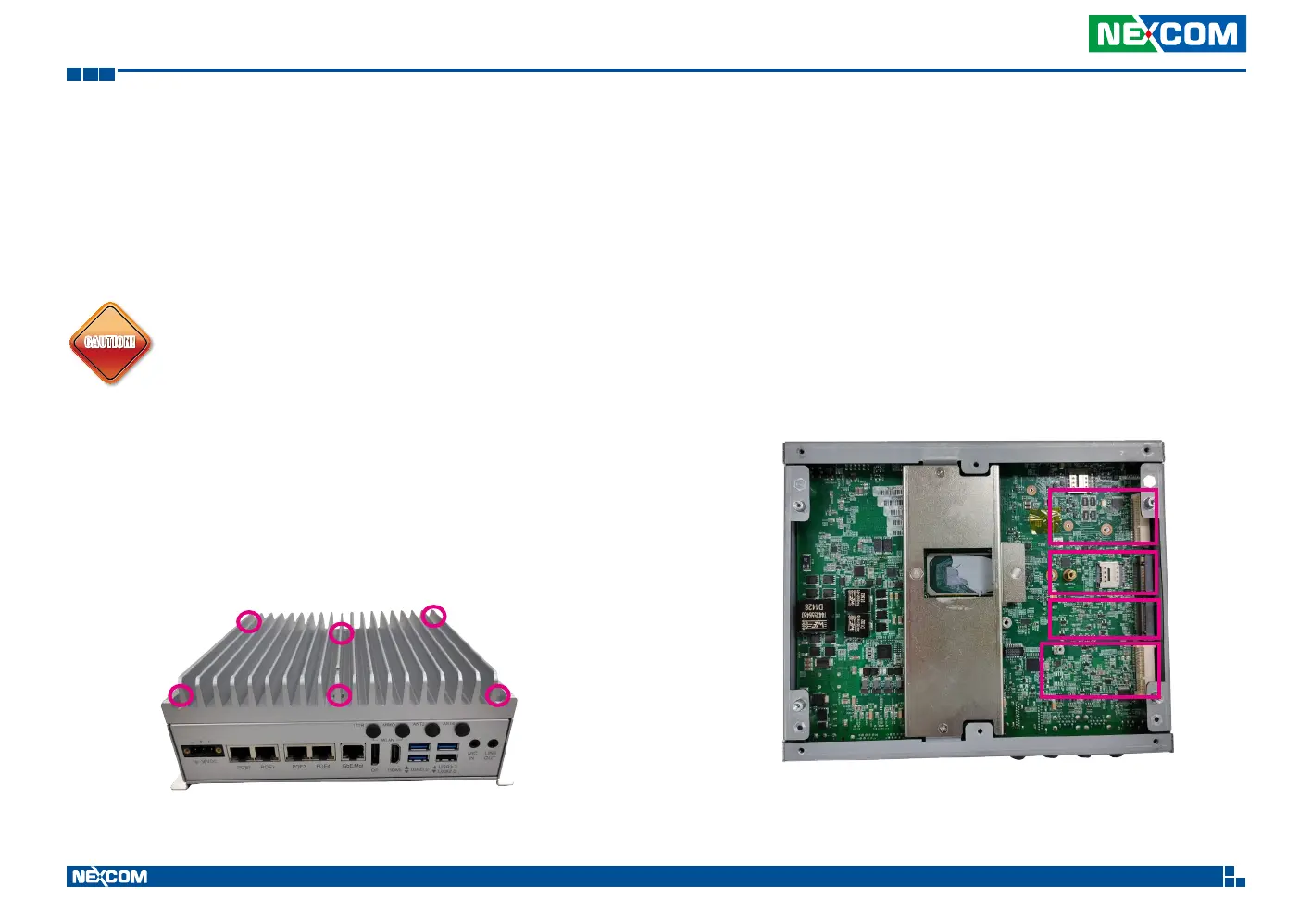
1. To install the expansion slots on the top side of VTC 7260 M/B.
• Open the top case by losing the 6 screws as shown below.
• The user can find 4 expansion slots, marked with A, B, C and D on the
M/B after removing the top case.
Prior to removing the chassis cover, make sure the unit’s
power is off and disconnected from the power sources to
prevent electric shock or system damage.
A
B
C
D


 To Next Page