Copyright © 2022 NEXCOM International Co., Ltd. All Rights Reserved.
69
Appendix F: Vehicle Power Management Setup
VTC 7260 Series User Manual
aPPendIx f: VehICle Power manaGement setuP
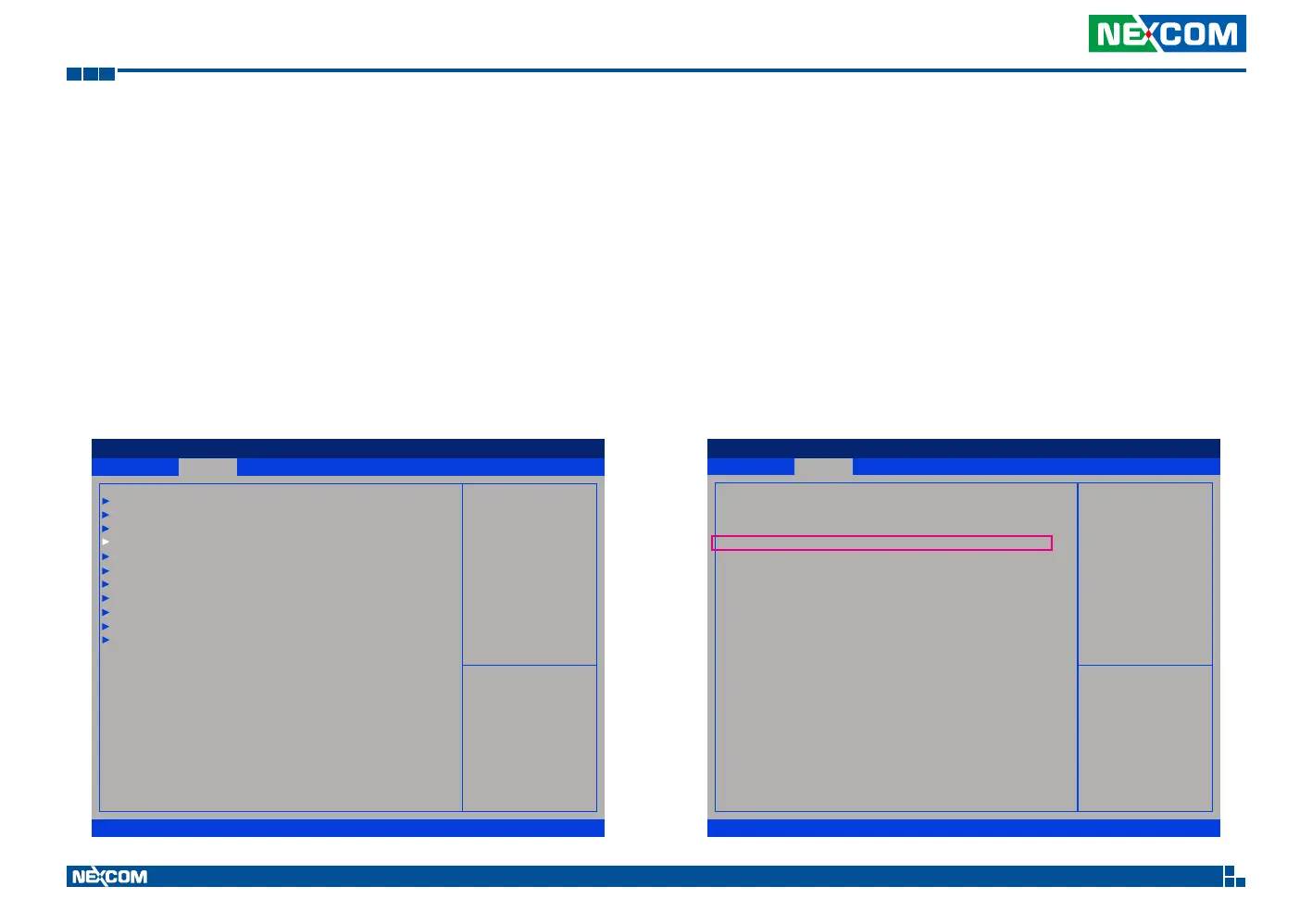
Startup and Shutdown Voltage Setting
Set the startup voltage to 11.5V or 23V and the shutdown voltage
to 10.5V or 21V
If the input voltage is 12V: the startup voltage to 11.5V and the shutdown
voltage to 10.5V.
If the input voltage is 24V: the startup voltage to 23V and the shutdown
voltage to 21V.
Set the startup voltage to 12.0V or 24V and the shutdown voltage
to 11.0V or 22V
If the input voltage is 12V: the startup voltage to 12V and the shutdown
voltage to 11V.
If the input voltage is 24V: the startup voltage to 24V and the shutdown
voltage to 22V.
Advanced Security Boot Save & ExitMain
Version 2.22.1282. Copyright (C) 2022 AMI
Aptio Setup - AMI
→←: Select Screen
↑↓: Select Item
Enter: Select
+/-: Change Opt.
F1: General Help
F2: Previous Values
F3: Optimized Defaults
F4: Save & Exit
ESC: Exit
Power Management
Conguration settings
CPU Conguration
SATA And RST Conguration
Trusted Computing
Power Management Conguration
Module Management
ACPI Settings
NCT6126D Super IO Conguration
Hardware Monitor
USB Conguration
Network Stack Conguration
NVMe Conguration
Advanced
Version 2.22.1282. Copyright (C) 2022 AMI
Aptio Setup - AMI
→←: Select Screen
↑↓: Select Item
Enter: Select
+/-: Change Opt.
F1: General Help
F2: Previous Values
F3: Optimized Defaults
F4: Save & Exit
ESC: Exit
Power On Delay Setting.
Power Management Conguration settings
Input voltage [9~36V]
Startup, Shutdown [(11.5, 10.5)/(23.21)]
Delay Time Setting
Power On Delay [Disabled]
Power Off Delay [Disabled]


 To Next Page