Copyright © 2022 NEXCOM International Co., Ltd. All Rights Reserved.
41
Chapter 4: System Setup
VTC 7260 Series User Manual
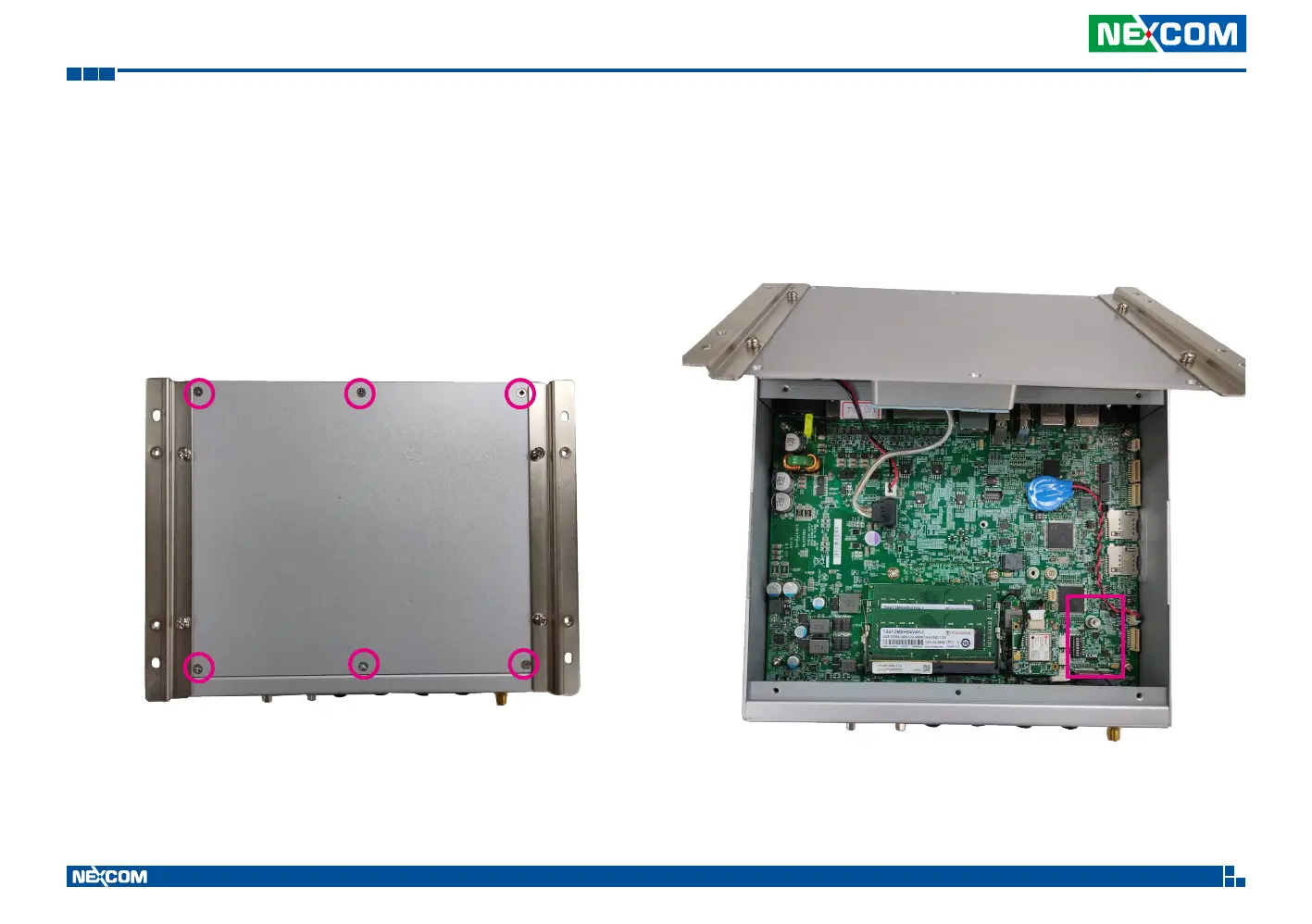
2. To install the expansion slots on the bottom side of VTC 7260 M/B.
• Open the bottom case by losing the 6 screws as shown below.
• The user can find one expansion slot, marked with E on the M/B after
removing the bottom case.
E


 To Next Page