Doc# E107706 9- 1
Electro Industries/GaugeTech
The Leader In Power Monitoring and Smart Grid Solutions
9: External I/O Modules
9: External I/O Modules
9.1: Hardware Overview
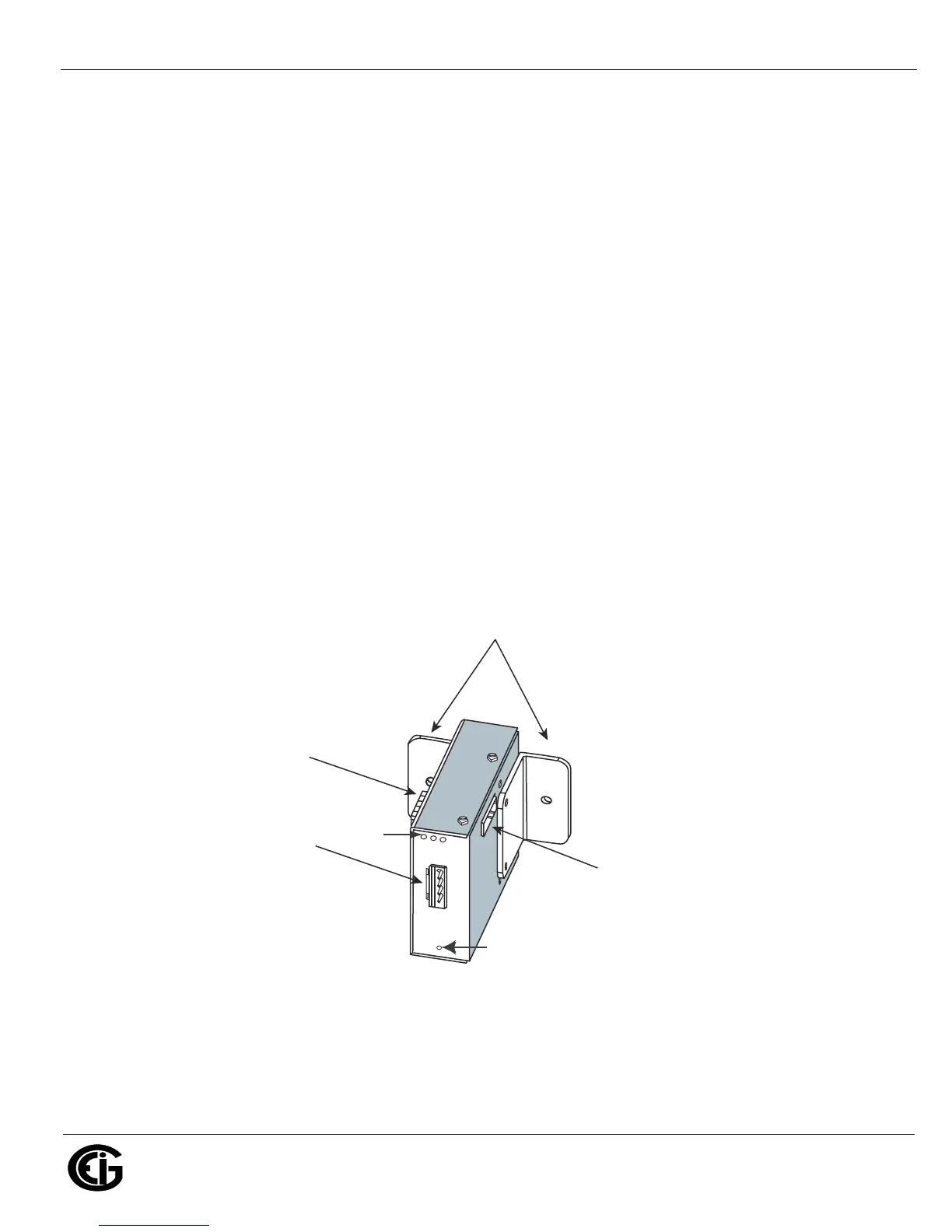
All Nexus® External I/O modules have the following components:
• Female RS485 Side Port: use to connect to another module’s male RS485 side port.
• Male RS485 Side Port: use to connect to the Nexus® 1250/1252 Meter’s Port 3 or 4
or to another module’s female RS485 side port.
• I/O Port: used for functions specific to the type of module; size and pin configura-
tion vary depending on type of module.
• Reset Button: Press and hold for three seconds to reset the module’s baud rate to
57600 and its address to 247 for 30 seconds.
• LEDs: when flashing, signal that the module is functioning.
• Mounting Brackets (MBIO): used to secure one or more modules to a flat surface.
Comes with 2 DIN rail mounting clips.
Figure 9.1: I/O Module Components
Mounting Brackets (MBIO)
Male RS485
Side Port
Female RS485
Side Port
I/O Port
(Size and Pin
Configuration Vary)
Reset Button
LEDs



 To Next Page