Doc# E107706 3 - 5
3: Hardware Installation
Electro Industries/GaugeTech
The Leader In Power Monitoring and Smart Grid Solutions
Electro Industries/GaugeTech
The Leader In Power Monitoring and Smart Grid Solutions
3.3: Mounting the Nexus
®
External I/O Modules
Secure the mounting brackets to the I/O using the screws supplied (#440 pan-head
screws). Next, secure the brackets to a flat surface using a #8 screw with a lock
washer.
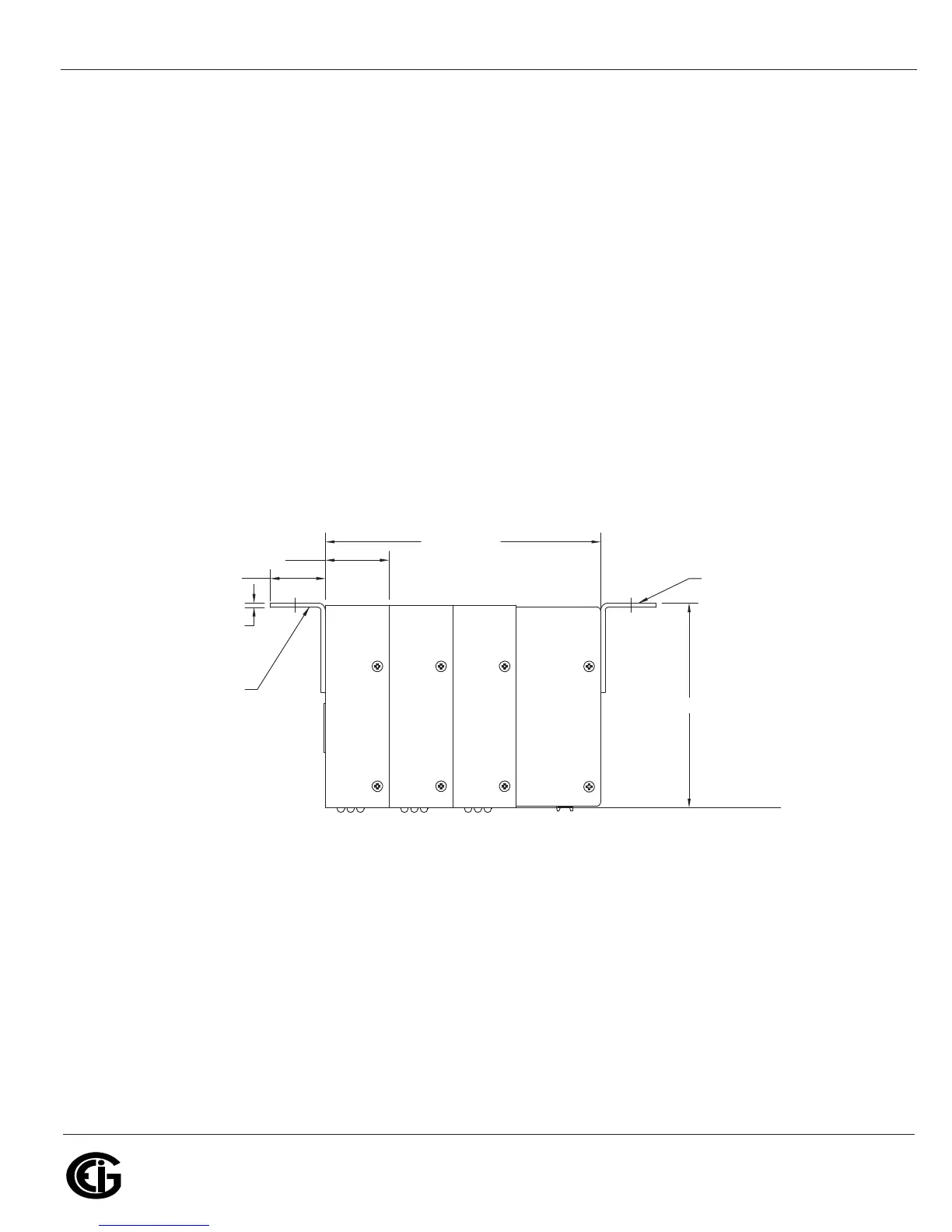
If multiple I/O modules are connected together, as shown in Figure 3.5, secure a
mounting bracket to both ends of the group. One Nexus® will supply power for a
number of I/O modules. See Sections 5.6.2 to see if you need to use an additional
power supply, such as the EIG PSIO. Connect multiple I/O modules using the RS485
side ports.
Six feet of RS485 cable harness is supplied. The cable harness brings power to the
display from the Nexus® meter. See Chapter 5 for power supply and communication
details.
Figure 3.5: I/O Modules Mounting Diagram Overhead View
Mounting Bracket
Mounting Bracket
5.629”/14.30cm
4.188”/10.638cm
.090”/.229cm
3X 1.301”/3.305cm
1.125”/2.858cm



 To Next Page