Doc# E107706 5 - 19
5: Communication Wiring
Electro Industries/GaugeTech
The Leader In Power Monitoring and Smart Grid Solutions
Electro Industries/GaugeTech
The Leader In Power Monitoring and Smart Grid Solutions
Installation
Set Time Settings for the meter being installed.
1. From the Communicator EXT
TM
application’s Device Profile menu:
a. Click General Settings>Time Settings>one of the Time Settings
lines, to open the Time Settings screen.
b. Set the Time Zone and Daylight Savings (Select AutoDST or Enable and
set dates).
c. Click Update Device Profile to save the new settings. (See Chapter 13
of the Communicator EXT
TM
4.0 and MeterManager EXT Software User
Manual for details.)
2. Before connection, check that the date on the meter clock is correct (or,
within 2 Months of the actual date). This provides the right year for the
clock (GPS does not supply the year).
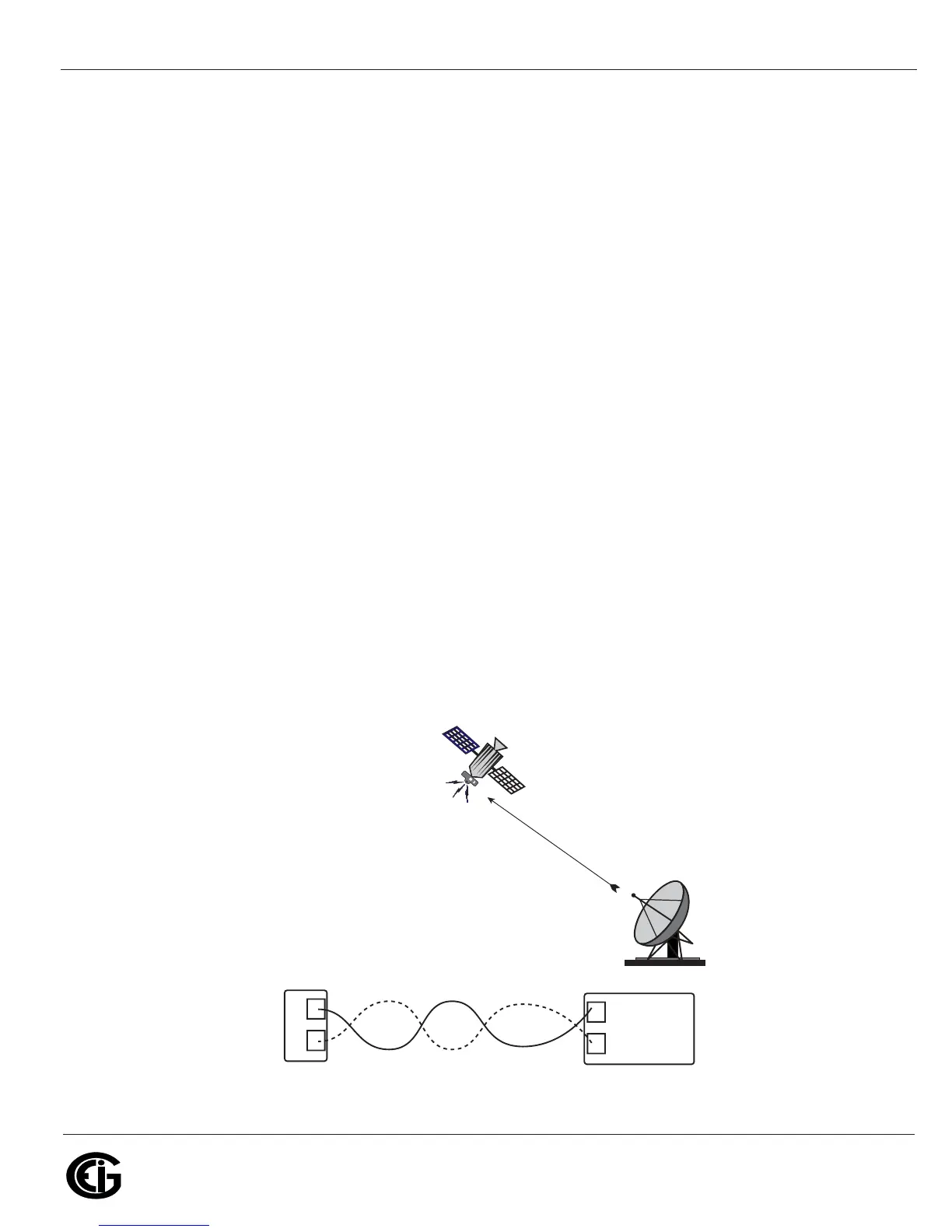
3. Connect the (+) terminal of the Nexus® meter to the (+) terminal of the
signal generating device; connect the (-) terminal of the Nexus® meter to
the (-) terminal of the signal generating device.
Troubleshooting Tip: The most common source of problems is a reversal of the two
wires. If you have a problem, try reversing the wires.
Figure 5.12: IRIG-B Communication
+
-
+
-
IRIG-B Port
IRIG-B Time
Signal
Generating
Device
GPS Satellite Connection



 To Next Page