35
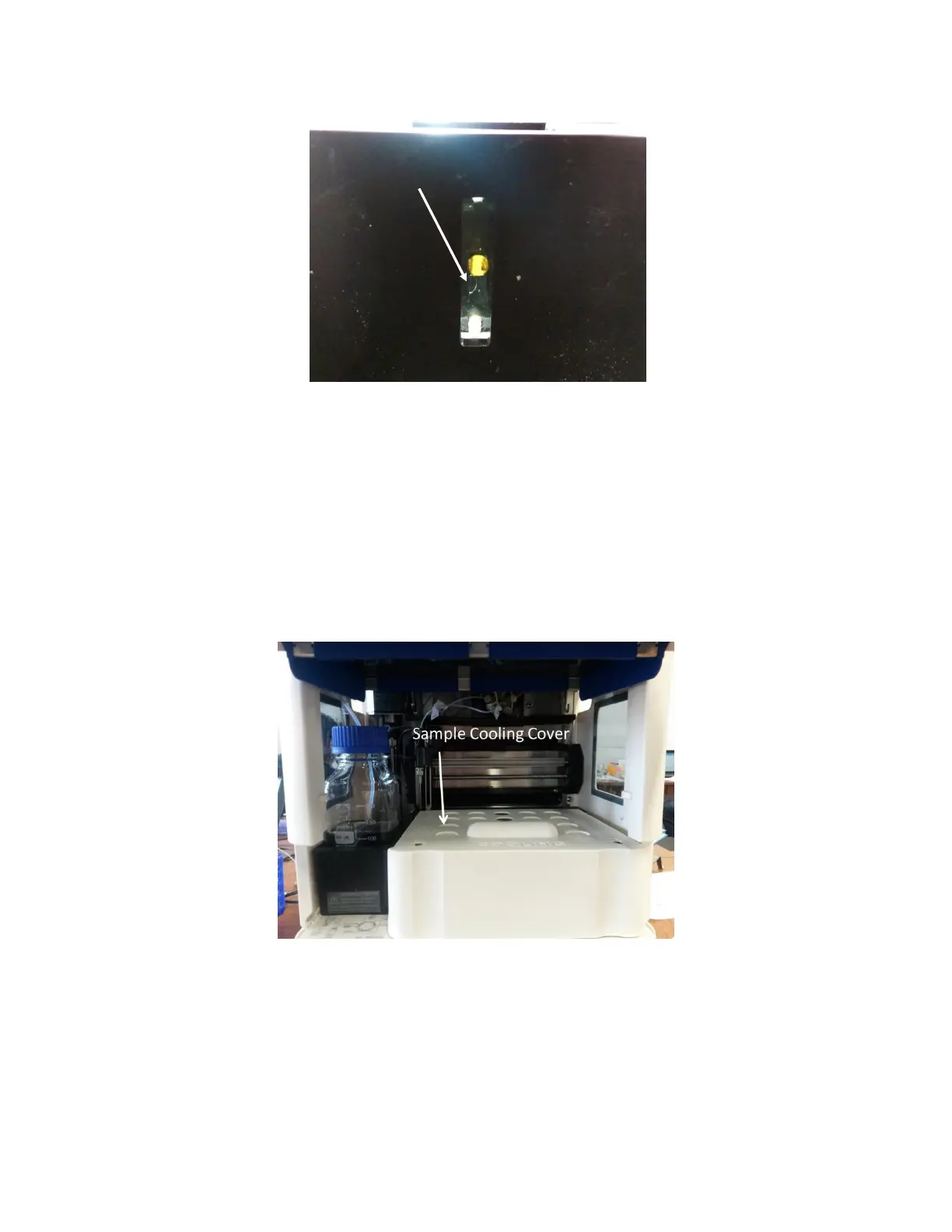
Figure 2.17 - Example of bubble present in Flow Cell microchannel. Flow Cell is being illuminated from above using an external
light.
If there are bubbles present, repeat steps 2-5 (this may have to be done several times).
6. When the microchannel is clear of bubbles, remove the 96-well plate from the sample
compartment.
7. If a set sample temperature is desired, insert the Sample Cooling Cover into the sample
compartment by sliding it into the unit [Figure 2.18]. There are groves present on either
side of the sample holder area to guide in and secure the Sample Cooling Cover. Close the
Sample Compartment door.
Figure 2.18 Sample Cooling Cover inserted into the sample compartment.
8. Using the Autosampler Temperature controls, select the desired set temperature from
the drop down menu and select the “Cooling Enabled” checkbox [Figure 2.19]. You will
hear the fan on the XT autosampler start up as it begins cooling the compartment. You
may set the sample storage temperature from 4°C to 20°C. The current temperature
inside the sample storage area is displayed underneath the set temperature controls. It



 To Next Page