42
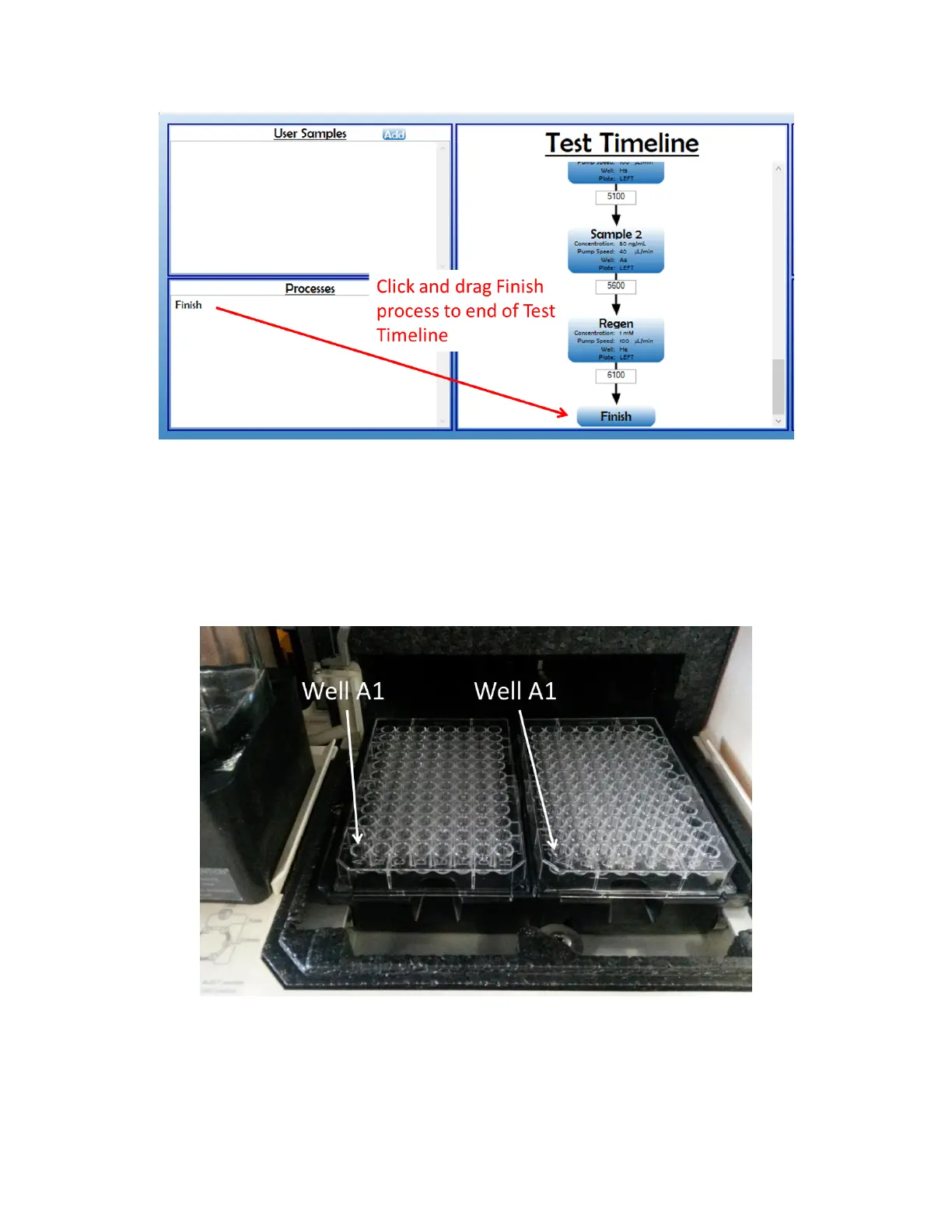
Figure 2.29 To complete Test Timeline, click and drag "Finish" process to the end of Test Timeline.
9. Before proceeding, the 96 well plate(s) containing the samples specified in the Test Timeline
need to be added into the Sample Compartment, such that well A1 is positioned in the front
left corner of the corresponding left or right plates [Figure 2.30]. To do so, quickly remove the
Sample Cooling, place the plates in the specified right and/or left holders, and return the
Sample Cooling Cover (if applicable) to minimize any temperature increases. Close the Sample
Compartment Door.
Figure 2.30 Proper positioning of 96-well plates on plate holders.
10. Click “Back” to return to the Baseline screen, to check that a steady baseline with a slope < 5
pm/min has been reached. Inspect the Flow Cell channel for bubbles at this time. If the
baseline looks good and no bubble are present, click “Next” to return to the Test Setup screen.



 To Next Page