182 Chapter 20 — Adjust Menu | Light > Levels & Curves
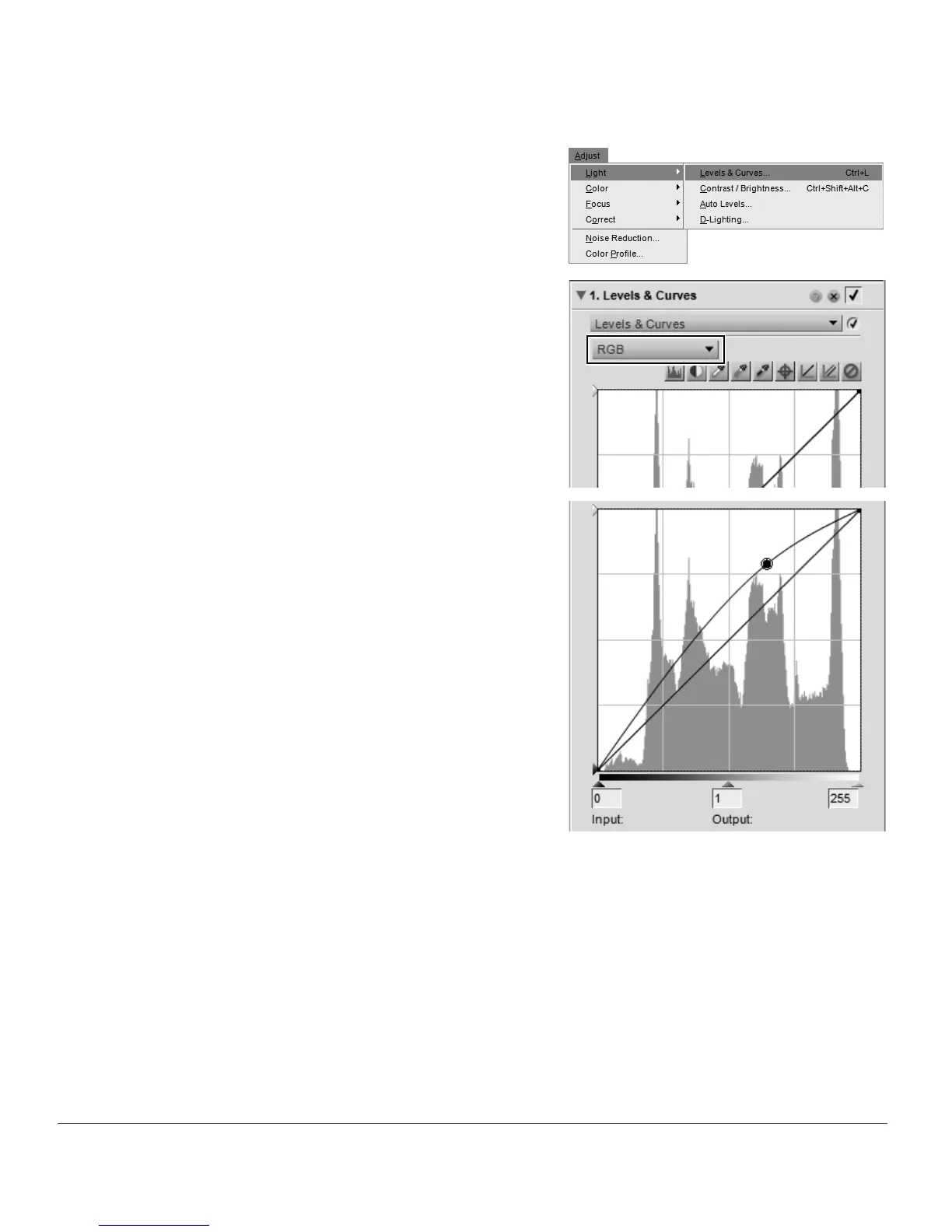
To use the Levels & Curves tool to edit your images, follow these steps:
1
Navigate to the Adjust menu, select the Light sub-
menu, and select
Levels & Curves.
2
Select the channels to be adjusted using the channel
selector. Typically, the RGB option is used when
editing images.
3
Click directly on the curve to add an anchor point
that can be moved and adjusted. By increasing the
slope of the curve you will increase the contrast in
the image. Decreasing the slope of the curve will
decrease the contrast in the image. The anchor
points may also be set to minimize the amount of
change that occurs to a tonal range of the image.
4
Delete any unwanted anchor points by clicking and dragging the anchor point outside of the curve
editor.



 To Next Page