Chapter 11 — The Metadata Palette | XMP/IPTC Information Section 83
When more than one image is selected, information that is shared between images will be displayed while
information that is different in each image will be identified with a “–”. You can replace the different contents
of each image with the same information by replacing the “–” with the desired text. You can also clear out
different information by simply deleting the “–”.
If you make a mistake and want to revert back to the original IPTC contents, click the Reset button before
clicking Apply. Please note that after you click the Apply button, you will not be able to reset the contents
of the “XMP/IPTC Information” section.
Copying and Pasting IPTC Information
The contents of the “XMP/IPTC Information” section can be copied from one image and pasted to one or
more additional images. To copy and paste IPTC information, follow these steps:
4
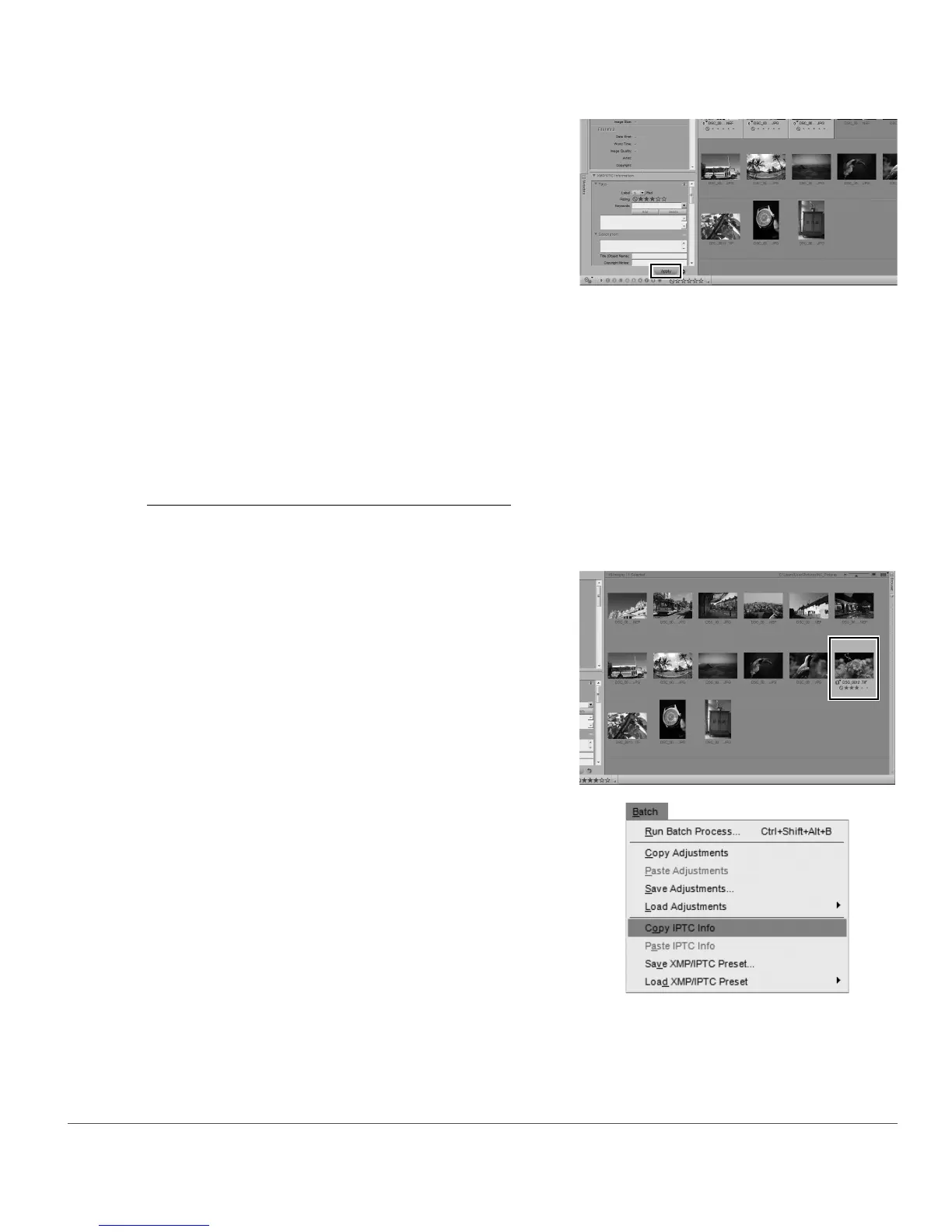
Click on the Apply button.
1
Select an image in the browser. Alternatively, you
can copy ITPC information from the image currently
open in the editor.
A Please note: IPTC information can be copied only
from a single image.
2
Navigate to the Batch menu and select Copy IPTC
Info. Alternatively, you can click on the batch menu
located to the left of the labeling and rating toolbar
and select Copy IPTC Info.



 To Next Page