34 Chapter 6 — Getting Started | Converting NEF RAW files into JPEG or TIFF files
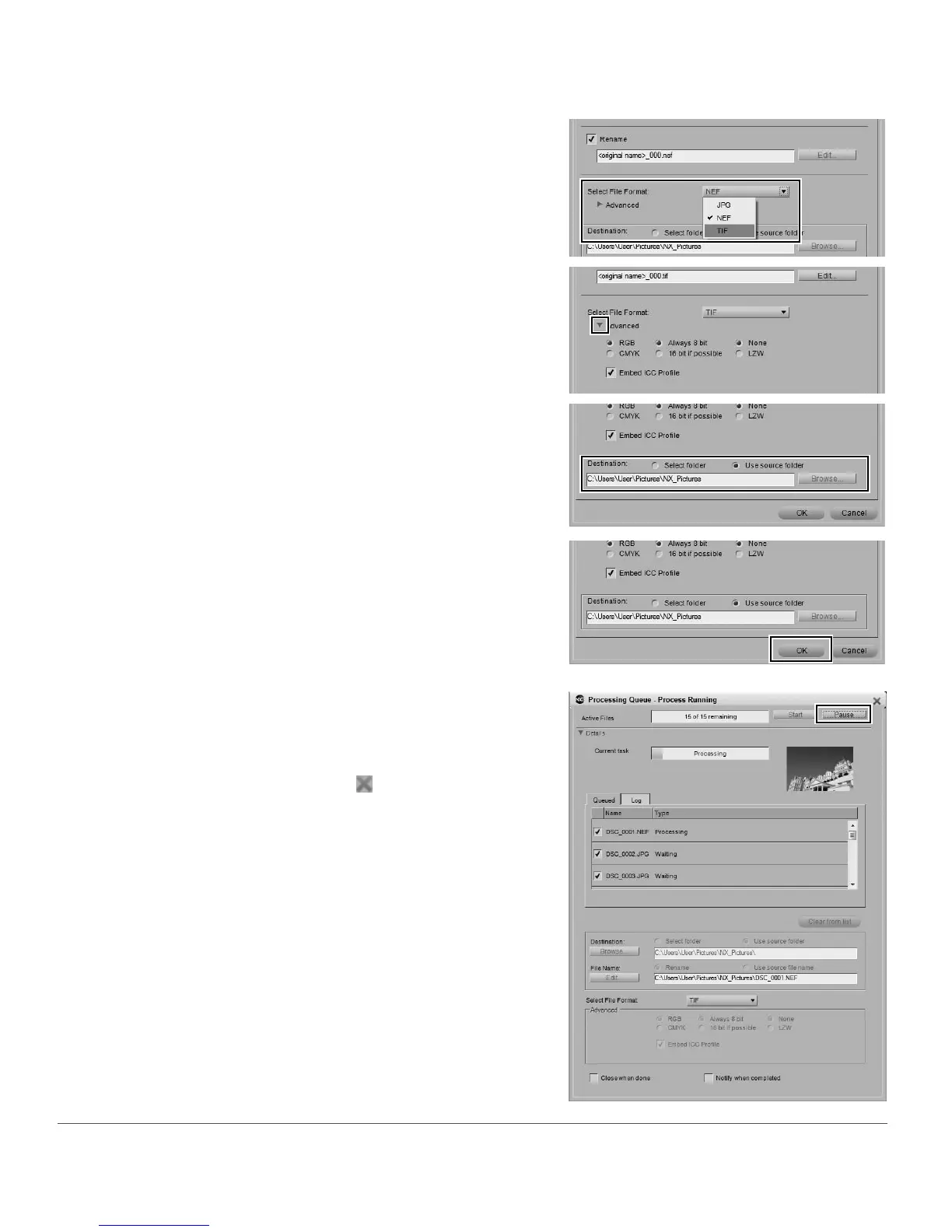
You can check the status of the conversion process in the
Processing Queue and you can pause the process by
clicking on the Details show/hide triangle in the
Processing Queue and clicking on the Pause button. To
cancel the process, click on the button to stop the batch
process and close the Processing Queue.
5
From the Select File Format pull-down menu, select
the file format to convert the images to, either TIFF
or JPEG.
6
Click on the Advanced show/hide triangle to control
the options for the selected file format.
7
For the Destination option, choose where the new
JPEG or TIFF files should be placed by using the
Select folder option to place them in a new folder or
using the Use source folder option to place them in
the same folder as the original NEF files.
8
Click OK to add the files into the Processing Queue
and start converting the files.



 To Next Page