Scrub System, Disc 65Service Manual – SC2000
Maintenance and Adjustments
Brush Installation/Removal
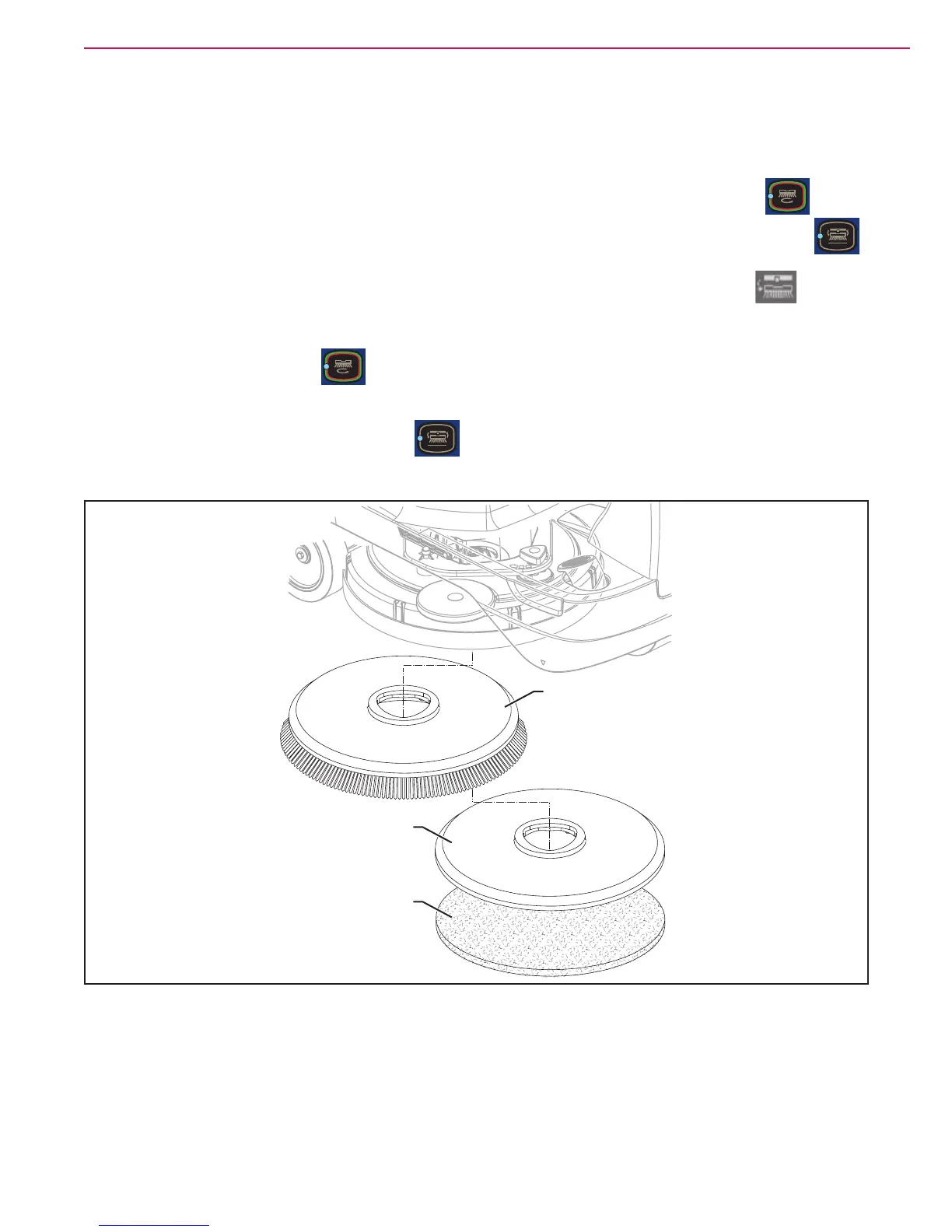
1. According to the kind of cleaning to be
performed, the machine can be equipped either
with the brush (A) (Figure 5) or the pad-holder
(B) with pad (C) together with the appropriate
deck.
2. Place the brush (A) or the pad-holder (B) under
the deck.
3. Insert the operator key in its slot.
4. Press the One-Touch button to lower the
deck onto the brush.
5. Press the brush engage/disengage button
to engage the brush.
6. To remove the brush, the deck must be lifted
by pressing the One-Touch button , then
press the brush engage/disengage button .
7. When the display shows the icon , wait for
the brush to fall on the oor.
B
A
C
Figure 5



 To Next Page
 Loading...