16
NITTY GRITTY.IT
make it shine
pickling
brush
12V
PWR: HIGH PUMP: 1
pickling
PAD
28V
PWR: HIGH PUMP: 1
POLISHING PAD
18V
PWR: HIGH PUMP: 1
POLISHING brush
18V
PWR: HIGH PUMP: 1
STAINLESS STEEL
Black MARKING
12V
PWR: HIGH PUMP: 1
STAINLESS STEEL
WHITE MARKING
12V
PWR: HIGH PUMP: 1
CLINOX PRO • AIR • POWER • SURFACE
USER MANUAL
3.3.
The display lights up when the main switch of the device is
brought to position "I"; this switch, coloured green, is located
in the rear of the device (see chapter 2.3).
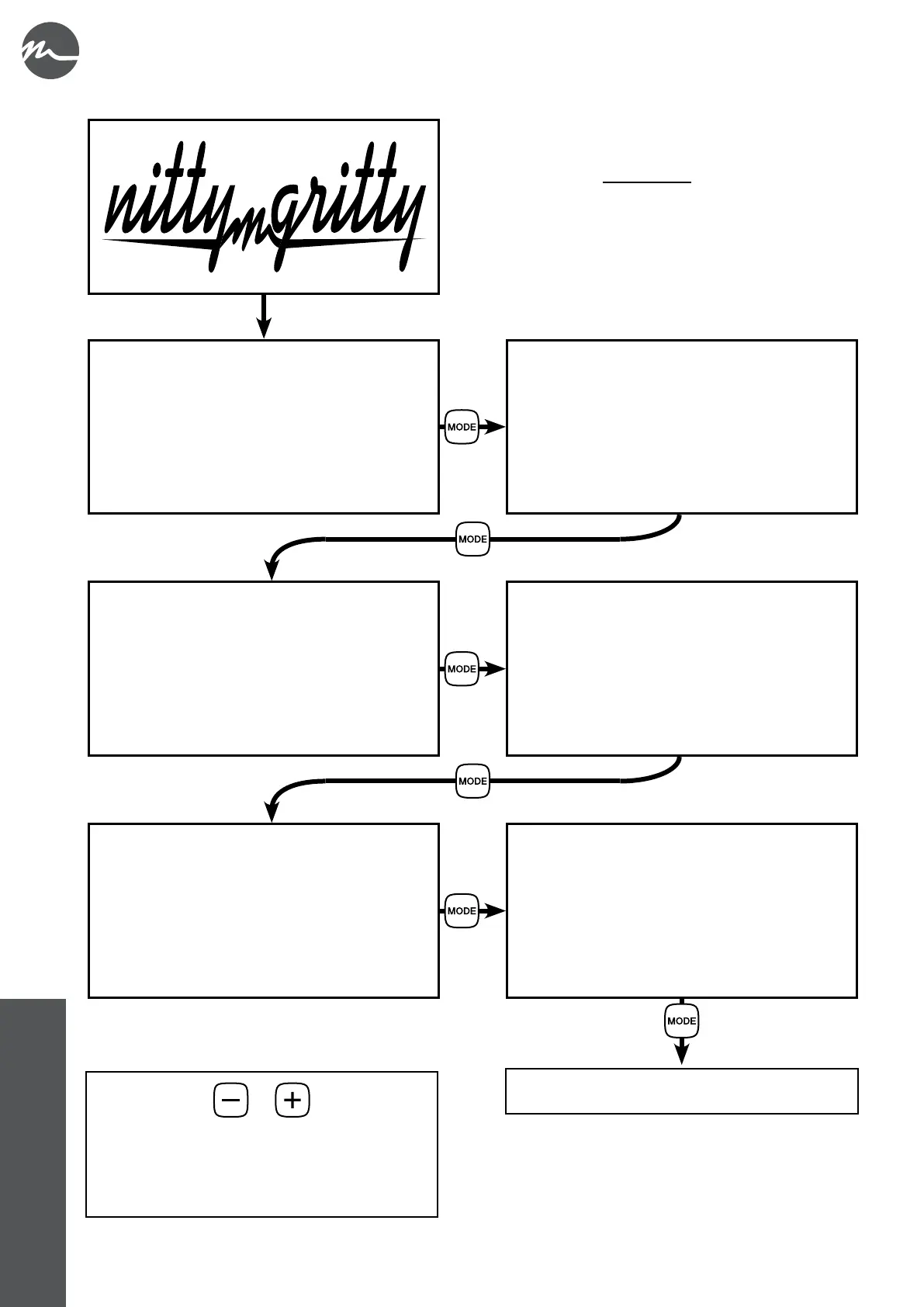
During startup, the NITTY-GRITTY logo and a screen with the
rmware information are briey displayed on the screen. The
unit then moves on to the PICKLING BRUSH programme.
To change the operating mode, press the MODE button.
with a further press of the MODE button
the menu starts over again
Regardless of the programme selected, the – and +
keys can be used to increase or decrease the working
voltage (in 1-volt increments).
The default voltage level in the various operating
modes is that recommended by the manufacturer.



 To Next Page