31
line
A
B
C
CLINOX PRO • AIR • POWER • SURFACE
USER MANUAL
5.4.
• Prepare the torch by installing the most suitable accessory
for the type of work you want to undertake.
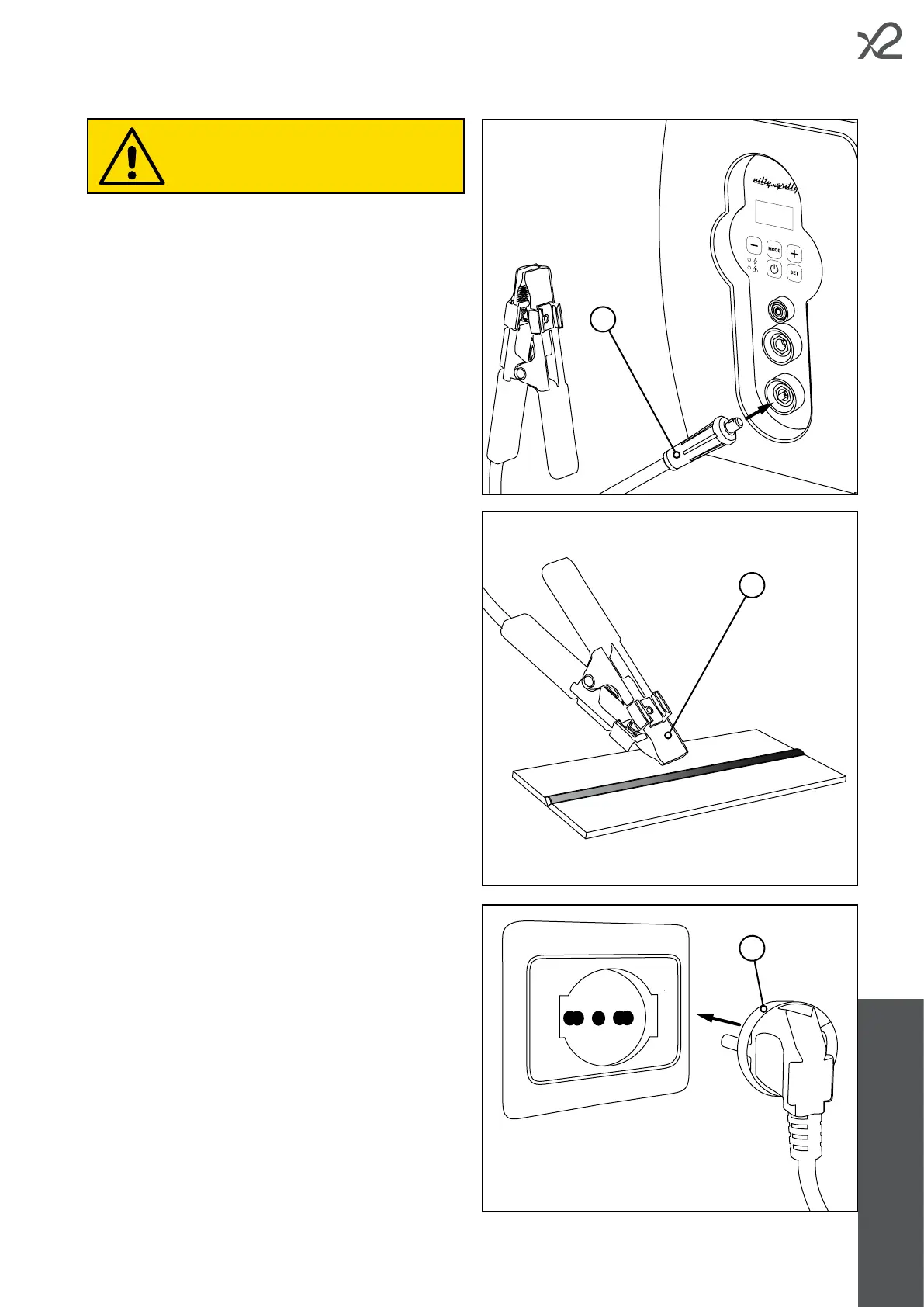
• Connect the earth cable connector (A) to the red socket on
the front panel of the unit.
• Use the crocodile terminal of the earth cable (B) to grip the
piece of stainless steel to be treated.
• Connect the device power cord (C) to a suitable socket.
Make sure you have read and checked all the
precautionary notes in chapter 5.1.



 To Next Page