45
line
90˚
A
C
1
2
B
CLINOX PRO • AIR • POWER • SURFACE
USER MANUAL
• Press the button on the control panel to stop the current
supply to the torch.
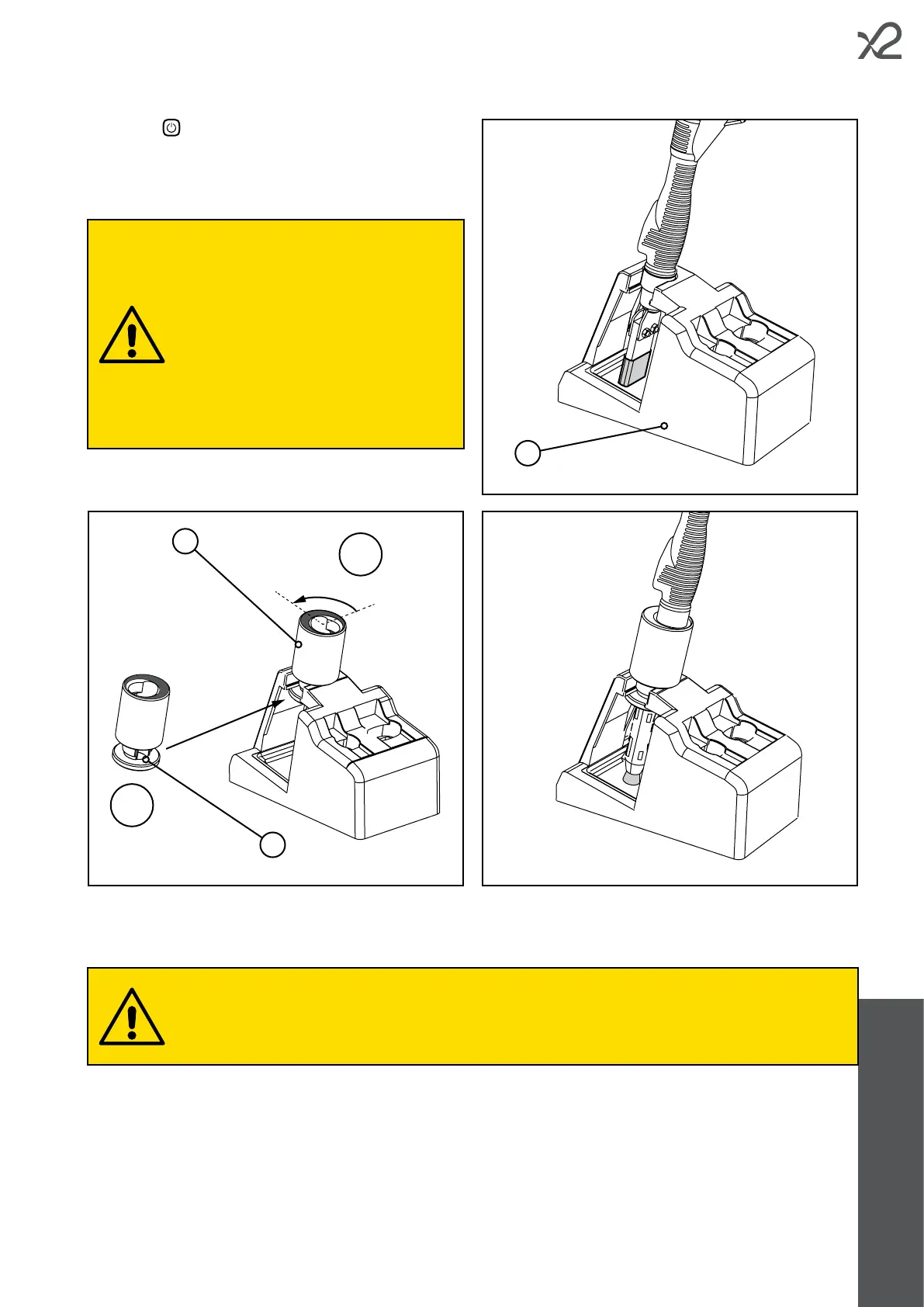
• Put the manual torch back in its support (A).
At the end of processing, always store the torch and other accessories appropriately.
Never place the torch on top of the device during breaks or at the end of processing, as the electrolyte solution
could drip from the dampened felt/brush and penetrate inside the unit. Always use the appropriate support and
empty the collection tray when necessary.
The device should in any case be kept as clean as possible.
The bracket is designed to support the manual
torch with an installed insert.
If there is a brush on the torch, the support
must be adapted with a special extension
piece (B).
Installation of the extension piece
• Carefully align the groove of the extension
piece (C) and insert it into the support.
• Rotate the extension piece 90° anticlockwise
to lock it in place.
To remove the extension piece, follow the
same procedure in reverse order.



 To Next Page