About the Nokia IP390 Appliance
IP390, 105i & 105s Security Platform Installation Guide 23
System Status LEDs
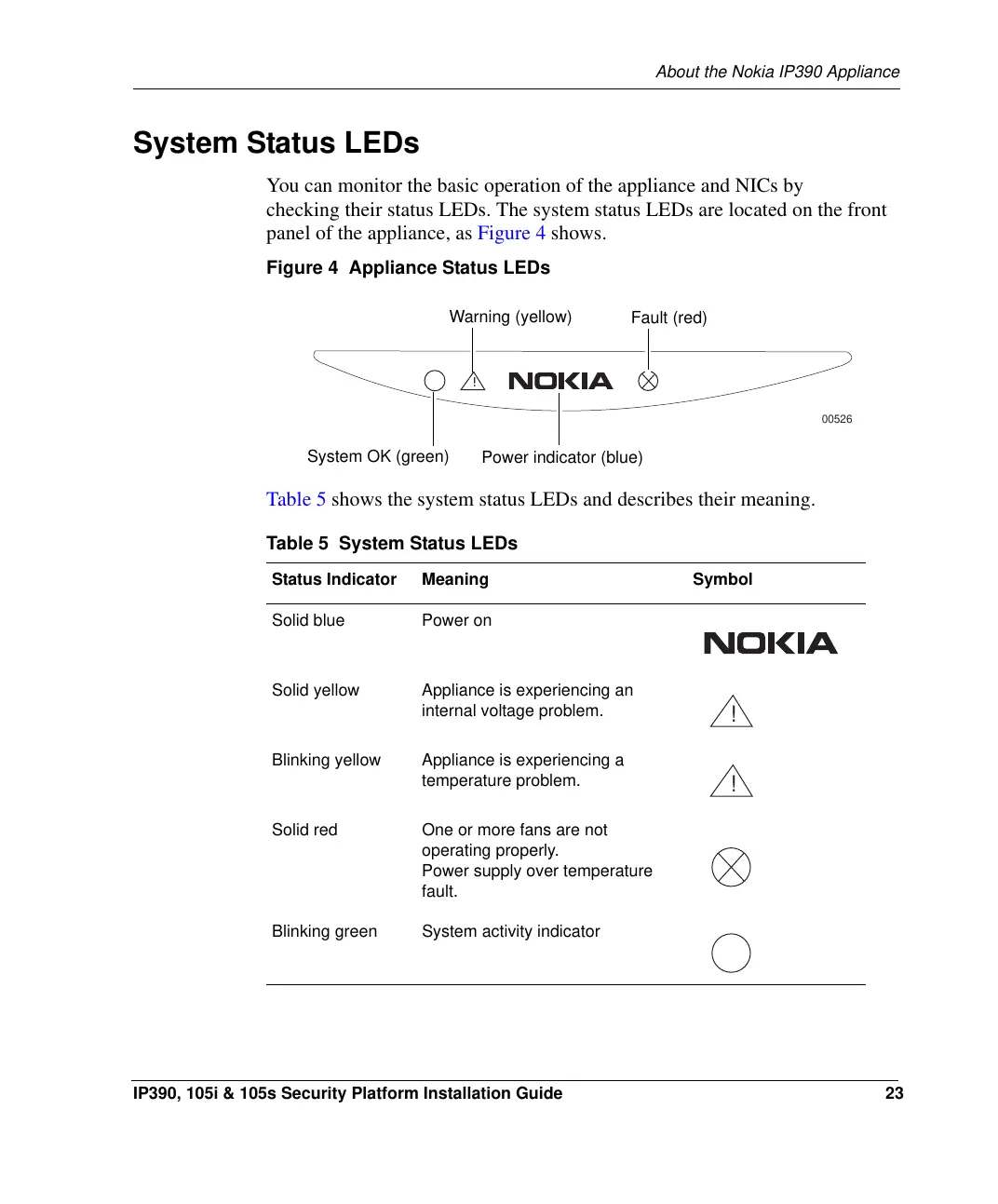
You can monitor the basic operation of the appliance and NICs by
checking their status LEDs. The system status LEDs are located on the front
panel of the appliance, as Figure 4 shows.
Figure 4 Appliance Status LEDs
Table 5 shows the system status LEDs and describes their meaning.
Table 5 System Status LEDs
Status Indicator Meaning Symbol
Solid blue Power on
Solid yellow Appliance is experiencing an
internal voltage problem.
Blinking yellow Appliance is experiencing a
temperature problem.
Solid red One or more fans are not
operating properly.
Power supply over temperature
fault.
Blinking green System activity indicator
00526
!
Power indicator (blue)
Fault (red)
Warning (yellow)
System OK (green)
!
!


 To Next Page