- 210 -
7. Utility Software
Configuration Tool
In the Configuration Tool, you can manage multiple machines and change settings.
The Configuration Tool functions are as follows.
Installing Configuration Tool
Installing Software
• Registering This Machine
• Starting Configuration Tool
• Checking the Status of This Machine
• Cloning Settings
• Displaying the Alert Info
• Setting the Network
• Registering ICC Profile
• Registering Forms (Form Overlay)
• Checking the Free Space in Memory/Hard Disk Drive
• Registering a User Name and Password
• Removing This Machine
• Descriptions of Screens for Configuration Tool
When you install this machine for the first time, register it in Configuration Tool.
1
Click [Start], and then select [All Programs] > [Okidata] > [Configuration Tool] >
[Configuration Tool].
2
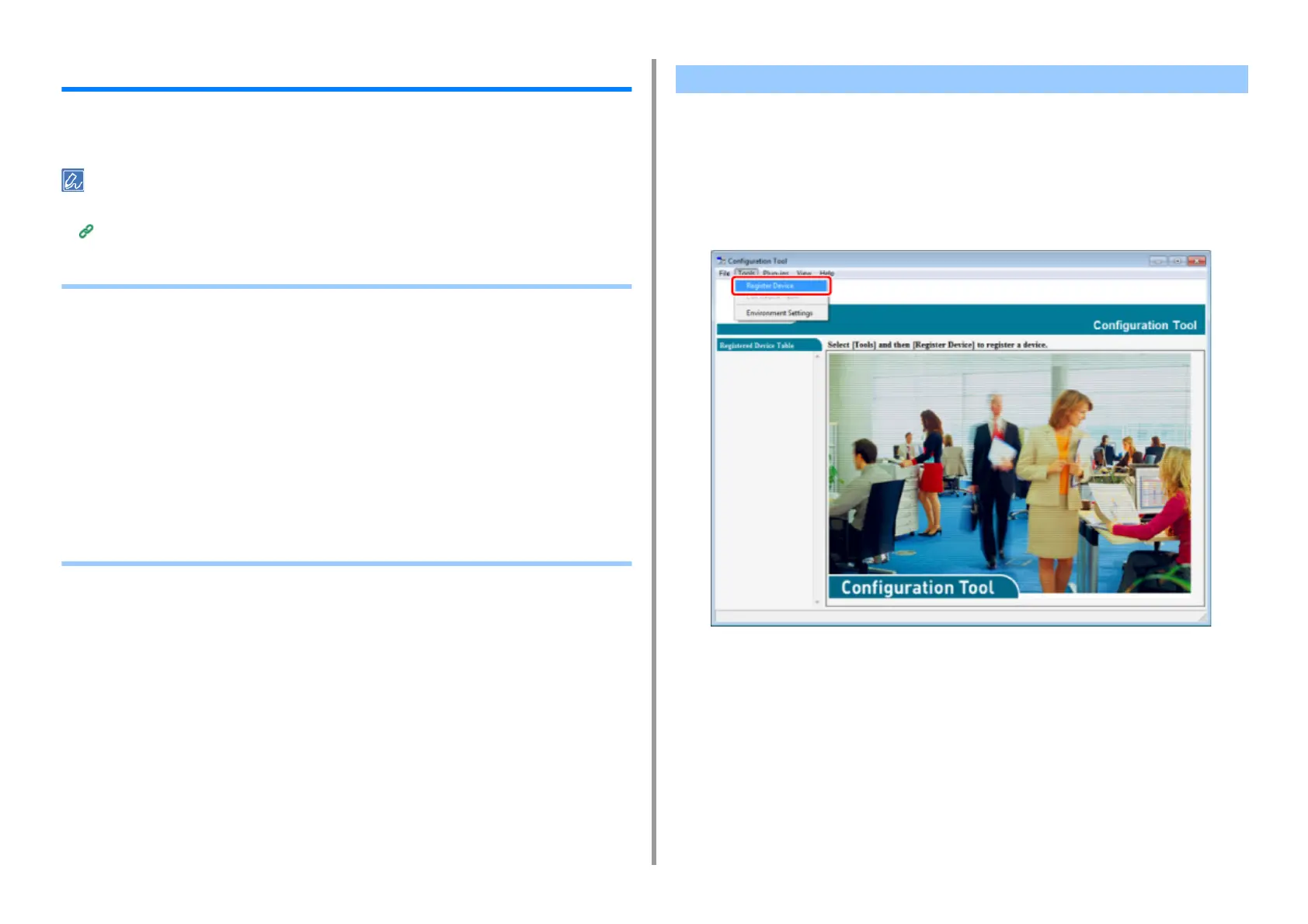
Select [Register Device] from the [Tools] menu.
3
When available devices are displayed, select this machine, and then click
[Register].
4
Click [Yes] on a confirmation screen.
Registering This Machine


 To Next Page