Page: 69
Service Guide ML395/395C
Chapter 3 Maintenance & Disassembly
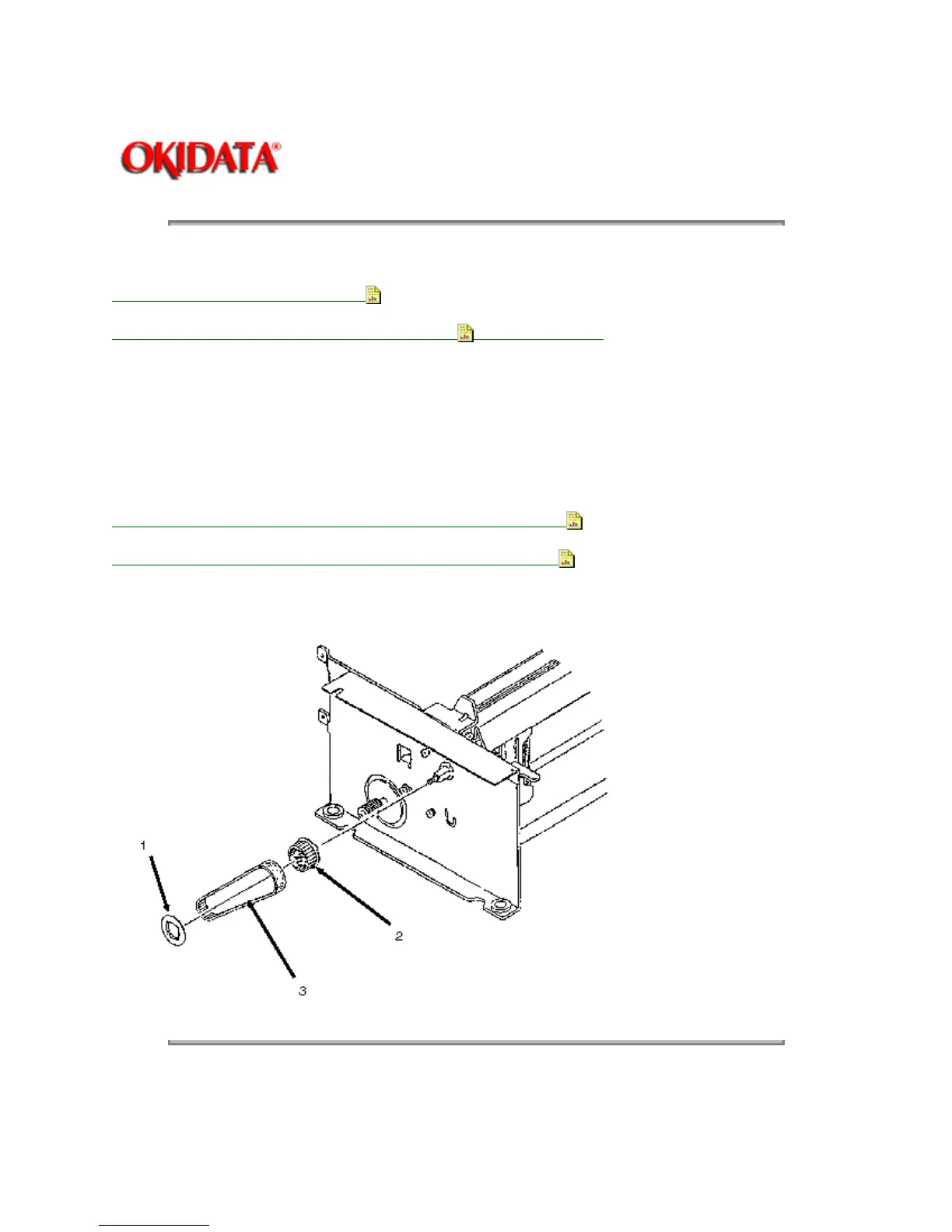
3.2.35 Drive Pulley and Mini-pitch Belt
1. Remove the printer unit (3.2.30).
2. Remove the bottom push mechanism (3.2.34 - Steps 2, 3, 4, 5).
3. Detach the lock/flange (1) of the drive pulley (2).
4. Remove the mini-pitch belt (3).
5. Remove the drive pulley.
NOTE: If you are only removing the mini-pitch belt, it is not necessary to remove the drive pulley.
P/N 51228801 Pulley: Drive (BTF) (ML395) Option RSPL B.2.15
P/N 54111291 Belt: Mini Pitch (125 teeth) Option RSPL B.2.15
Copyright 1997, Okidata, Division of OKI America, Inc. All rights reserved. See the OKIDATA Business
Partner Exchange (BPX) for any updates to this material. (http://bpx.okidata.com)



 To Next Page