Page: 44
Service Guide ML395/395C
Chapter 3 Maintenance & Disassembly
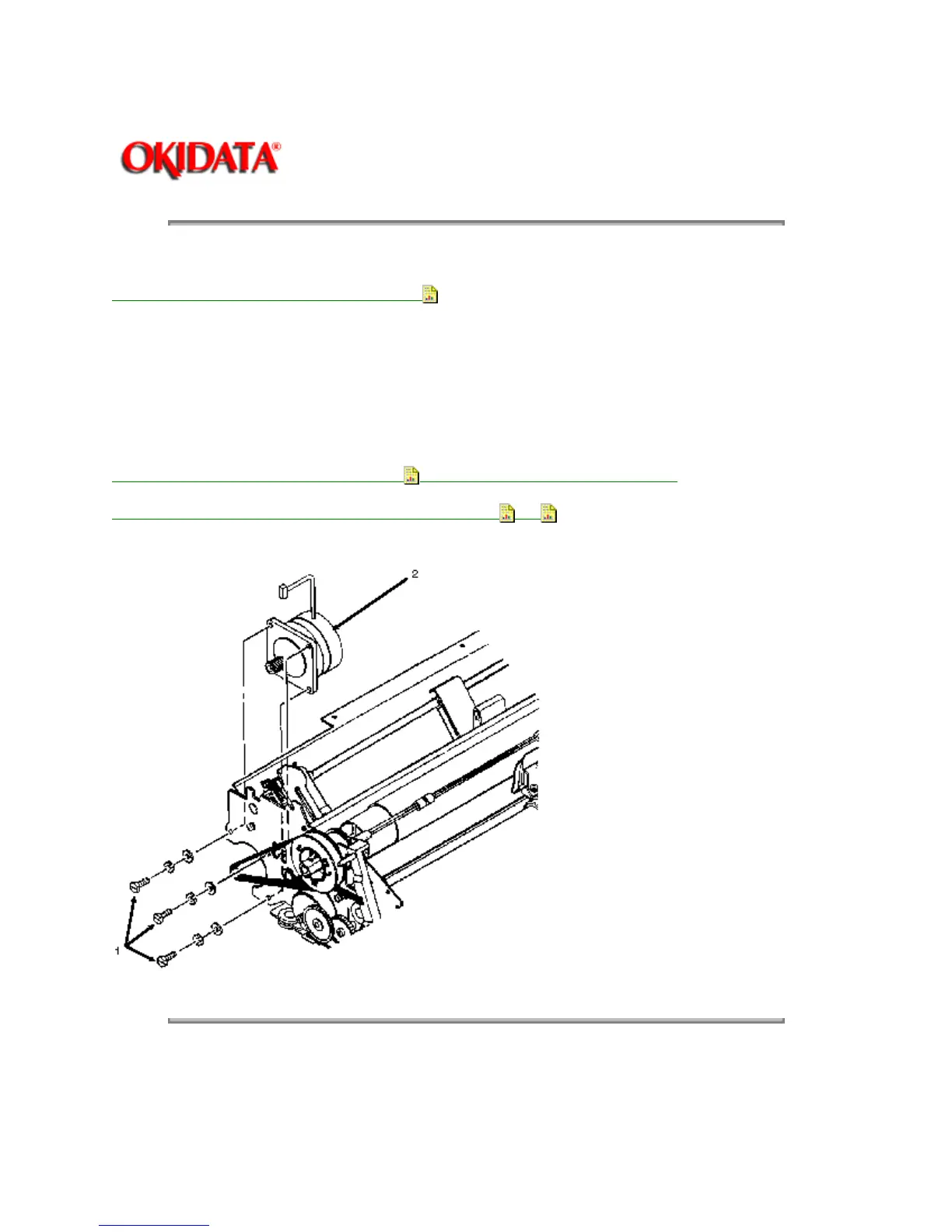
3.2.10 Line Feed Motor
1. Remove the printer mechanism (3.2.09).
2. Remove the three mounting bolts and washers (1).
3. Remove the line feed motor (2).
NOTE:
When installing the line feed motor, the cable should be positioned toward the top.
Adjust the line feed belt tension (3.3.02) after installing the line feed motor.
P/N 56510601 Motor: Line Feed (ML395) RSPL B.2.06 , 09
Copyright 1997, Okidata, Division of OKI America, Inc. All rights reserved. See the OKIDATA Business
Partner Exchange (BPX) for any updates to this material. (http://bpx.okidata.com)



 To Next Page