Fax Function
3
3-36 d-Color MF222 plus/MF282 plus/MF362 plus/MF452 plus/MF552 plus
3.3
Selecting the dialing method
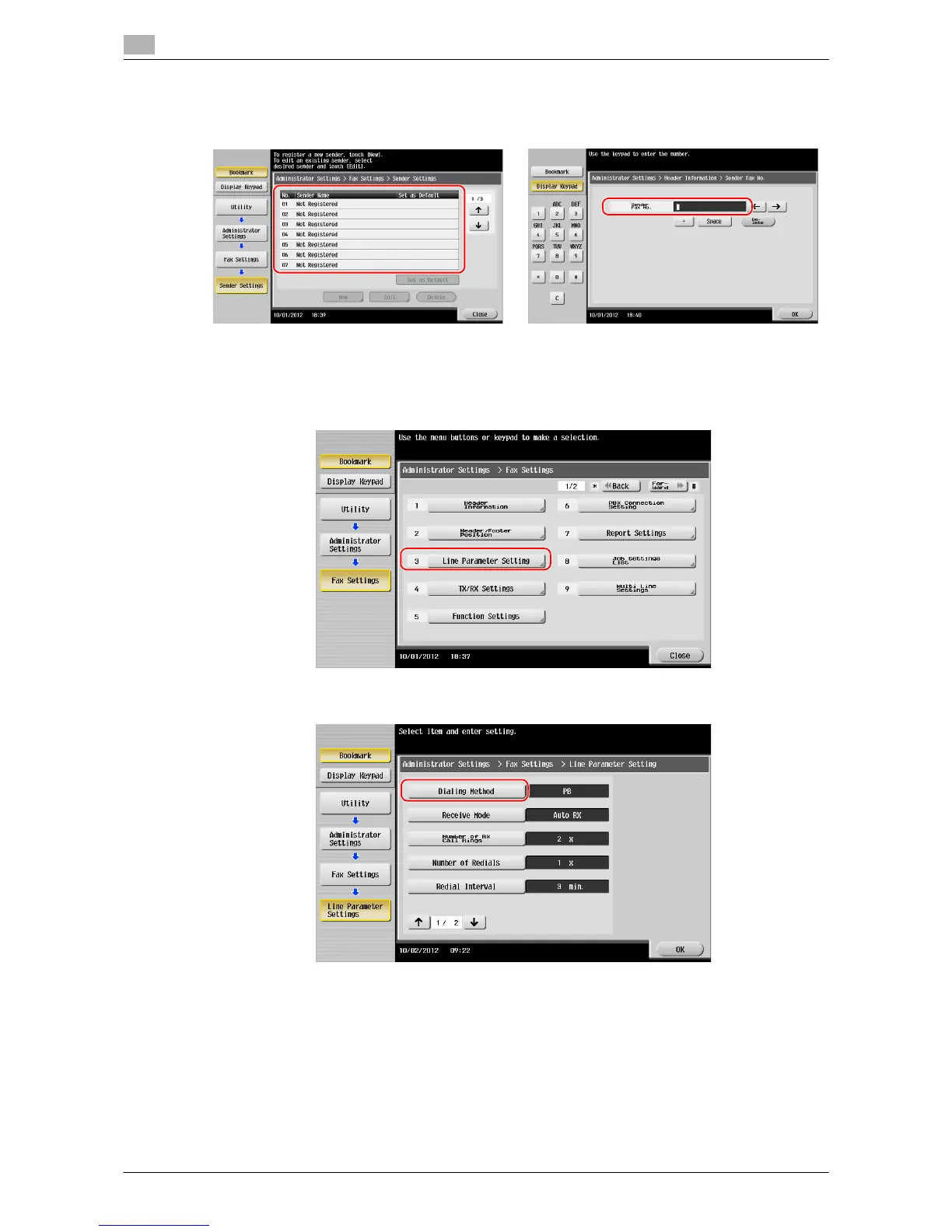
1 Tap [Utility], and select [Administrator Settings] - [Fax Settings] - [Line Parameter Setting].
2 Tap [Dialing Method].
• Sender settings • Sender Fax No. Settings
Enter the name to be displayed as a sender. Enter the fax number to be displayed as a sender.














 To Next Page