Scan-to-Send function
3
3-24 d-Color MF222 plus/MF282 plus/MF362 plus/MF452 plus/MF552 plus
3.2
Registering destinations
While checking the created checklist, register the folder for receiving the scanned data as an address book
of this machine.
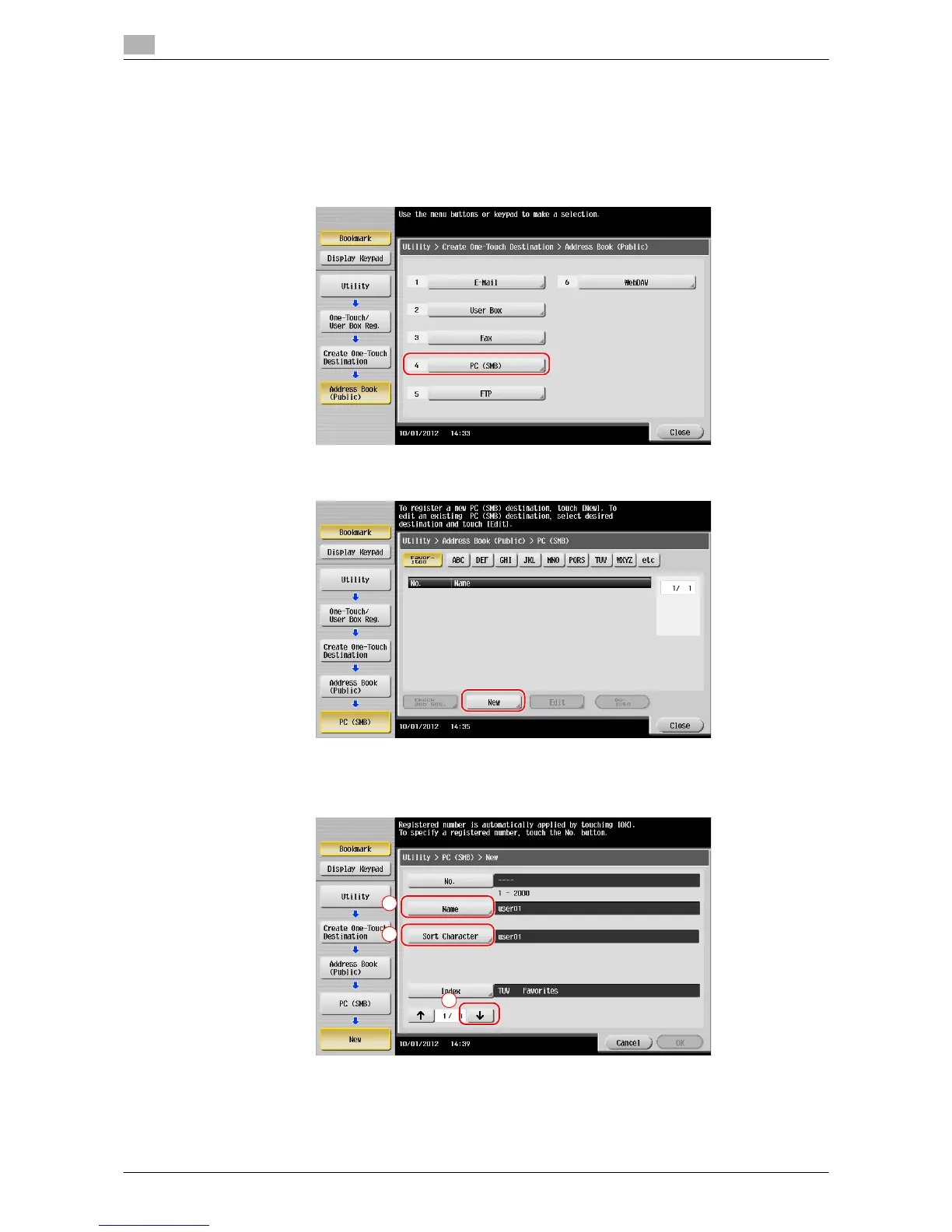
1 Tap [Utility], and select [One-Touch/ User Box Reg.] - [Create One-Touch Destination] - [Address Book
(Public)] - [PC (SMB)].
2 Tap [New].
3 For [Name], specify the name to be displayed on the assigned key.
% For [Sort Character], enter the same name as [Name].
% This sets the appropriate index for the name, which you entered into [Name], to [Index]. To change
the setting, tap [Index].














 To Next Page