d-Color MF222 plus/MF282 plus/MF362 plus/MF452 plus/MF552 plus 2-25
2.3 Power supply
2
2.3 Power supply
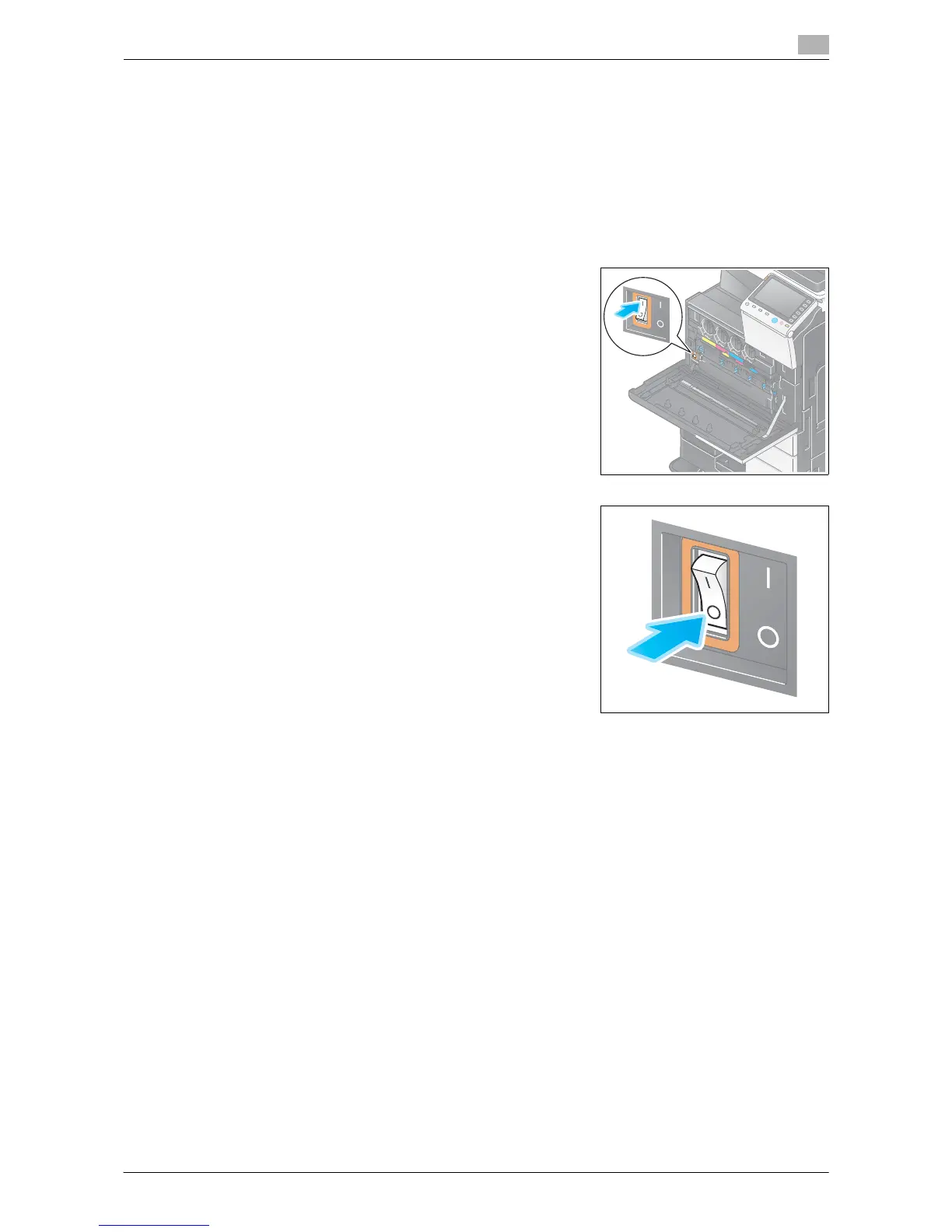
This machine provides two power switches: Power key on the Control Panel and Main Power Switch on
the machine. Under normal conditions, operate the Power key of the control panel. Use Main Power
Switch to restart this machine.
2.3.1 Turning the power on and off
Turn the power on and off only when necessary, for example, when the administrative settings are changed
or a power failure occurs.
1 Open the Lower Front Door or Front Door, and turn the Main
Power Switch on.
2 Turn the Main Power Switch off.
NOTICE
To restart this machine, turn the Main Power Switch off and on again after 10 or more seconds have passed.














 To Next Page