d-Color MF222 plus/MF282 plus/MF362 plus/MF452 plus/MF552 plus 4-7
4.1 Using advanced functions
4
Enabling the i-Option function
Register the license and function codes in this machine.
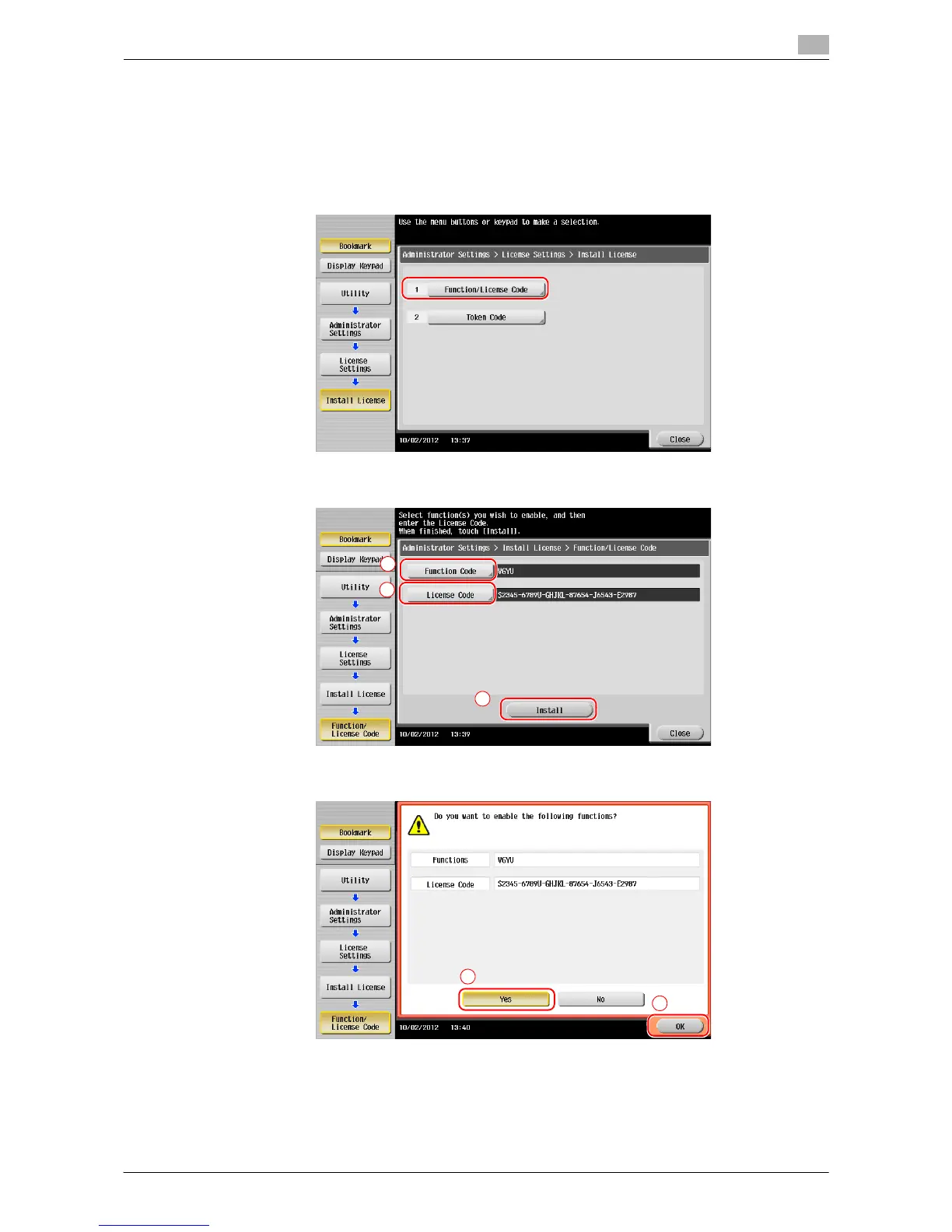
By inputting the codes
1 Tap [Utility], and select [Administrator Settings] - [Forward] - [License Settings] - [Install License] -
[Function/Licence Code].
2 Enter the license and function codes you wrote down.
3 Select [Yes], then tap [OK].
This machine restarts automatically.














 To Next Page