d-Color MF222 plus/MF282 plus/MF362 plus/MF452 plus/MF552 plus 4-5
4.1 Using advanced functions
4
Registering the i-Option license
Register the request code and the contents of the token certificate on the Web site of the License Manage-
ment Server (LMS).
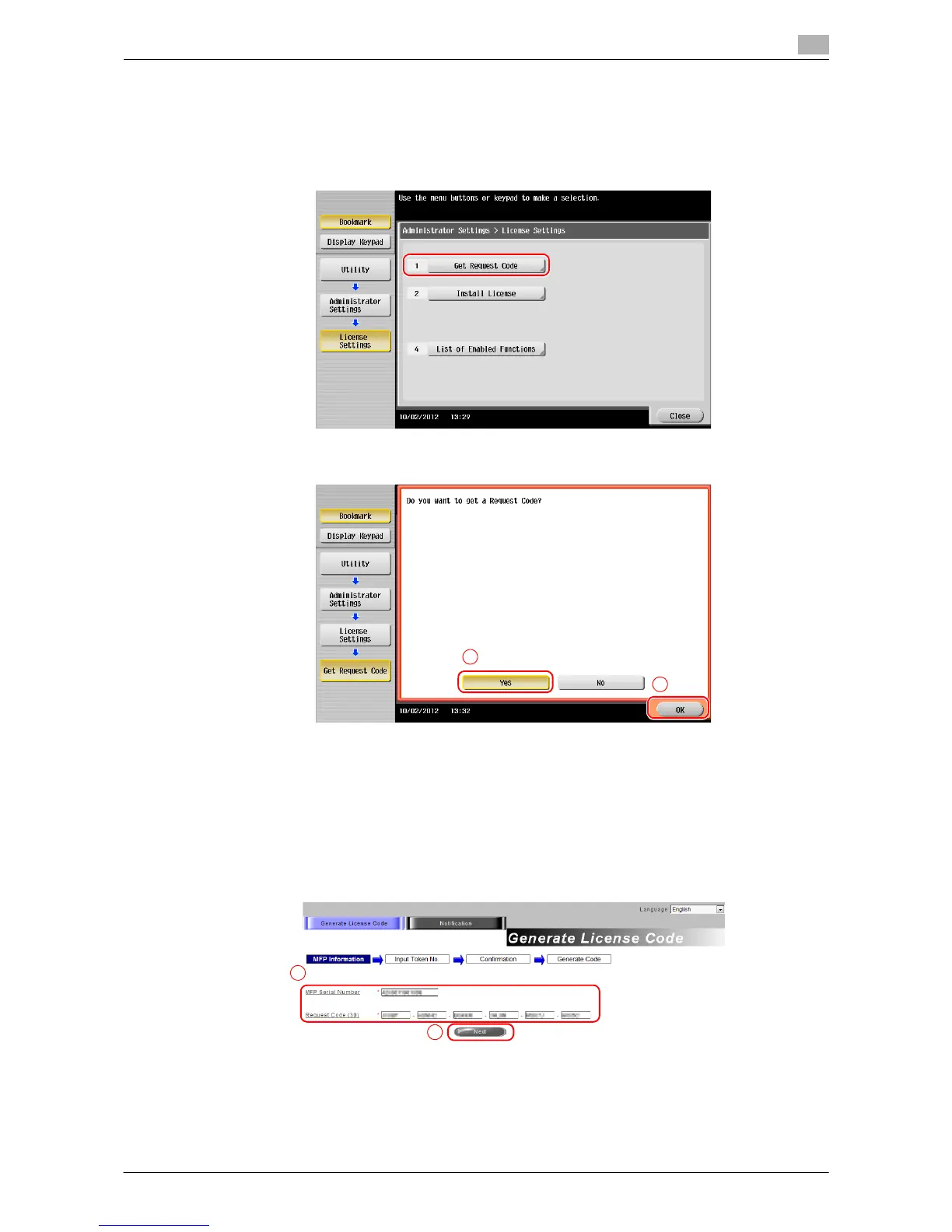
1 Tap [Utility], and select [Administrator Settings] - [Forward] - [License Settings] - [Get Request Code].
2 Tap [Yes] and [OK].
3 Tapping [Print] prints the serial number and request code.
% Prepare at hand the printed serial number, request code, and token certificate supplied with i-Op-
tion.
4 Access the Web site of the License Management Server (LMS). Enter the [MFP Serial Number] and [Re-
quest Code], then click [Next].
% The URL is described in the token certificate.














 To Next Page