Using advanced functions
4
4-6 d-Color MF222 plus/MF282 plus/MF362 plus/MF452 plus/MF552 plus
4.1
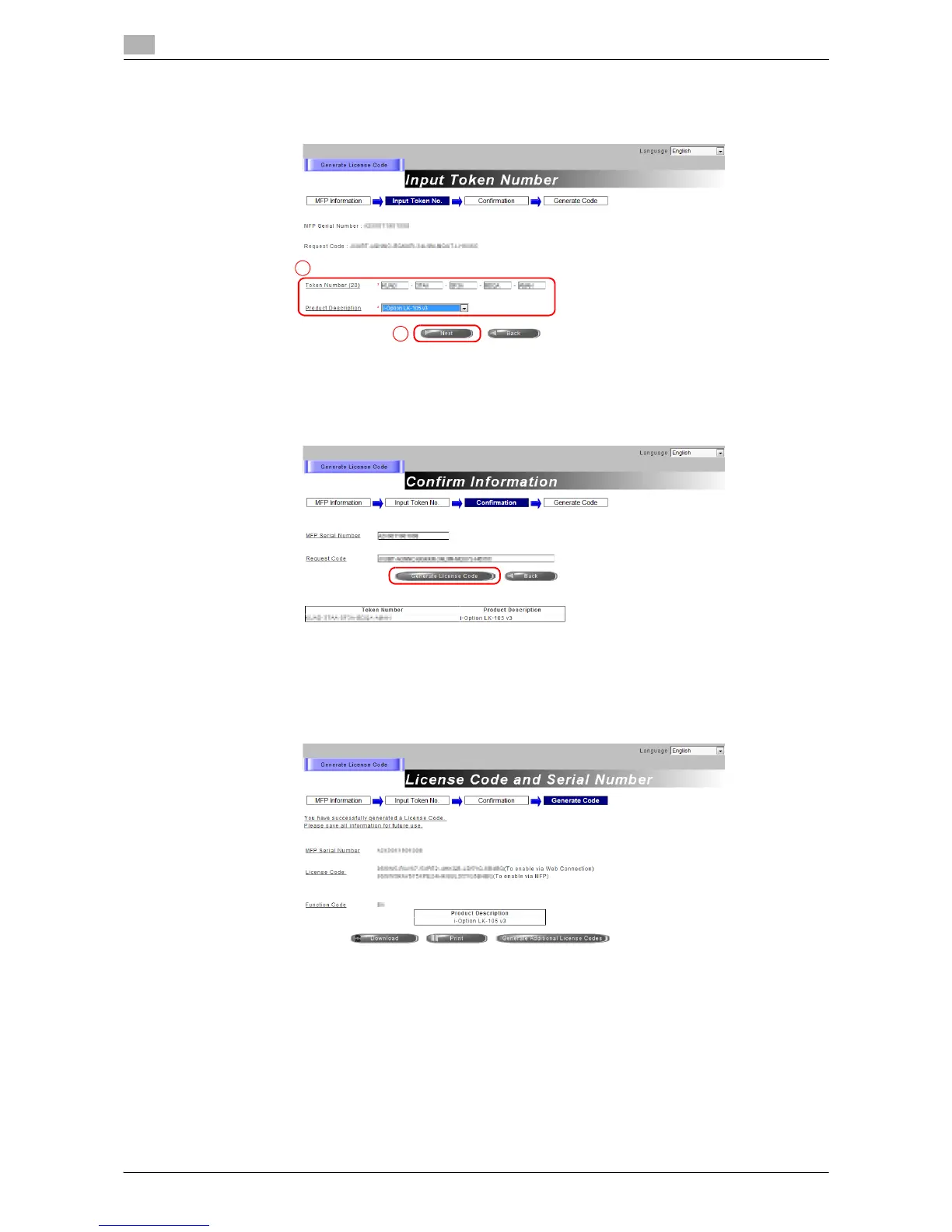
5 Enter the [Token Number], select the option you want to register from the [Product Description] list, then
click [Next].
6 Confirm the registration contents, then click [Generate License Code].
7 The license code and function code are issued.
Tips
- The issued license code and function code are required to enable i-Option. You should write them
down on a memo pad or print them out on paper by clicking [Print].
- You could also store them in your USB memory device. The license code input could be omitted by
using a USB memory device to achieve a convenient operation.
- When using a USB memory device, insert the USB memory device and click [Download] to store the
license code.














 To Next Page