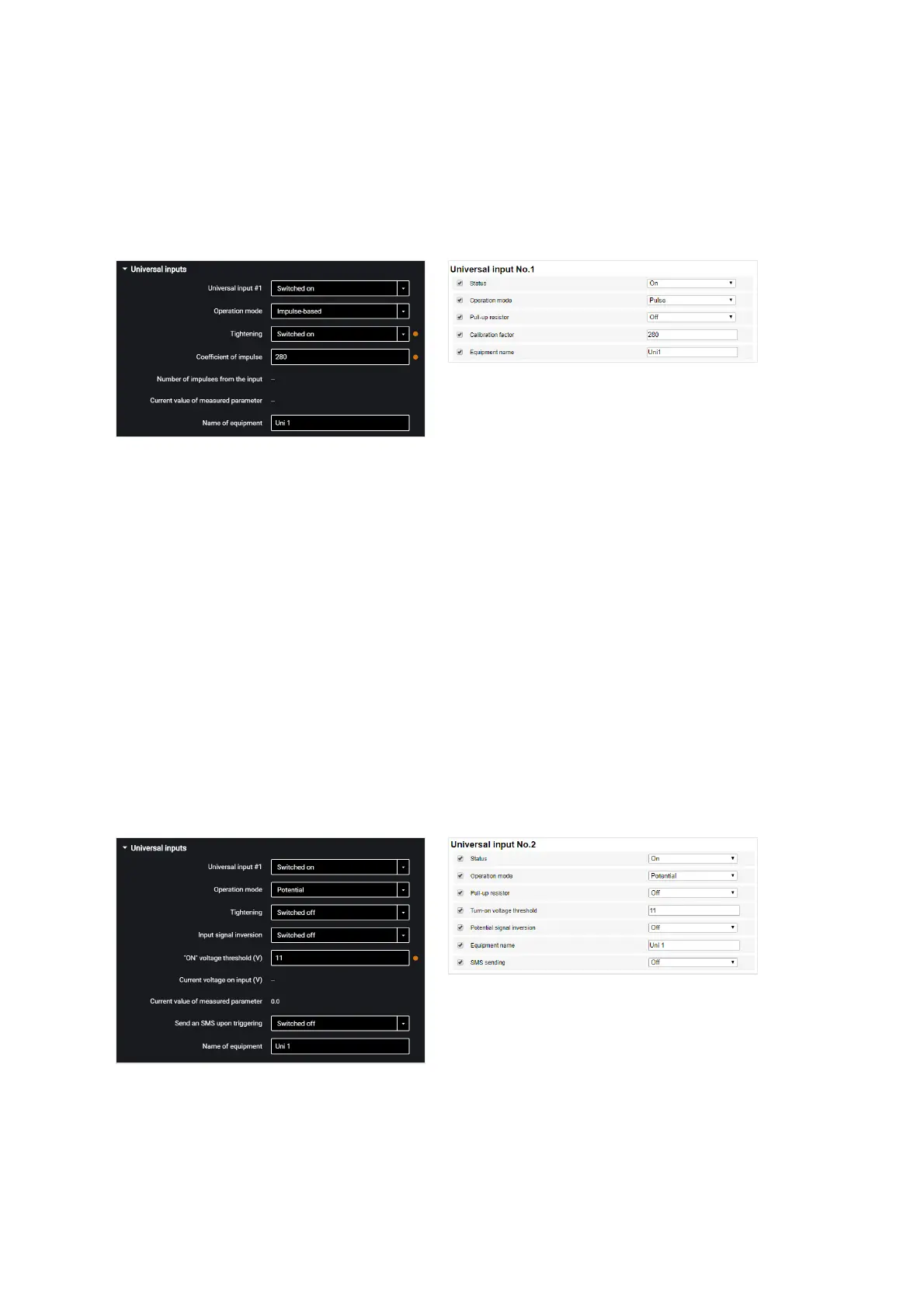
In the “Settings” tab select the “Inputs” section from the list.
In the “Universal Inputs” section:
Sensors with pulse output
“Universal input” – select “Enabled”.
“Operating mode” – select “Pulse”.
“Equipment name” – enter the monitored parameter name.
“Pull-up resistor” – select “Enabled” when working with “open collector”-type sensors
or contact sensors.
“Coefficient of impulse” – enter the calibration factor converting the number of pulses
to the determined physical quantity.
“Number of pulses from the input” (in Omnicomm Configurator) – number of pulses
coming at the universal input.
“Current value of measured parameter” – displays the value at the input with account
for the calibration factor.
Sensors with potential output
“Universal input” – select “Enabled”.
“Operating mode” – select “Potential”.
“Potential input activation voltage threshold” – set the value of voltage threshold,



 To Next Page