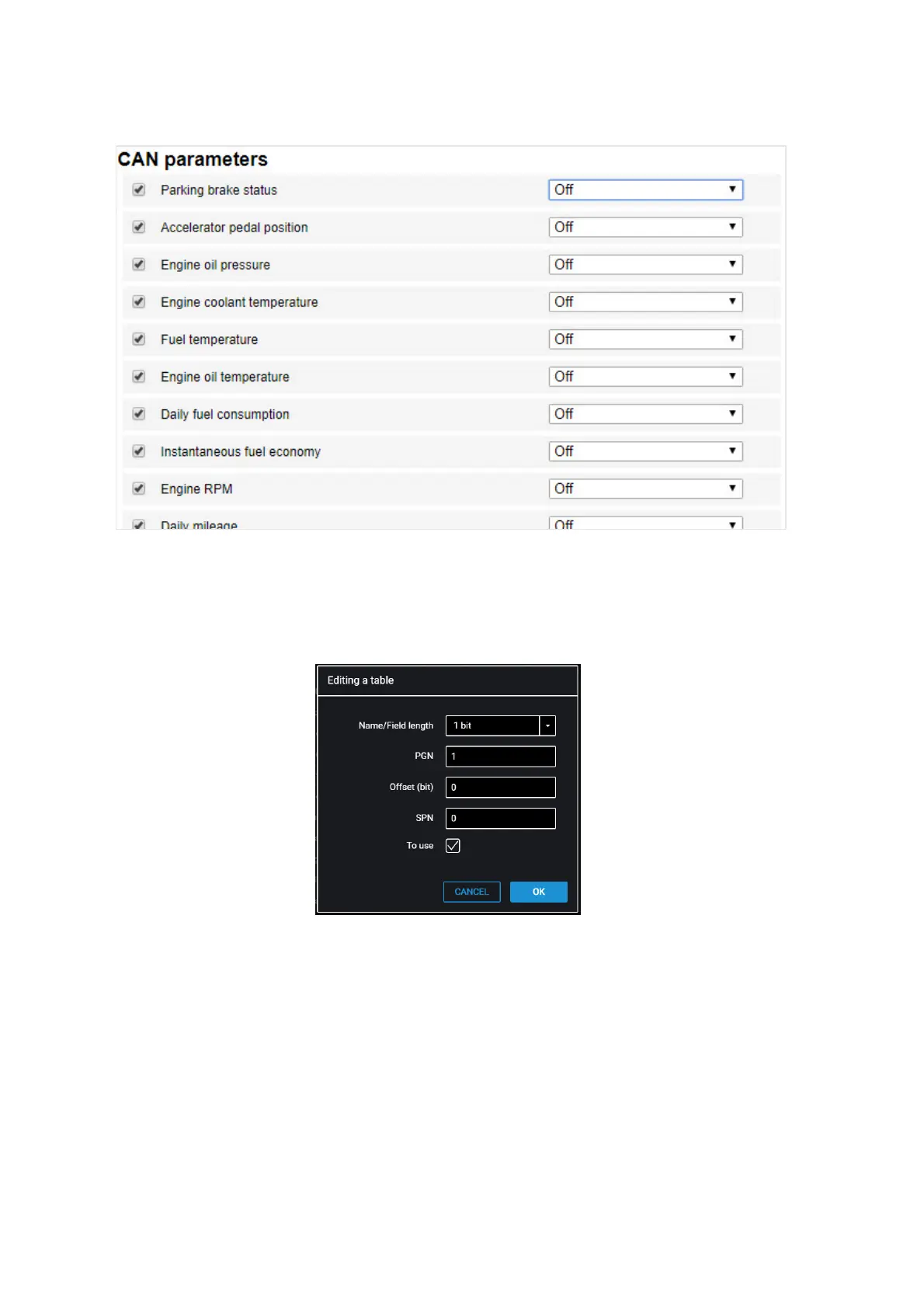
From the list, select the parameters, which value shall be displayed in
Omnicomm Online, and check the corresponding boxes in the column “Use”.
If you need to add parameters for reading from the CAN bus, which are not on the list,
in Omnicomm Configurator press button “Add”. A window will open:
“Length” – select the length of data packet. Possible values: 1, 2, 3, 4 (bit), 1, 2, 4 (bytes).
“PGN” – enter the parameter group number that defines the contents of the
corresponding message according to SAE J1939. Possible values: from 1 to 262143.
“Offset” – enter the offset value relative to the base address of the bit storing area.
Possible values: 0 to 63.
“SPN” – enter the parameter code according to SAE J1939. Possible values from 0 to
4294967295.
“Use” – check the box if you want to read this parameter from the CAN bus.



 To Next Page