Press the “Save” button.
Perform connection to the vehicle CAN bus using wireless CAN reader device (CAN-
crocodile).
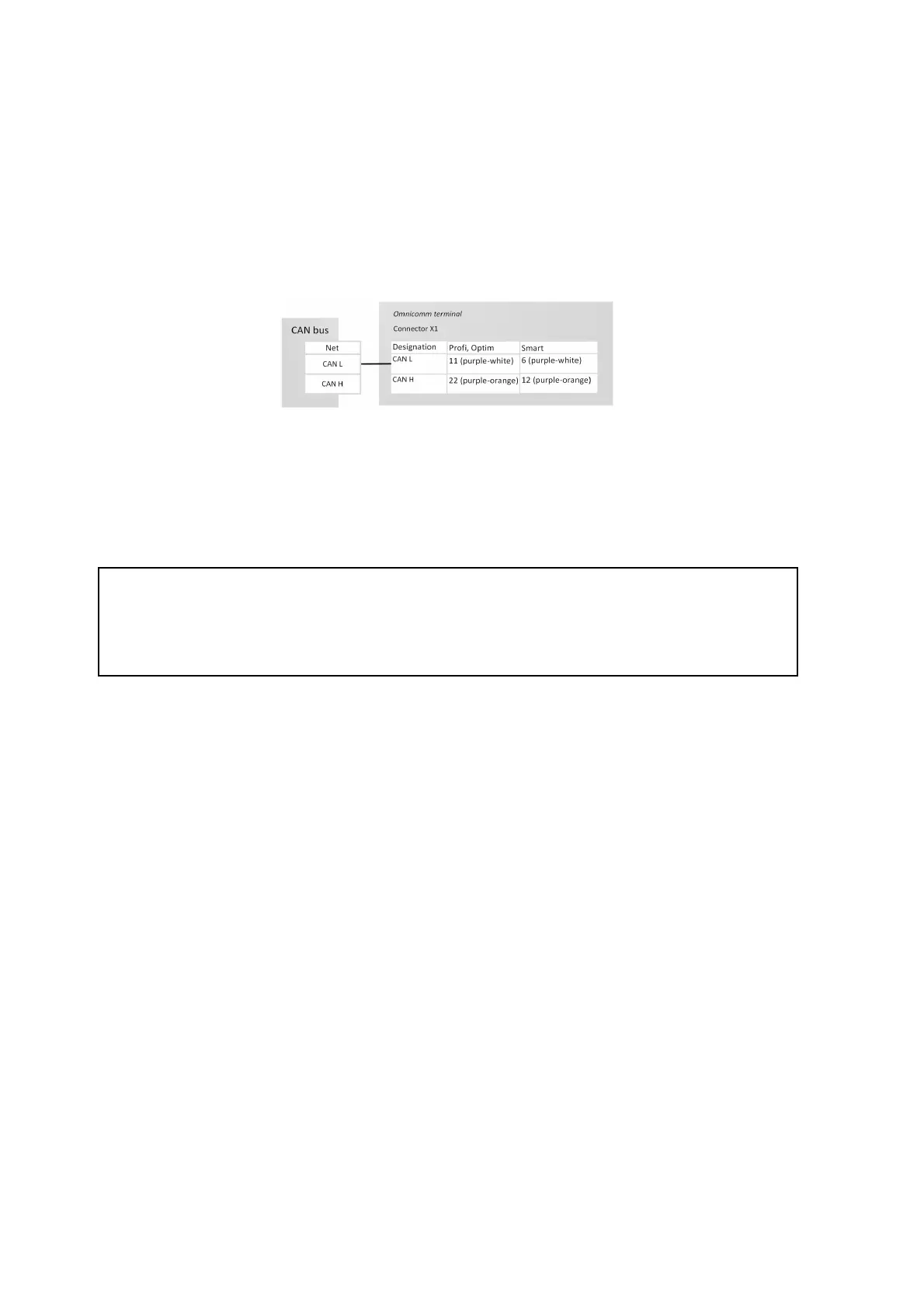
When using wireless CAN reader devices, connect the terminals according to the
diagram:
Configuring the reception of data on the fuel volume in the tank from the vehicle
CAN bus Connect and configure reception of the vehicle equipment operation
parameters from CAN J1939 data bus and set the setting of fuel sensor – “CAN Sensor”.
Check indication of the fuel sensor values in the “Monitoring” tab, the value must be
from 0 to 4095.
When reading the fuel level in the tank from the CAN bus, set the operating mode of
the terminal while ignition off to “Acquire data during pounding” mode. Otherwise,
the fuel level graphic will not be displayed correctly.



 To Next Page