Section 2 Using Multi-Reader/Writer Operation
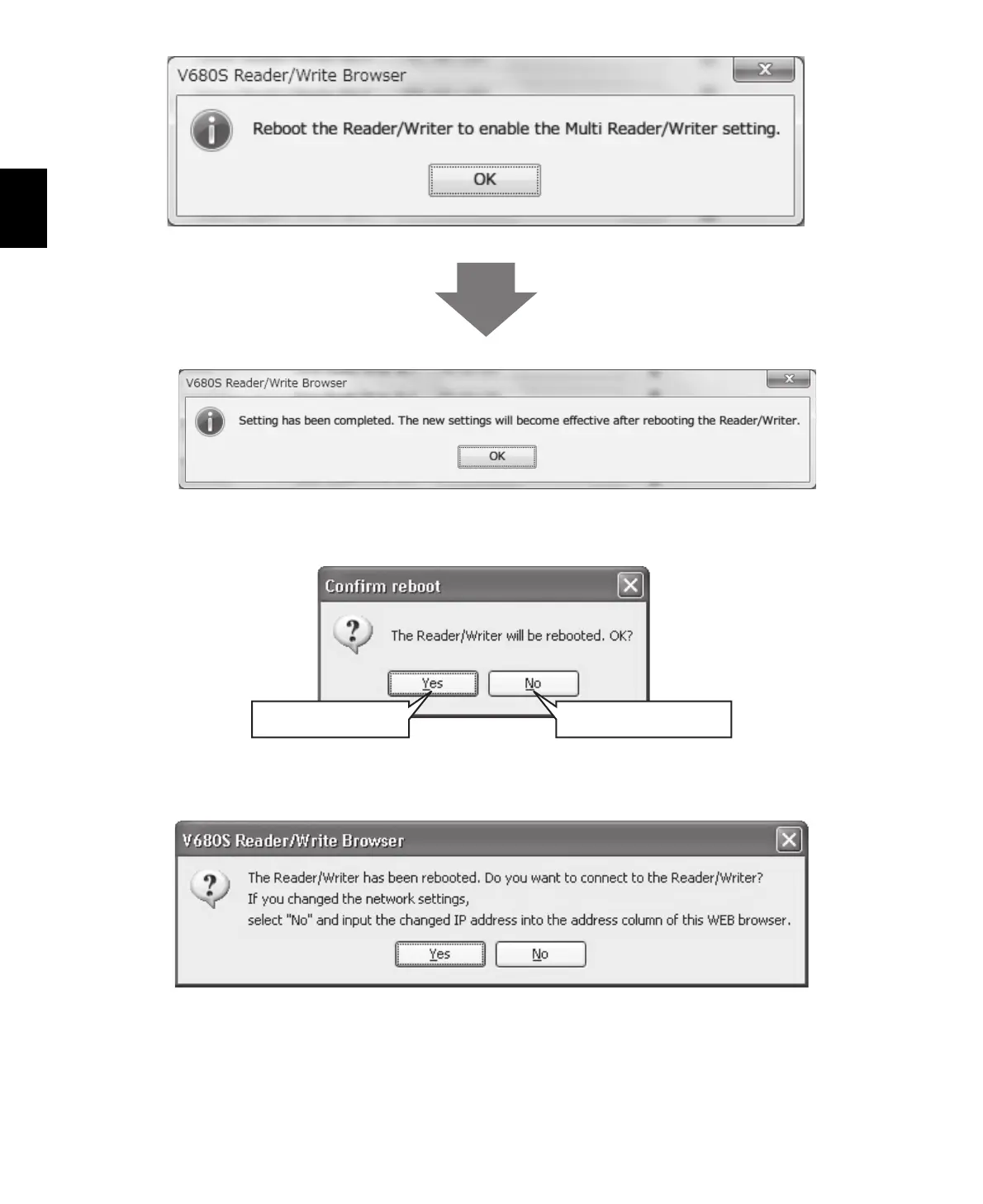
8. A confirmation message will be displayed. Click the OK Button.
9. Click the Reboot Button. A Confirm Reboot Dialog Box will be displayed. Click the Yes Button.
10. The following dialog box is displayed after the Reader/Writer has finished rebooting.
Click the Yes Button to connect to the Reader/Writer.
Click this button to reboot
the Reader Writer.
Click this button to cancel
rebooting the Reader Writer.



 To Next Page
 Loading...