
EasyManua.ls Logo

Opticon NLV-5201 - User Manual

Opticon NLV-5201
172 pages
Print Icon
To Next Page IconTo Next Page
Loading...
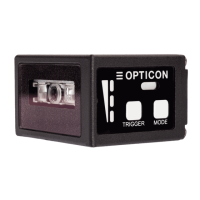
NLV-5201
Fixed Position 2D Imager Scanner
User's Manual

Table of Contents

Other manuals for Opticon NLV-5201

Questions and Answers

  • M
    Margaret PooleAug 11, 2025
    Why does my Opticon Laboratory Equipment display garbled characters?
    • K
      Keith PhillipsAug 11, 2025
      If you are experiencing garbled characters with your Opticon Laboratory Equipment, first, verify your communication settings, specifically the transfer speed and character format. Next, adjust the inter-character delay according to your host PC's processing speed. Finally, ensure that the code being read matches the character code of your communication tool.
  • Z
    zthompsonAug 22, 2025
    What to do if Opticon Laboratory Equipment cannot communicate and shows no response when sending commands?
    • P
      powellmichaelAug 22, 2025
      If your Opticon Laboratory Equipment is not responding to commands, verify the communication settings, including transfer speed and character format. After any changes to these settings, send the Z2 command to ensure they are applied. Also, confirm the handshake setting.
  • K
    Kurt SmithAug 31, 2025
    How to fix a doubled line-break issue with Opticon NLV-5201?
    • S
      Sandra GreenAug 31, 2025
      If the line-break is doubled when using Opticon Laboratory Equipment, check the line-break setting of the communication tool you are using.

Opticon NLV-5201 Specifications

General IconGeneral
BrandOpticon
ModelNLV-5201
CategoryLaboratory Equipment
LanguageEnglish