Chapter-2
Before Using
LED Indicator Specifications
2.7.3
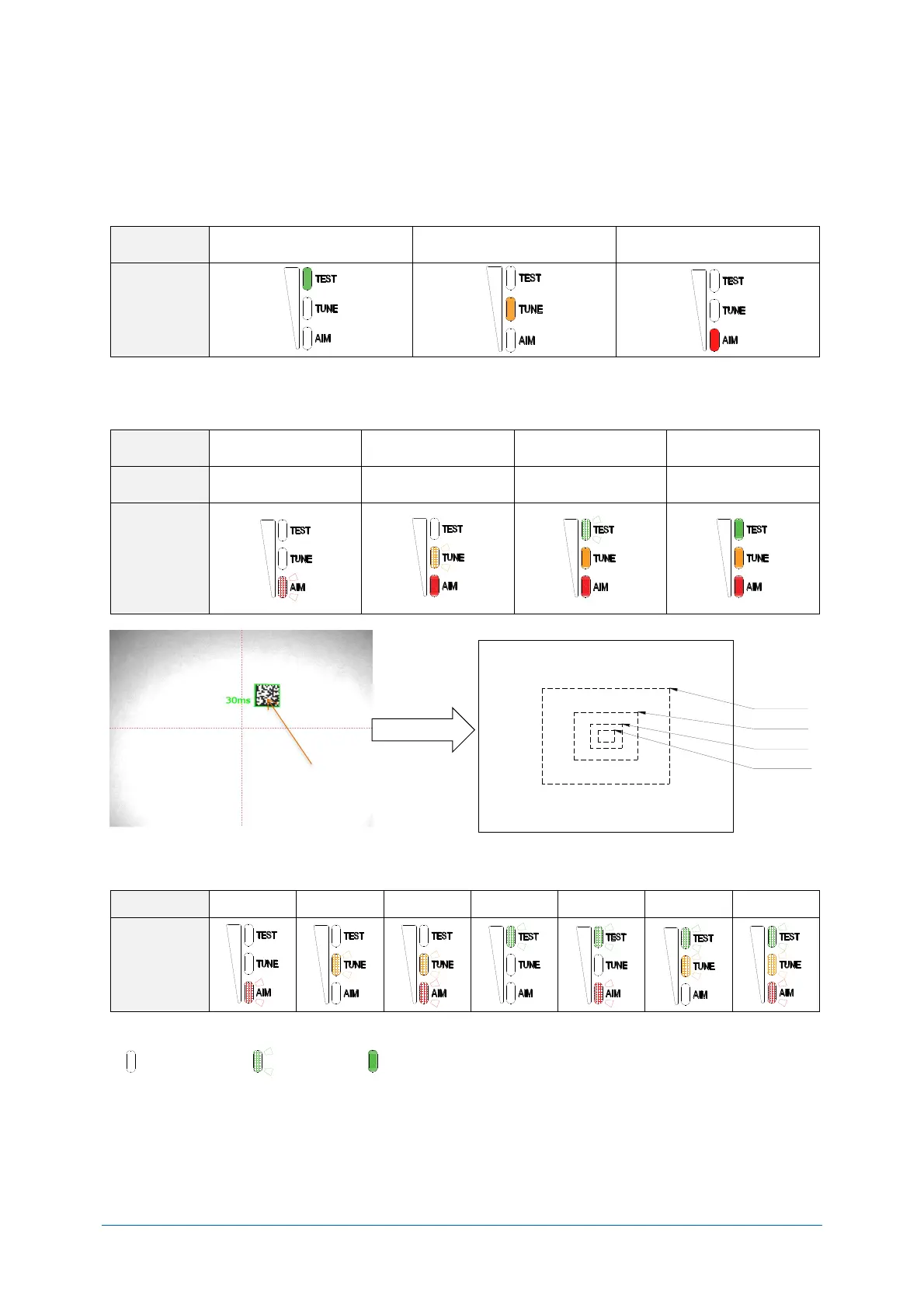
The status LED’s indicate the reading result and USB communication status. In read rate mode, the
reading success rate is indicated by these three 3-color LED’s. Below is a more in-depth description
on these LED’s.
Normal mode status LED indication
Waiting for
USB communication
Communication/
Reading error
“Test mode”, “Tuning mode” and “Aiming mode” LED indication
Test and tuning display the reading rate for 10 times.
*Judgement range at aiming.
“Bank. No.” LED indication
The LED of the bank currently used will blink by pressing the mode key for more than 2 seconds.
* Status LED legend
1/2 Image
1/4 Image
1/8 Image
1/16 Image


 To Next Page