Version 4.0.2 dated 2019-4-3 Page 33Translation of the original instructions
BF20V | BF20L | BF20LD GB
BF20V_BF20L_BF20LD_GB_4.fm
OPTIMUM
MASCHINEN - GERMANY
®
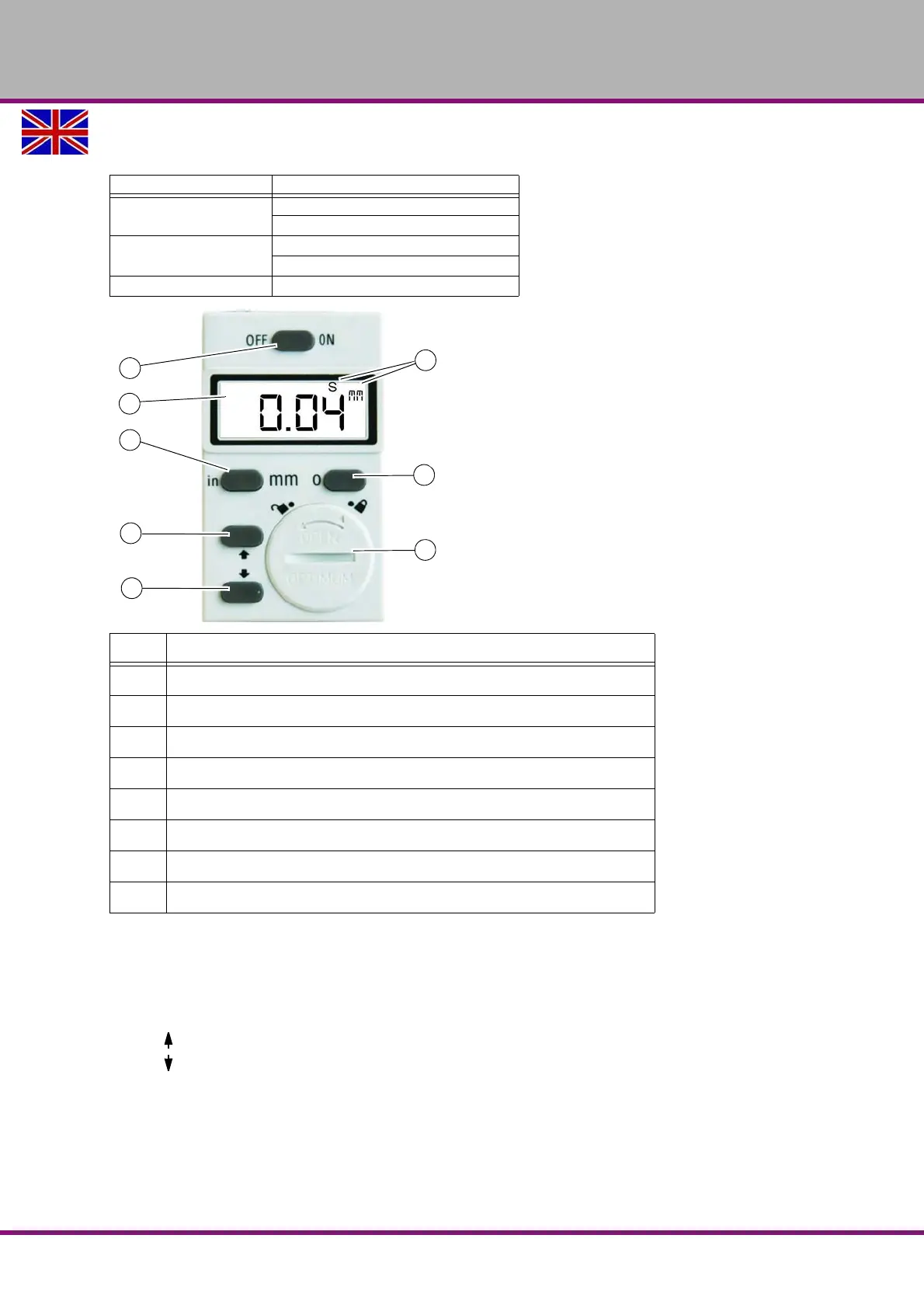
4.10 Digital display for spindle sleeve travel
Operation mode "S"
The operation mode "S" is used to enter and to compensate the mechanical play (backlash) of
quill mechanism.
(1) Display which shows the operating modes "S", "inch" or "mm"
(2) converts the measuring unit from millimetres to inches and vice versa.
(3) , Value increase in operation mode "S"
(4) , Value decrease in operation mode "S"
(5) Switches the display ON or OFF.
Resets the display to the set compensation value "S".
Enter the offset value of the quill mechanism
Press the button (6) for about 2-3 seconds. The operation mode (8) "S" is activated and dis-
played.
Measuring range
0 - 999.99mm
0 - 39.371“inch
Reading precision
0.01mm
0.0004“inch
Power supply round cell CR2032 , 3 V 20 x 3,2mm
Pos. Designation
1 LCD display
2 Shifting mm/inch
3 Performs a value increase in operating mode "S" (Setting)
4 Performs a value decrease in operating mode "S" (Setting)
5 ON/OFF switch
6 Zero position and activation of operation mode "S"
7 Battery bay
8 Display of operation mode "S" and selected unit "mm / inch"















 To Next Page